Account takeover fraud prevention: 6 steps


To prevent account takeover fraud on social media, stop sharing passwords, secure 2FA, limit access, filter phishing and monitor accounts around the clock. This guide walks through six steps, the warning signs and what to do if you're already locked out.
To prevent account takeover fraud, stop sharing passwords, move 2FA off personal phones, give each person only the access they need, filter phishing before your team sees it, and monitor your accounts around the clock. Those six steps close the doors attackers use most. If an intruder does get in, monitoring lets you cut them off before they reach your audience.
Most account takeover advice was written for banks and online stores. For brands, that misses the point: your social account holds your audience, your ad spend, your customer service channel and a share of your revenue behind one login. This guide covers how attackers get in, the warning signs, the six prevention steps and what to do if you're already locked out.
What is account takeover fraud on social media?
Account takeover fraud happens when an attacker gets into a legitimate account and uses it for their own purposes. On social media, attackers rarely want the account itself. They want the trust it has already built with its followers.
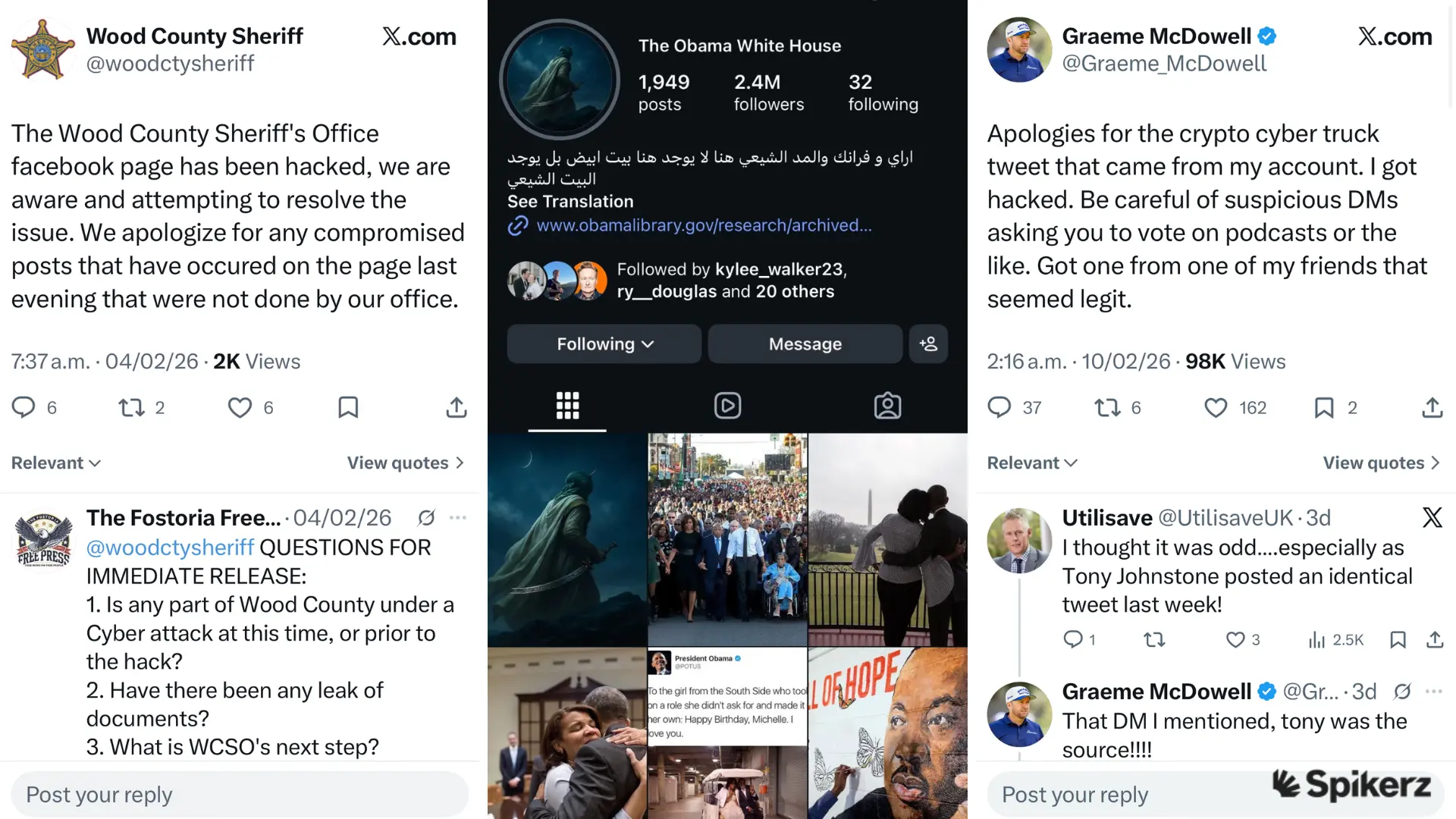
Say a hacker takes over a beauty brand's Instagram account with 800,000 followers. Within an hour, they post a "flash giveaway" that links to a fake checkout page and collects fans' card details. The brand loses its account, and every follower who clicks pays the price. Examples like the ones below are easy to find.
How attackers take over social media accounts
Attackers use five main ways into brand accounts.
Phishing emails and DMs
Phishing leads to account takeover when someone on your team clicks a link that looks legitimate but opens a fake login page. The attacker collects the password and the 2FA code, then locks the real owner out.
For example, a social media manager gets a "community guidelines violation" email that looks like it's from Instagram. It says the account will be suspended in 24 hours unless they verify their identity. They click, "log in" on the fake page, and the attacker has their credentials. If you get an alert like this, here's how to check a suspicious login alert is real.
Credential stuffing and reused passwords
Credential stuffing is when attackers take usernames and passwords leaked in old data breaches and try them on other sites, often with bots that test thousands of logins at once. If your social media manager reused a leaked password on your brand's TikTok, the attacker already has the key.
Shared team passwords make this worse. One person's leak becomes everyone's problem, and there's no way to tell where it started.
2FA bypass and SIM swapping
Attackers can get around two-factor authentication (2FA) by persuading a phone carrier to move your number to their SIM card, by using phishing pages that capture codes as you type them, or with malware on a personal phone. 2FA is an important layer, but it isn't enough on its own.
Risky third-party apps
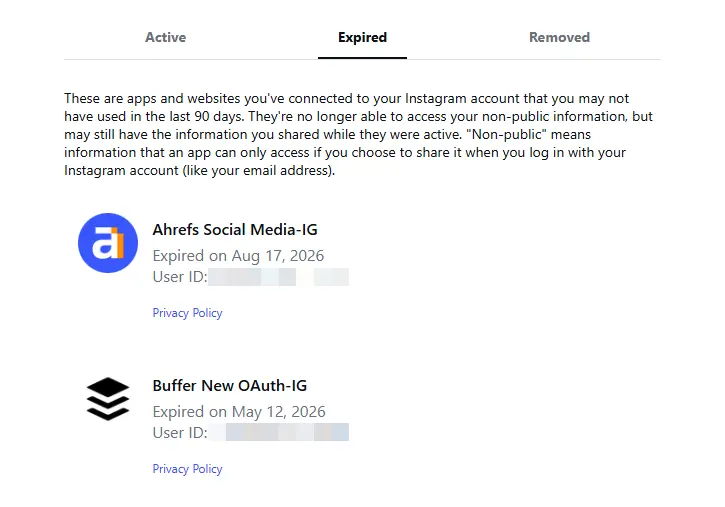
Connecting a scheduling or analytics app gives it ongoing access to your account. If that app is breached or malicious, an attacker can post, send messages and change settings without your password.
Changing your password doesn't always cut that access off. The app keeps working until someone removes it, and most teams never do.
Former employees, agencies and vendors
Old access turns into account takeover when nobody removes a departing social media manager or a former agency. Say a contractor from three campaigns ago is still a Facebook Page admin. If their personal account is hacked, yours is exposed too. Remove access the day someone leaves or a contract ends.
Why account takeover prevention matters
Preventing a takeover costs far less than recovering from one. Recovery means weeks of lost engagement, refunds for scammed customers and time your team should spend running the business.
- The FBI received more than 5,100 complaints about account takeover fraud that started with attackers impersonating financial institution support in 2025, with losses over $262 million.1
- Americans reported losing $2.1 billion to scams that started on social media in 2025, about eight times the 2020 figure.2
How long could your business run without its main social channel? A week? A day? The good news is that prevention is in your control.
Warning signs your account is under attack
Account takeover rarely starts with you being locked out. It starts with quiet signals your team can catch if they know where to look:
- Login alerts from devices or locations you don't recognize
- Changes to the recovery email or phone number that you didn't make
- Password reset emails nobody requested
- New admins or roles in your settings that nobody approved
- Posts or DMs you didn't send
- A sudden drop in reach, which can mean the account is posting spam that followers are hiding
How to prevent account takeover fraud in 6 steps
Prevention comes down to closing the doors attackers use most. Work through these six steps in order.
1. Stop sharing passwords
Password sharing is the biggest risk for social media teams. Everyone who has ever held the login is a possible leak, and you can't trace which one caused a breach.
Give each person their own access from one secure place instead, so nobody holds a copy of the password. People get access when they join and lose it when they leave, without anyone changing the password.
Where a password is still needed, make it unique to that account, randomly generated and at least 20 characters long, with a mix of letters, numbers and symbols. A password manager stores them so nobody has to remember them.
2. Move 2FA off personal phones
Tying 2FA to one employee's phone causes two problems. If that phone is compromised, so is the account, and if they're on vacation, nobody can log in. 2FA for teams solves both.
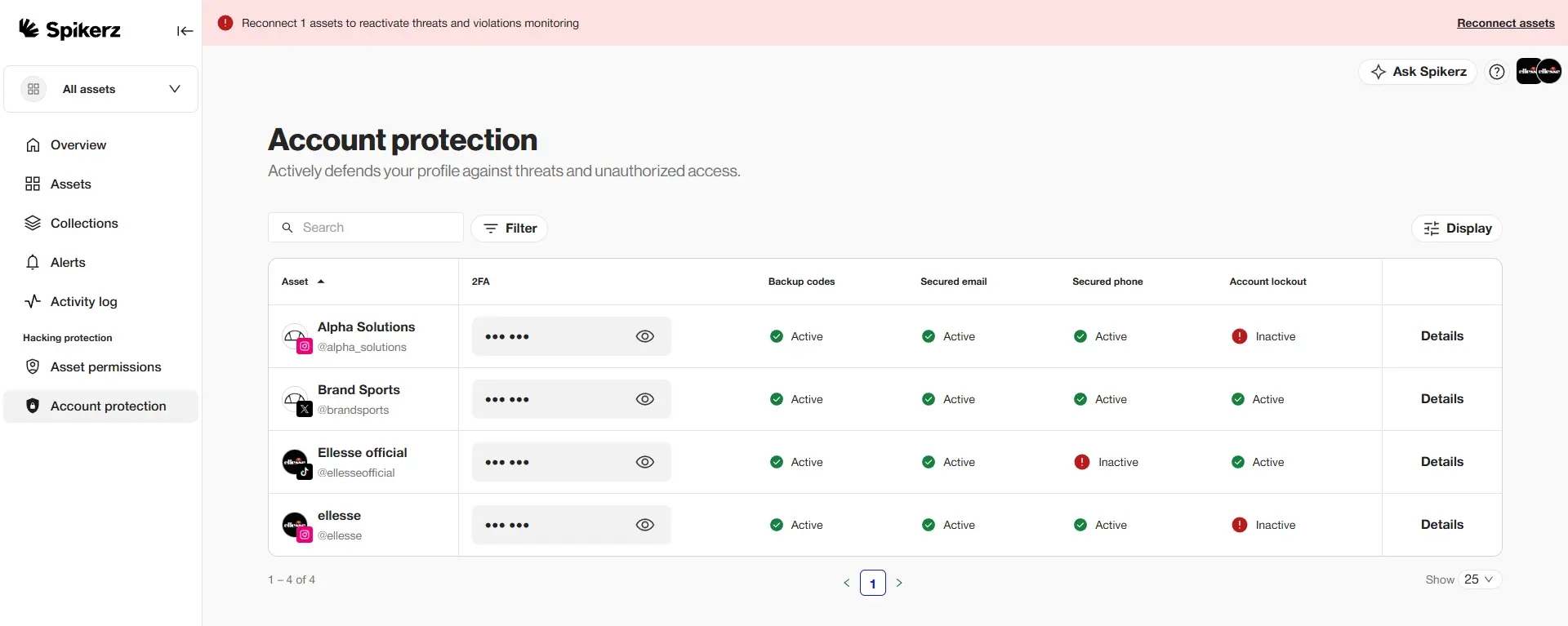
Spikerz hosts and secures the 2FA codes for each platform, with no ties to personal phone numbers. Codes reach the right people and stop getting passed around group chats.
3. Give everyone the least access they need
Follow the zero trust rule: never trust, always verify. Nobody gets access by default, and everyone gets only the access their job needs.
Keep a list of every person, agency and app with access to your accounts, and review it monthly. Remove access the day someone leaves, not a quarter later. Our guide to social media access management explains how to set this up.
4. Stop phishing before it reaches your team
Most takeovers start with a message, so your inbox, DMs and comments are the front line. If a phishing email never reaches your social media manager, they can't click it.
AI filtering catches phishing links and fake support accounts before anyone on your team sees them. It also flags what keyword filters miss, like fake "brand partnership" DMs, accounts impersonating your support team and lookalike domains.
Train your team too. Show them how to check a link's real address before clicking, spot misspelled domains and never share a login code with anyone who asks for it, however urgent the message sounds.
5. Monitor your accounts around the clock
Attacks often run at 3 a.m. or over a weekend, so weekly manual checks miss them. By the time your team logs in on Monday, the damage is done.
Continuous monitoring flags unusual logins, unexpected permission changes and behavior that suggests a takeover is underway. You get an alert the moment something looks wrong, and the intruder is cut off before they dig in. Spikerz goes a step further: when it detects an intruder, it logs them out and changes the password automatically, then alerts your team.
6. Plan your recovery before you need it
A written recovery plan cuts downtime if an attacker does get in. Agree on these points in advance:
- Who leads the recovery
- Who contacts the platform
- Who warns your audience, and on which channel
- Where you keep the documents platforms ask for during recovery, such as business verification and proof of ownership
Decide before a crisis, not during one.
What to do if your account is already taken over
Speed decides how much you lose. Every hour the attacker holds the account is another hour of scams sent to your followers.
1. Lock down everything connected
Change the password on the email account linked to the profile first. If you can still get in, remove third-party apps and log out of all active sessions in the account settings.
2. Document the damage
Screenshot unauthorized posts, DMs and permission changes as soon as you see them. Platforms ask for this evidence during recovery, and you can't get it back once the attacker deletes it.
3. Start the platform's recovery process
Submit a recovery request through the platform's official support channel. Timelines vary, so send everything at once: ID, screenshots and business documents.
4. Warn your audience
Tell followers the account is compromised through a channel you still control, like your website, newsletter or another social profile. It limits how many people fall for scams sent from the hijacked account.
How Spikerz helps prevent account takeover
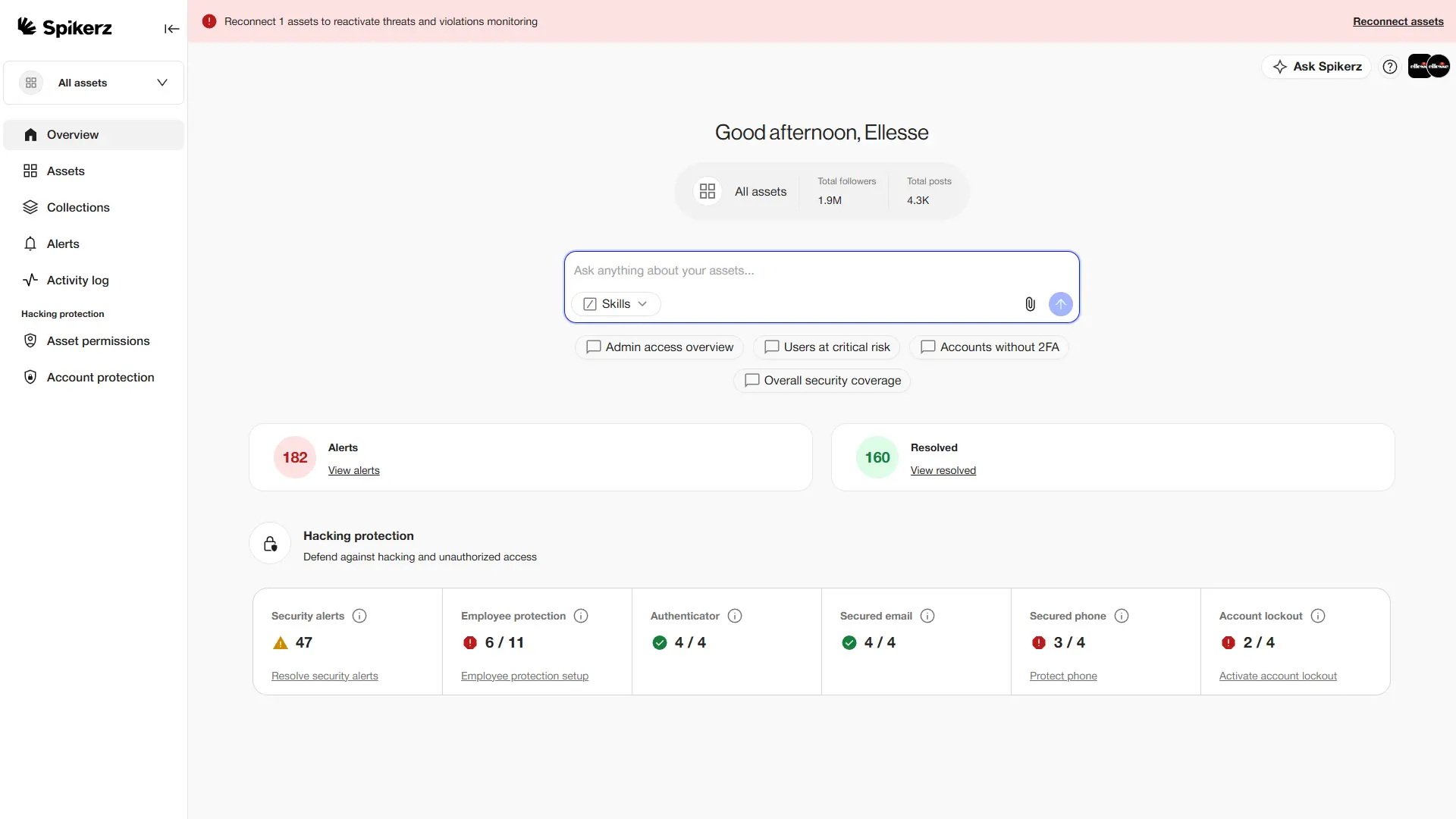
Spikerz is a social media security platform that connects through official platform APIs, so you never share your passwords with us. It replaces the habits attackers rely on: shared logins, 2FA on personal phones, forgotten agency access and unfiltered phishing.
- Account takeover protection: spot suspicious logins, log intruders out and rotate the password automatically, and keep 2FA codes in one secure place.
- Phishing protection: catch phishing in emails, DMs and comments before it reaches your team.
- Access management: see every person and app with access on every platform, and remove them from one place.
- Impersonator takedown: find fake accounts using your brand and get them removed.
- Comment moderation: hide spam, hate and phishing links on your posts automatically.
Comparing tools? See our list of the best account takeover protection software. Want to know your accounts are protected while your team sleeps? Book a consultation and we'll show you how.
Conclusion
Account takeover fraud on social media is a different fight from the one banks have run for decades, and our full ATO explainer covers the background. Attackers want your audience's trust, and they get in through phishing, reused passwords, weak 2FA, risky apps and old access nobody removed.
The six steps in this guide close each of those doors. If you've already been hacked, move fast: lock down connected accounts, document what happened, start the recovery and warn your audience.
Book a consultation to see how Spikerz protects your brand's accounts.
Sources
- FBI Internet Crime Complaint Center, "Account takeover fraud via impersonation of financial institution support", public service announcement I-112525-PSA, November 25, 2025. ic3.gov/PSA/2025/PSA251125
- Federal Trade Commission, "Reported losses to scams on social media eight times higher than in 2020", Data Spotlight, April 2026. ftc.gov