Here are The Best YouTube Comment Moderation Tools: Top Picks for 2026

Summary:
Scammers and bots frequently exploit YouTube comment sections to distribute malicious links, spam, misinformation and fake offers, which can damage brand equity and turn audiences away. Top YouTube comment moderation tools, including Spikerz, NapoleonCat, and Respondology, help brands, agencies, and creators filter harmful comments to protect their communities.
Shortlist: Our Top Picks for YouTube Comment Moderation
YouTube Comment Sections: A Brand Safety Risk
More than 55% of marketers use YouTube for video marketing. The platform has over 51 million active brand channels where audiences discover and engage with brands at scale.
However, its high engagement comes with a problem: users leave millions of comments per day, many of which contain spam, self-promotion, phishing links, malware distribution, and hate speech. These harmful or irrelevant comments drown out genuine audiences, and deleting them manually can take hours for high-visibility accounts.
Brands are taking this challenge seriously; Grand View Research estimates the social media moderation market will grow from $8.34 billion in 2024 to $23.89 billion by 2033. This guide reviews the best YouTube comment moderation tools – learn their importance and how to choose the best tool for your team.
Why Trust Us?
At Spikerz, we built a brand protection platform that offers AI-powered comment moderation on YouTube. It automatically detects and removes spam, phishing links, hate speech, and impersonators before they reach your audience.
Since 2022, Spikerz has helped thousands of brands delete over 1.3 million toxic comments across YouTube and other major platforms. Rated 4.6 on G2 for customer satisfaction, our experience protecting modern brands at scale informs the recommendations in this guide.
What is YouTube Comment Moderation?
While the fight between creators and fraudulent commenters has not yet been won, comment moderation is how brands protect their audiences and reputations daily.
YouTube comment moderation involves continuously reviewing and filtering comments on brand videos to remove harmful or irrelevant content. While YouTube offers built-in moderation settings and manual removal, a dedicated social media comment moderation tool lends more automation, speed, and intelligence to the process.
AI-powered YouTube comment moderation tools use automated keyword filtering, custom rules, intent detection, and — sometimes — human review to catch spam, phishing attempts and impersonators before they reach your audience.
Why are YouTube Comment Moderation Tools Important?
Telesign’s 2024 Trust Index Report revealed that 64% of global consumers say fraud incidents negatively impact how they perceive a brand, even when the brand is not directly responsible. This makes social media brand protection non-negotiable for teams managing YouTube channels at scale.
Here are reasons you need moderation tools to remove YouTube spam comments:
1. Protect Brand Reputation
If a toxic or misleading comment thread blows up before internal teams can act, it can cause damage to brand image.
2. Stop Phishing and Audience Scams
Fraudsters pose as popular personalities or brand executives in comments to steal credentials or payment information from your customers.
3. Encourage Authentic Engagement
Spam and hostile comments cause genuine audiences to hesitate and go silent, which affects engagement rates
4. Moderate Comments at Scale
Brands running influencer campaigns or active channels can get thousands of comments within hours, making manual moderation nearly impossible.
Top 10 Tools for YouTube Comment Moderation
We compared 10 efficient YouTube comment moderation tools based on their best use cases, key strengths, and pricing to help identify which platforms are best suited for different needs.
1. Spikerz
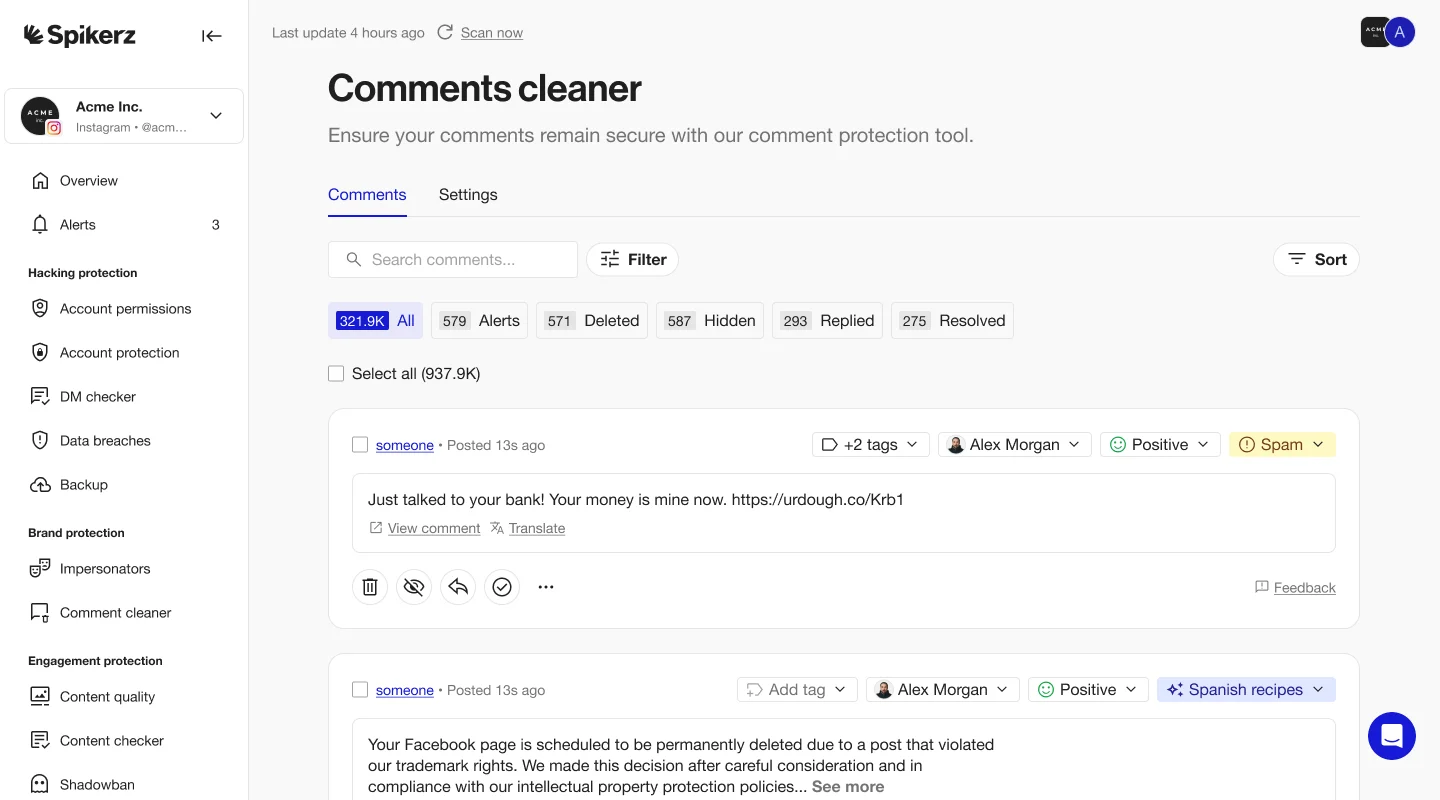
Spikerz is an AI-powered social media security and comment moderation platform built to protect creators and brands from reputational damage caused by harmful comments. It automatically detects, hides, and removes spam, scams, phishing attempts, hate speech, bot activity, and impersonation in YouTube comment sections.
While most moderation tools stop at keyword filtering, Spikerz’s AI comment moderation tool reads intent. It understands emojis, slang, and character substitutions that bad actors use to evade basic filters.
Key Features
- AI-Powered Comment Filtering: Detects and hides harmful content in real-time with AI intent reading
- In-Platform Moderation: Connects directly inside platforms via APIs and removes unwanted comments in real time
- Customized Brand Rules: Allows users to define custom moderation topics in plain language
- Multilingual Context-Awareness: Understands emojis, GIFs, videos, slang, and nuance across 25+ languages
- Permissions Management: Audits account access, detects risky user permissions, and revokes outdated access
- Impersonator Takedown: Identifies and removes impersonating accounts on YouTube and connected platforms
Who Benefits the Most From Spikerz?
Spikerz benefits brands, social media managers, video content creators, PR teams, and talent managers who are responsible for maintaining the credibility and reputation of a YouTube presence. It also functions as account takeover protection software, helping security teams safeguard accounts from hacking.
Pricing
Custom pricing based on the number of accounts, platforms, and level of protection. Contact Spikerz to book a demo.
2. Respondology (Moderate)
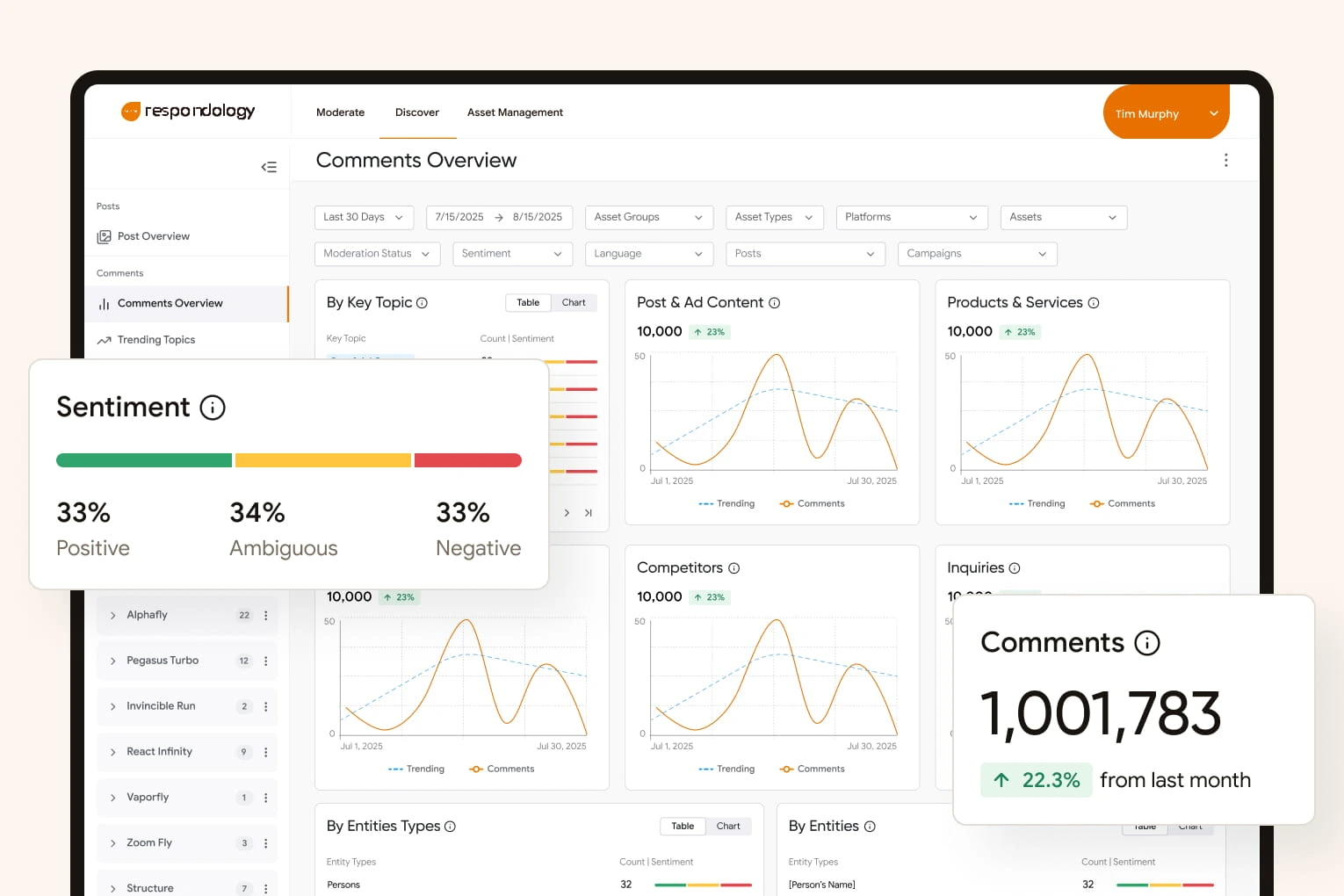
Moderate (by Respondology) is a social media moderation platform designed to block spam, toxic content, and phishing bots across campaigns. It uses 3 layers of moderation to filter comments in line with brand standards and has protected over $750M in ad spend.
Key Features
- Instant Comment Hiding: Detects and discreetly hides toxic, spam, and brand-damaging YouTube comments in less than a second
- Multilingual YouTube Moderation: Supports moderation across 100+ languages with more than 30,000 preloaded phrases and emojis
- 3-Layer Moderation Model: Combines keyword rules, generative AI, and trained human moderators
Pros
- Fast and discreet enforcement
- Brand-specific custom policies
Cons
- Higher cost than AI moderation tools
- Complex setup to configure brand rules
Pricing
Standard starts at $1,500/month. Plus and Enterprise are higher-tier plans with custom pricing and a demo available on request.
3. NapoleonCat
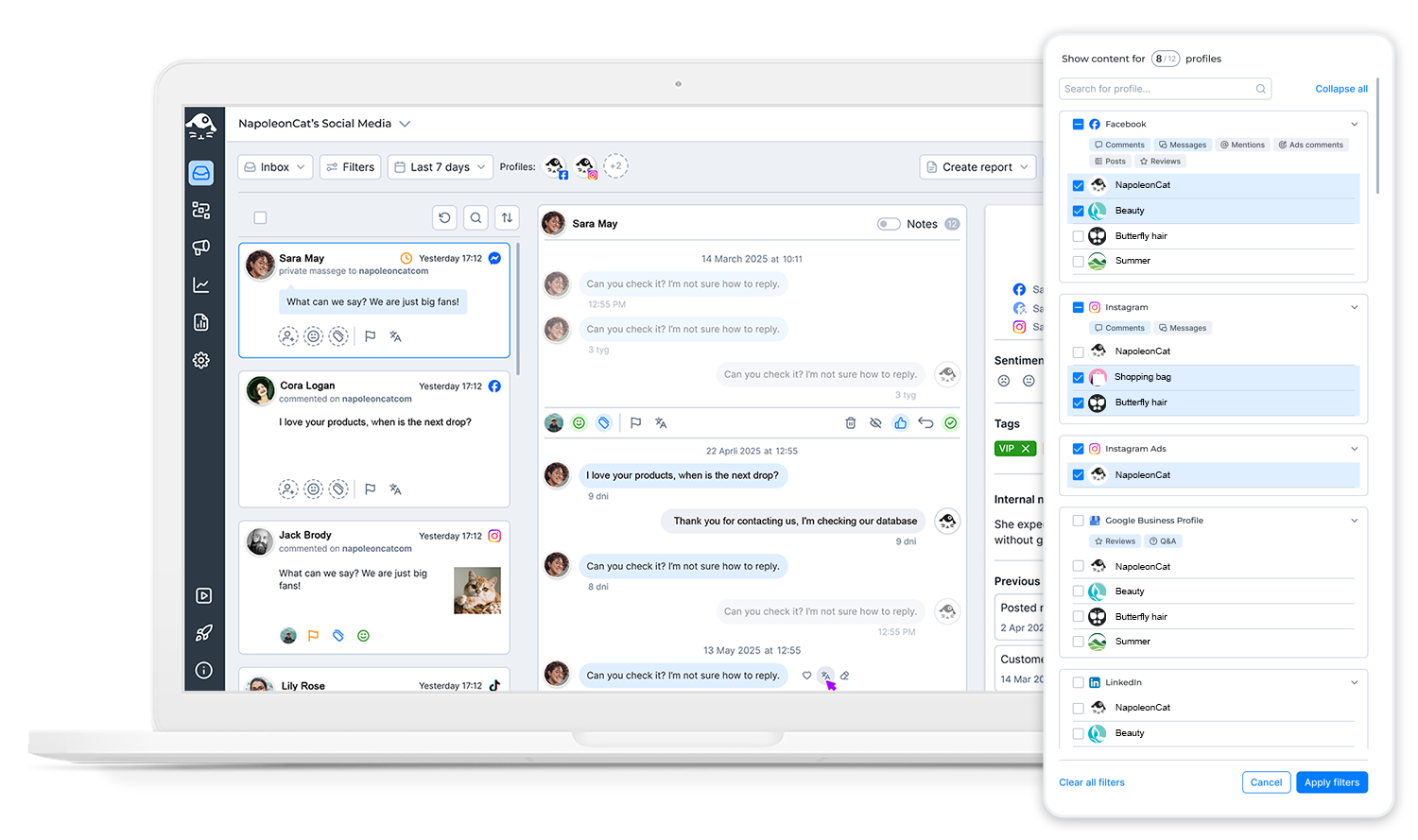
NapoleonCat is a social media management platform that helps businesses manage YouTube engagement, automate moderation, and analyze channel performance from one dashboard. The platform offers AI-powered comment filtering, customer service workflows, analytics tools, and competitor tracking to monitor channel growth.
Key Features
- Comment Moderation: Automatically detects and removes spam, hate speech, harmful links, and toxic comments on YouTube videos
- Automated Translation: Instantly translates YouTube comments and replies for brands with international audiences
- AI Reply System: Generates brand-aligned responses using FAQs, past interactions, and knowledge base data
Pros
- Simultaneous moderation across multiple YouTube channels
- Built-in analytics to improve engagement strategy
Cons
- Interface can feel feature-heavy for smaller creators
- Advanced automation features may require higher-tier plans
Pricing
Plans start at $79/month (Standard), $89 (Pro), $119 (Expert), and $465+ (Enterprise). A 14-day free trial is available.
4. Hootsuite
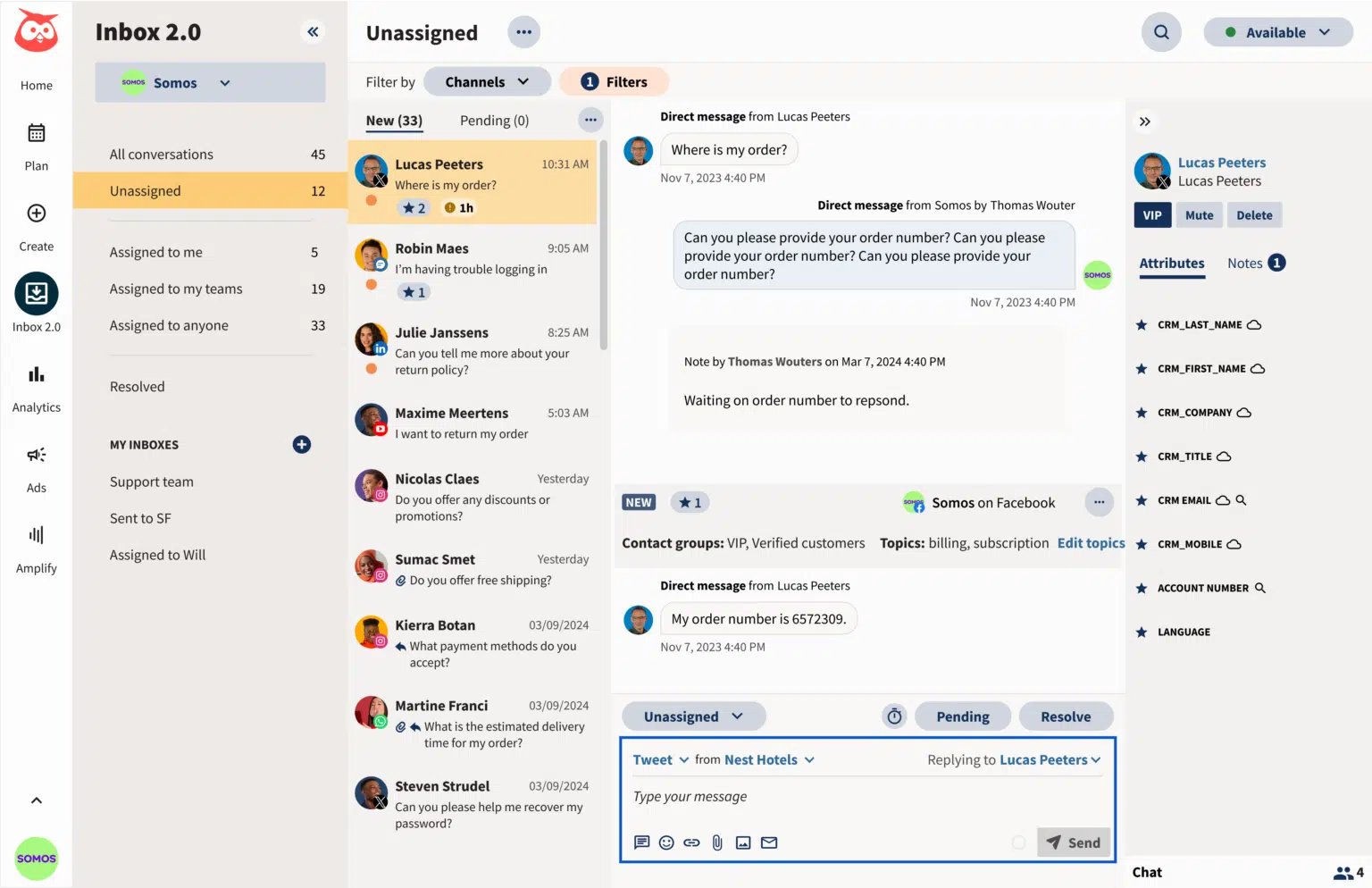
Hootsuite is a popular social media management platform that offers YouTube scheduling, analytics, and comment moderation through its Streams feature. It allows brands to monitor, respond to, and filter harmful comments on YouTube and other social platforms in real time.
Key Features
- YouTube Comment Moderation (via Streams): Approve, reply, or delete comments with built-in spam detection and keyword filtering
- Keyword Monitoring: Tracks specific keywords and discussions across YouTube to identify trends and audience sentiment
- Unified Social Scheduling: Schedule YouTube videos alongside other social content from a single dashboard for consistent publishing
Pros
- Advanced analytics and performance tracking
- Keyword monitoring for audience sentiment
Cons
- Expensive for small creators
- Not specialized for high-volume comment filtering
Pricing
Standard at $99/user/month, Advanced at $249/user/month, and a custom-priced Enterprise plan. All plans include a 30-day free trial.
5. CommentMod
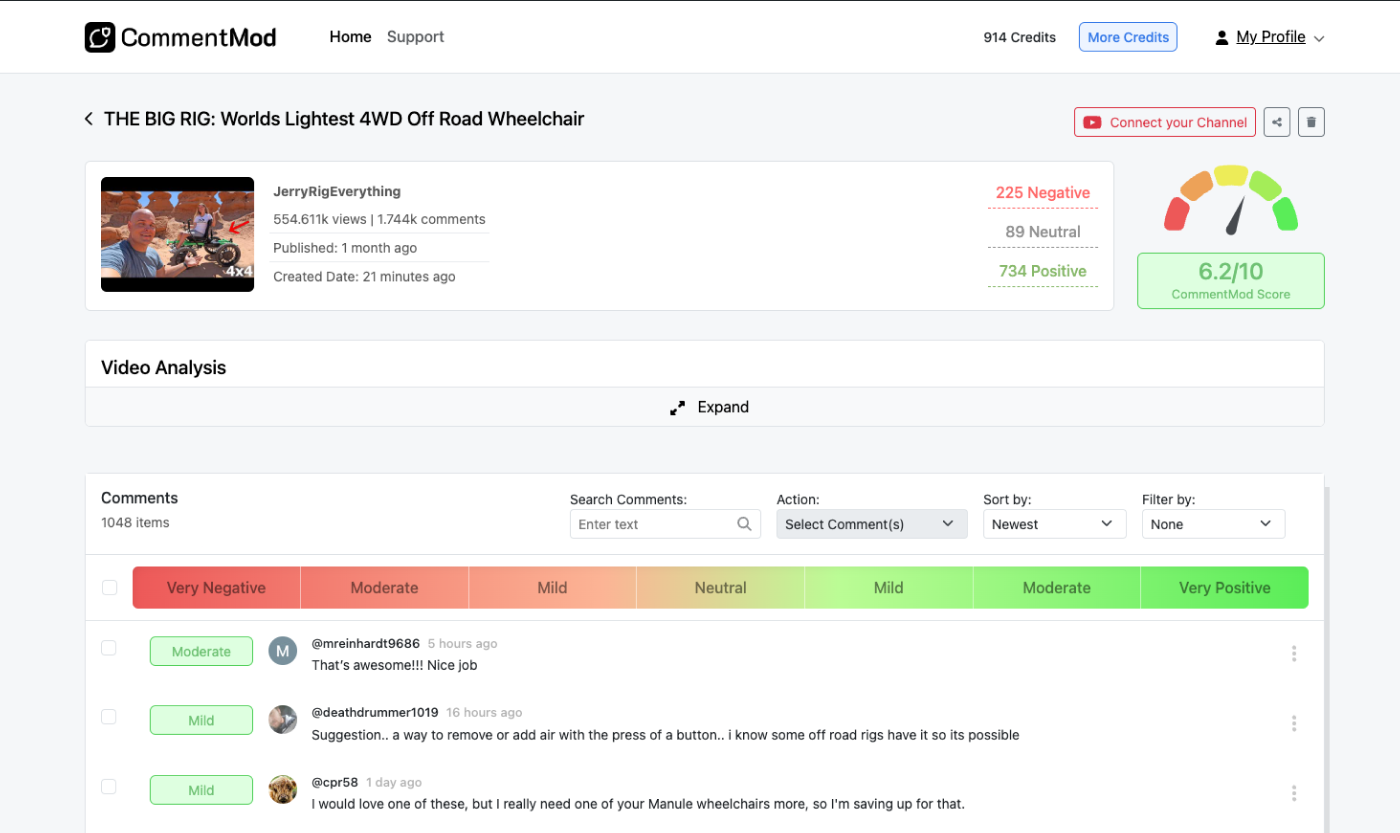
CommentMod is an AI-powered YouTube comment analysis and moderation tool built to help creators understand audiences and manage comments at scale. It offers both insight and action, with sentiment analysis, trend detection, content suggestions, and batch moderation to filter unwanted comments.
Key Features
- YouTube Comment Analytics: Analyzes video comments to extract sentiment, intent, and engagement patterns
- Batch Moderation: Allows creators to delete or report large volumes of YouTube comments efficiently
- Sentiment Analysis: Identifies positive, neutral, and negative emotional tones to help creators understand audience reactions
Pros
- Real-time audience trend detection
- Bulk comment moderation
Cons
- Limited workflow features for enterprise teams
- More insight than moderation functions
Pricing
Custom pricing based on usage, channels, and features. Free trial available.
6. CommentShark
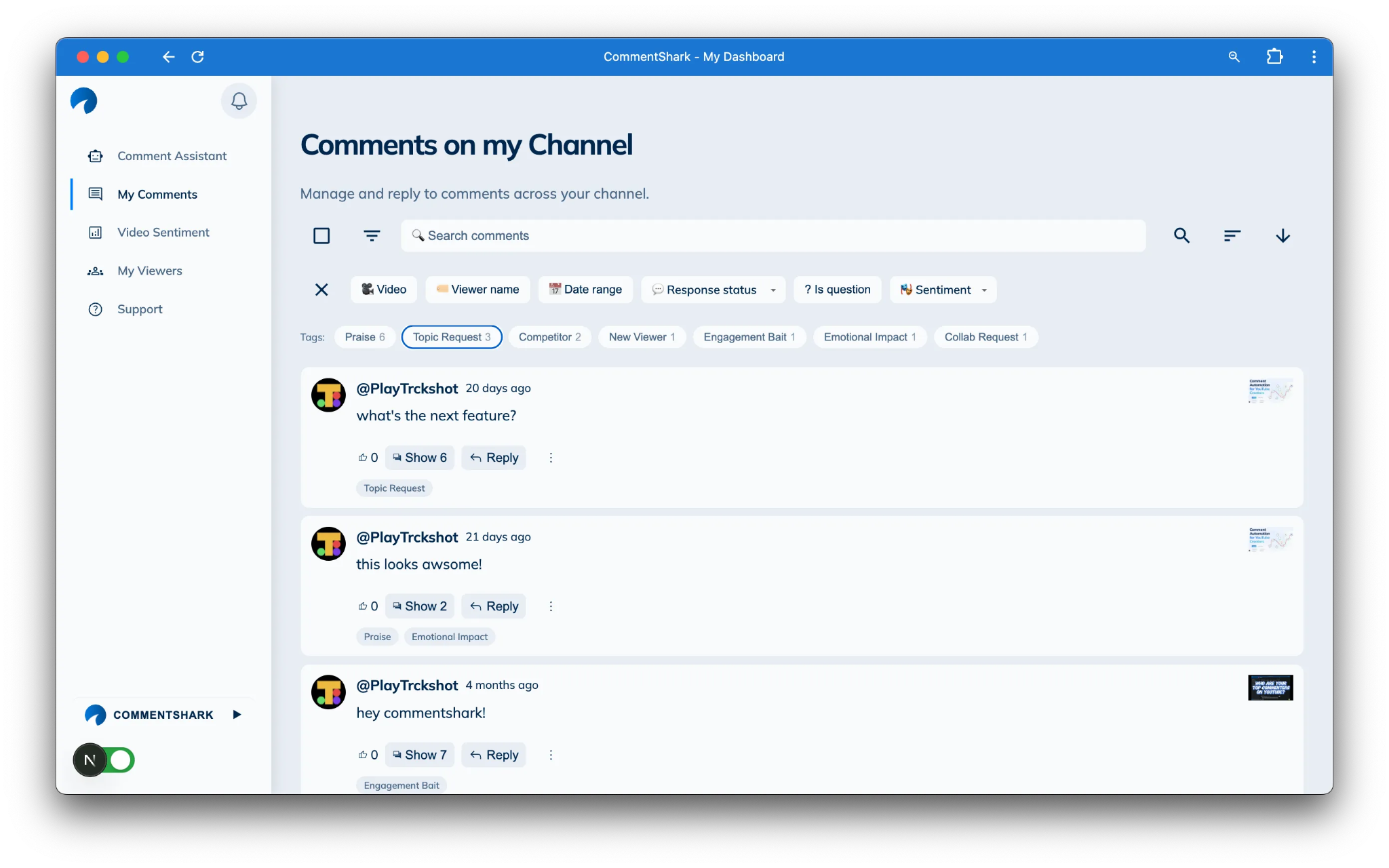
CommentShark is a comment moderation and automation platform built specifically for creators, brands, and agencies managing high volumes of YouTube comments. The tool automates replies, filters spam and hate speech, detects audience sentiment, and helps teams maintain active, brand-safe YouTube communities.
Key Features
- 24/7 Comment Moderation: Detects and removes scams, hate speech, toxic comments, and spam across many languages
- Centralized YouTube Comment Inbox: Search, filter, tag, and manage all YouTube comments across videos from one dashboard
- Automated AI Replies: Replies to YouTube comments using customizable keyword rules or AI-generated responses trained on your writing style
Pros
- Audience sentiment and engagement tracking
- Multilingual support across 100+ languages
Cons
- Limited automation based on the plan
- YouTube-only platform support
Pricing
Paid plans include Plus at $9.99/month, Pro at $19.99/month, and Premium at $49.99/month. Free and custom team plans available.
7. AgoraPulse
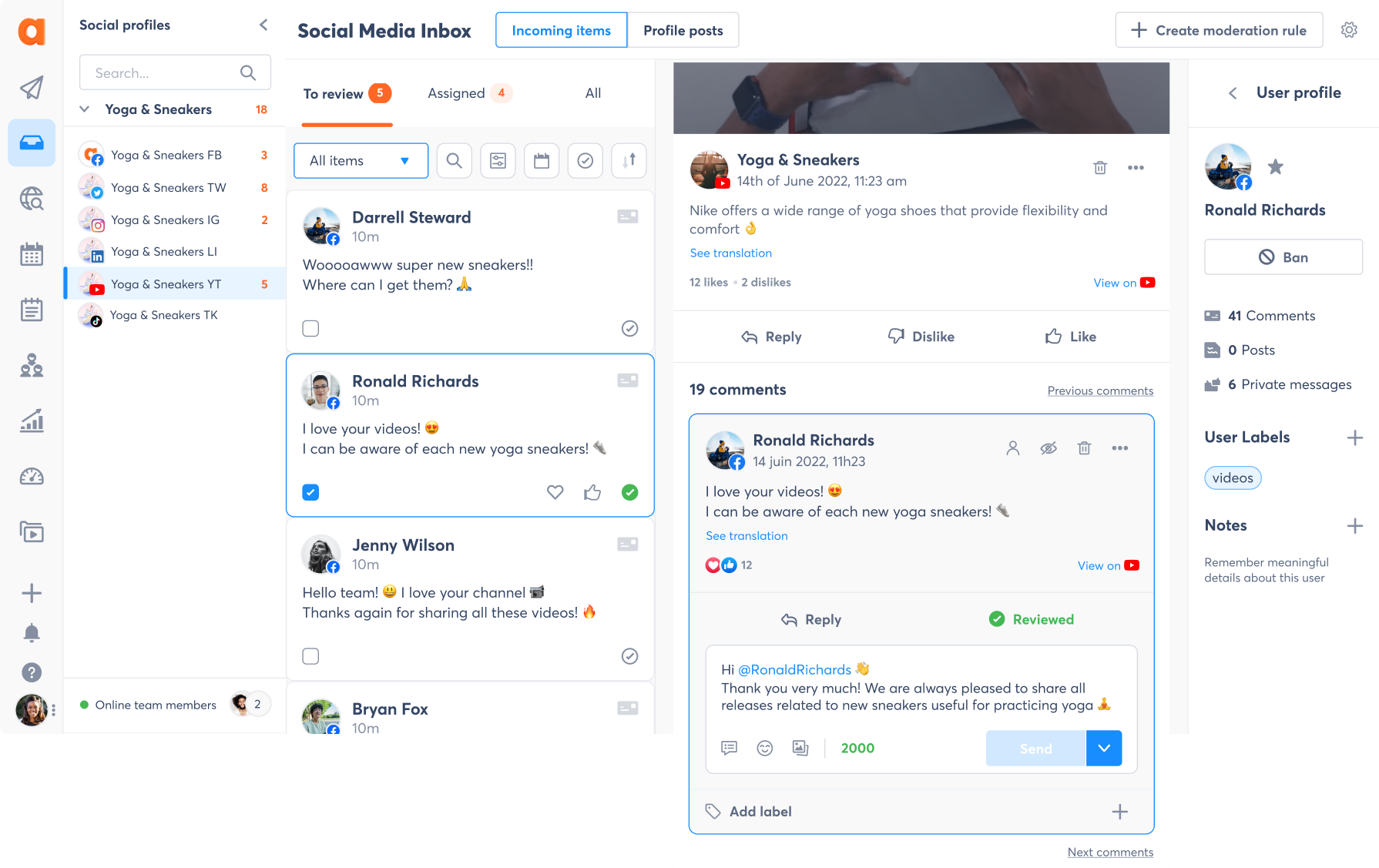
Agorapulse is a social media management tool that offers YouTube comment moderation as part of its unified inbox system. It helps brands and agencies manage content publishing, scheduling, and comment moderation from a single dashboard, utilizing built-in toolsets rather than AI-first strategies.
Key Features
- Bulk Comment Moderation: Hides or removes spam and harmful YouTube comments using bulk actions
- Unified Comment Inbox: Reply, assign, label, or bookmark all YouTube comments and conversations in one place
- Monitoring & Social Listening: Track mentions, keywords, competitors, and audience discussions across YouTube content
Pros
- All-in-one publishing, analytics, and moderation workflow
- Strong team collaboration support
Cons
- Advanced features can feel complex for solo users
- Not an AI-first moderation tool
Pricing
Plans range from $79/user/month (Standard), $119 (Professional), and $149 (Advanced), with a custom Enterprise tier. Free trials are available.
8. Swat.io
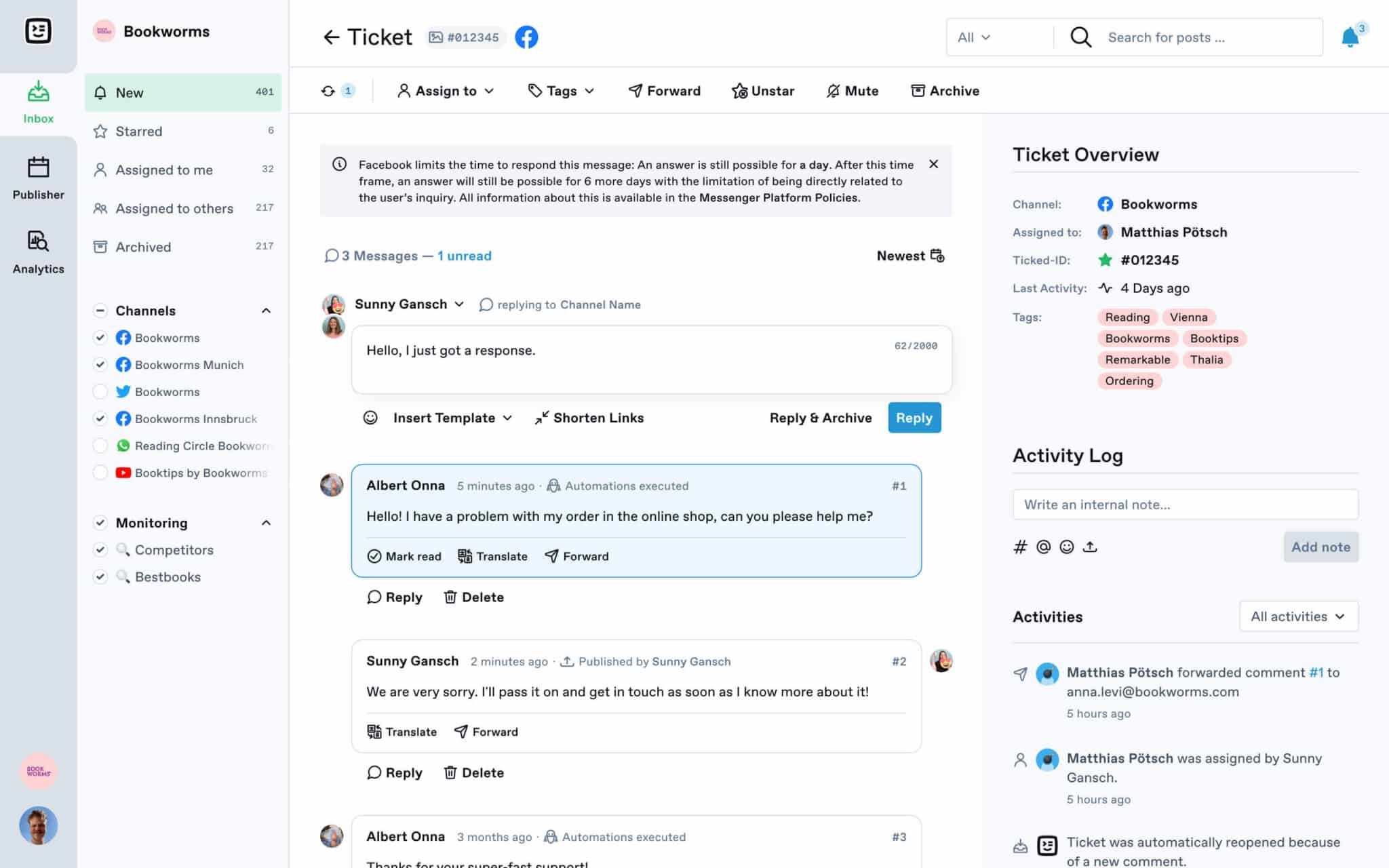
Swat.io is a social media and community management tool for teams that need centralized control over publishing, moderation, and audience engagement workflows. The platform helps brands manage high-volume comments, team collaboration, audience interactions, and customer communication across YouTube and other channels from a single shared inbox.
Key Features
- Centralized Community Inbox: Collects and manages YouTube comments and messages in one shared inbox
- Assignment and Ticketing: Routes comments and conversations to specific team members for faster human moderation
- Role-Based Access Permissions: Controls access levels and moderation responsibilities between team members for security
Pros
- Multi-platform support with unified inbox
- Editorial planning and publishing tools
Cons
- It can feel complex for smaller creators
- Stronger workflow function than AI moderation
Pricing
Plans start at €39/month (Small), €89/month (Medium), €199/month (Large), and Custom from €599/month. A 21-day free trial is available.
How We Evaluated the Best YouTube Comment Moderation Tools
Using user reviews and official product information, we assessed each social media comment moderation tool against five criteria that matter most to brands with active YouTube channels. The tools on this list met all or most of the following criteria:
1. Moderation Speed
We assessed how quickly each tool detects and removes harmful comments, prioritizing platforms that respond in real time rather than waiting for manual review.
2. Context Awareness
Harmful content gets masked in slang, coded language, or character spellings, so we selected platforms whose AI understands nuance beyond keywords.
3. Multilingual Moderation
Audiences interact with global brands in many languages, so we considered how each tool performed with comments written in languages other than English.
4. Multi-Platform Support
While the focus is on YouTube comments, brands manage accounts across other social platforms, so moderation support beyond YouTube was a plus.
5. Ease of Setup
We considered intuitive dashboards and simple onboarding because social media teams are often disinclined toward complex configurations.
Choosing the Best YouTube Comment Moderation Tool for Your Team
Security, marketing, or social media teams across small or large brands have different requirements from a YouTube comment moderation tool. Here’s what to consider while choosing one for your team:
1. Identify major brand risks
Are you dealing with spam, impersonation activity, hate speech campaigns, or all of the above? Some tools cover specific threats, while others cover all threats.
2. Assess your volume of engagement
If your channel gets hundreds of comments a day, forget reviews – you need platforms that automate action, like Spikerz and Moderate.
3. Consider multilingual support needs
Audiences that span multiple countries and languages need moderation tools capable of multilingual filtering.
4. Check for full brand security
Some platforms go beyond comment moderation, offering account takeover protection software that protects the account itself.
Spikerz stands out as our top recommendation for agencies and social media teams moderating high-visibility brand accounts. It connects in 15 minutes with read-only access, scans thousands of multilingual comments in milliseconds to detect and automatically filter harm, and covers up to six major platforms.
What’s more? Spikerz extends protection beyond YouTube comment sections to include permission management and impersonator takedown, all from a single dashboard.
Final Thoughts
YouTube comment moderation is very important for brands operating at scale. If spam, phishing links, and hate campaigns aren’t removed immediately, they undermine social media brand protection and leave audiences exposed to scams.
Most comment moderation tools on our list offer features that detect negative intent, remove harmful comments or alert teams to review. However, most have a performance gap – they protect comment sections, but not the accounts behind them.
Book a demo today to see how Spikerz fills that gap, giving brands full YouTube security for their communities and accounts.
Frequently Asked Questions
How do YouTube comment moderation tools work?
Spikerz uses AI-powered comment filtering that continuously scans YouTube comments, applies pre-built and custom brand rules, and instantly hides or removes harmful content and impersonators before they affect your audience.
Can Spikerz handle YouTube spam and phishing comments?
Yes, Spikerz is built specifically to detect phishing attempts, scam promotions, fake giveaways, and bot-generated spam, reducing the risk of audience fraud and protecting channel reputation.
Can you customize brand rules for YouTube comment moderation?
Yes. Spikerz allows users to create custom moderation rules using simple text or natural-language examples. As a result, the platform blocks or allows specific types of YouTube comments based on brand needs.
