What Is LinkedIn Spam? How to Stop It for Good

LinkedIn is where attackers go to target decision makers, and it's the most imitated brand in phishing worldwide. This guide breaks down what LinkedIn spam looks like, from fake connection requests to impersonated security alerts, and 5 steps to stop it before it costs you your account.
LinkedIn is generally speaking a safe network. It's where you build your career, close deals, and connect with real professionals, but it’s also where attackers go to target decision makers.
One fake connection request or a single convincing message can be the first step toward a stolen account or a hijacked brand. Attackers know you’re expecting a job offer, a sales pitch, or a new lead, so they hide their scams inside those everyday interactions.
In this post, we'll break down what LinkedIn spam is, the forms it takes, and why it's more dangerous than spam on your email inbox. Then we'll walk you through clear steps to stop it and protect your account for good.
What Is LinkedIn Spam?
LinkedIn spam is unwanted, repetitive, or deceptive connection requests, messages, comments, and emails sent at scale. Attackers use it to steal your data, push a scam, or trick you into handing over personal information. It usually arrives disguised as something normal, like a recruiter reaching out or a peer leaving a comment.
That's the general definition. But LinkedIn spam shows up in a few different forms, and you need to recognize each one before you can stop it.
Types of LinkedIn Spam
There are five main types of LinkedIn spam you should watch for. Each one works a little differently, and each one gives attackers a different way in.
Connection Request Spam
Connection request spam is a flood of mass, generic requests from strangers who pitch, sell, or phish the moment you accept. They rely on your habit of growing your network without a second thought.
For example, let’s say you accept a request from someone listed as a "business growth consultant" with a stock-photo headshot and a thin profile. Within seconds after accepting, they send you a pitch for a crypto investment or a link that promises to "10x your leads." That link can then lead to a phishing page, a scam, or malware.
InMail and Message Spam
InMail and message spam is unsolicited sales pitches, fake job offers, and malicious links sent straight to your inbox. Many users think that InMail itself is spam, but it isn’t. InMail is a legitimate paid feature that lets recruiters and salespeople message you outside your network. The feature itself isn't the problem, it’s scammers abusing it constantly.
Spam Emails That Impersonate LinkedIn
These are fake "you appeared in searches," "new message," or "security alert" emails that look like they come from LinkedIn but lead to phishing pages. They often reach you in your personal email inbox, where you may be less cautious about what you open.
For example, let’s say you get an email with the LinkedIn logo saying, "Your account shows unusual activity, verify now." The button then takes you to a login page that looks completely legitimate, but it exists only to steal your login information. Soon after that, you get locked out of your account (in some cases, holding it for ransom).
Comment and Tag Spam
Comment and tag spam is when bots flood your posts with links or tag you and your followers in scam giveaways and crypto schemes. It hijacks your reach and puts scam links in front of your audience.
Bots and Fake Accounts
Bots and fake accounts are automated or fake profiles that impersonate real people or brands to spread spam and scams. They're often the engine behind every other type of spam on this list.
Why LinkedIn Spam Is More Dangerous Than You Think
Spam messages and fake emails are exactly how attackers harvest logins, tricking you into typing your email and password on a page they control. Once they take over a professional account, they get instant credibility to scam your colleagues, clients, and followers before anyone notices.
The good news is that businesses and creators can get ahead of this. If you understand the threat, you’ll be able to be proactive instead of reactive.
Here are some data points to show why this is so important:
- According to Check Point, in 2022, LinkedIn became the most imitated brand in phishing, accounting for 52% of all phishing attempts worldwide.
- According to eSentire (via Infosecurity Magazine), account compromise surged 389% in 2025, driven largely by phishing and stolen credentials.
- According to Cropink, 429 million social media accounts were hacked in 2025, with over 60% of incidents tied to phishing targeting login credentials.
How to Stop LinkedIn Spam
Cutting down LinkedIn spam is very straightforward once you know where to look. Here are five steps that close the doors attackers use most (they just take a few minutes to set up):
1) Report and Block Spam Accounts
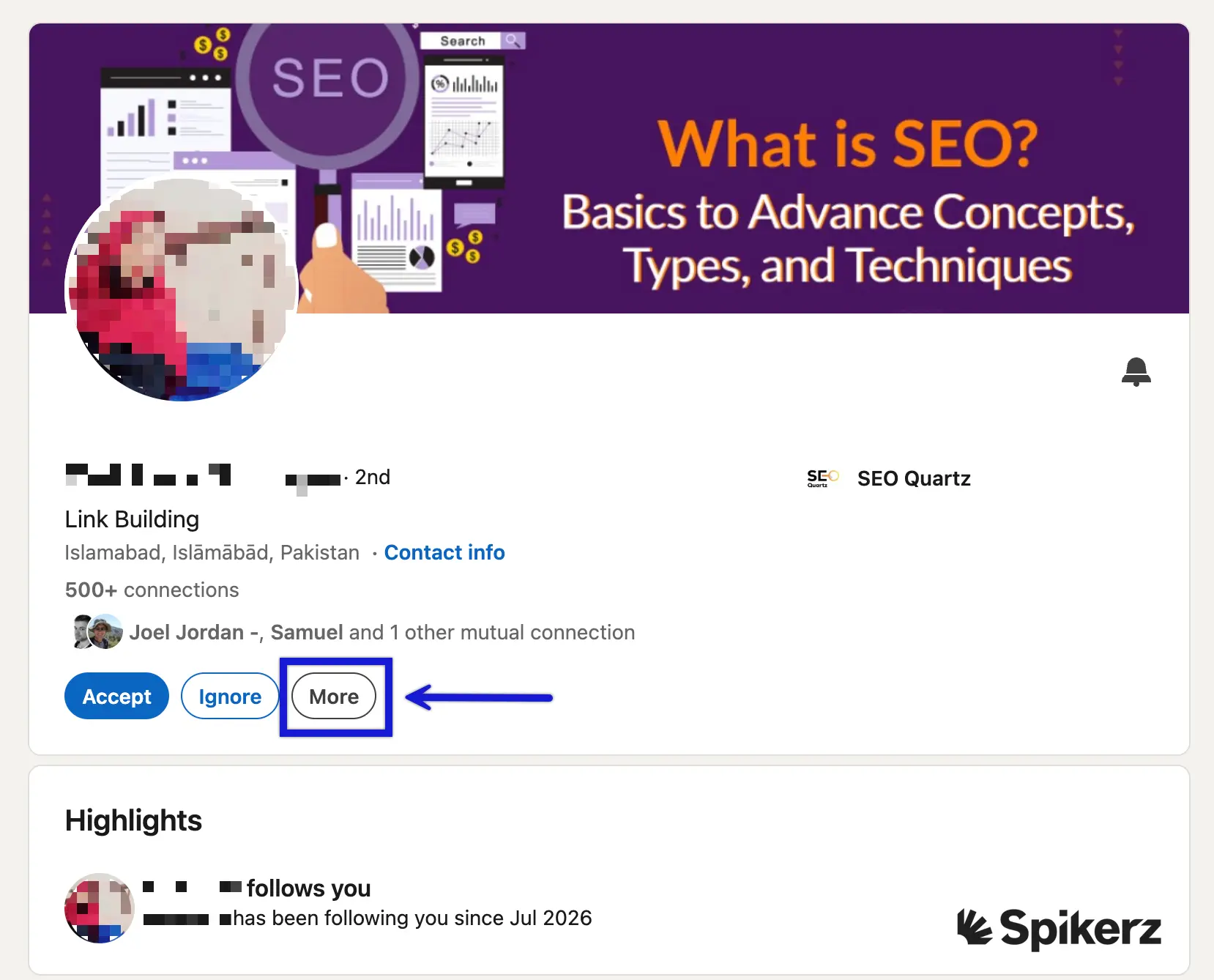
The first step is to report and block spam senders so LinkedIn can act on them. You'll find the option in the "More" menu on any profile. Reporting does more than clear your own inbox, it also protects other users from the same account and helps LinkedIn shut down linkedin spam bots faster.
2) Tighten Your Privacy and Message Settings
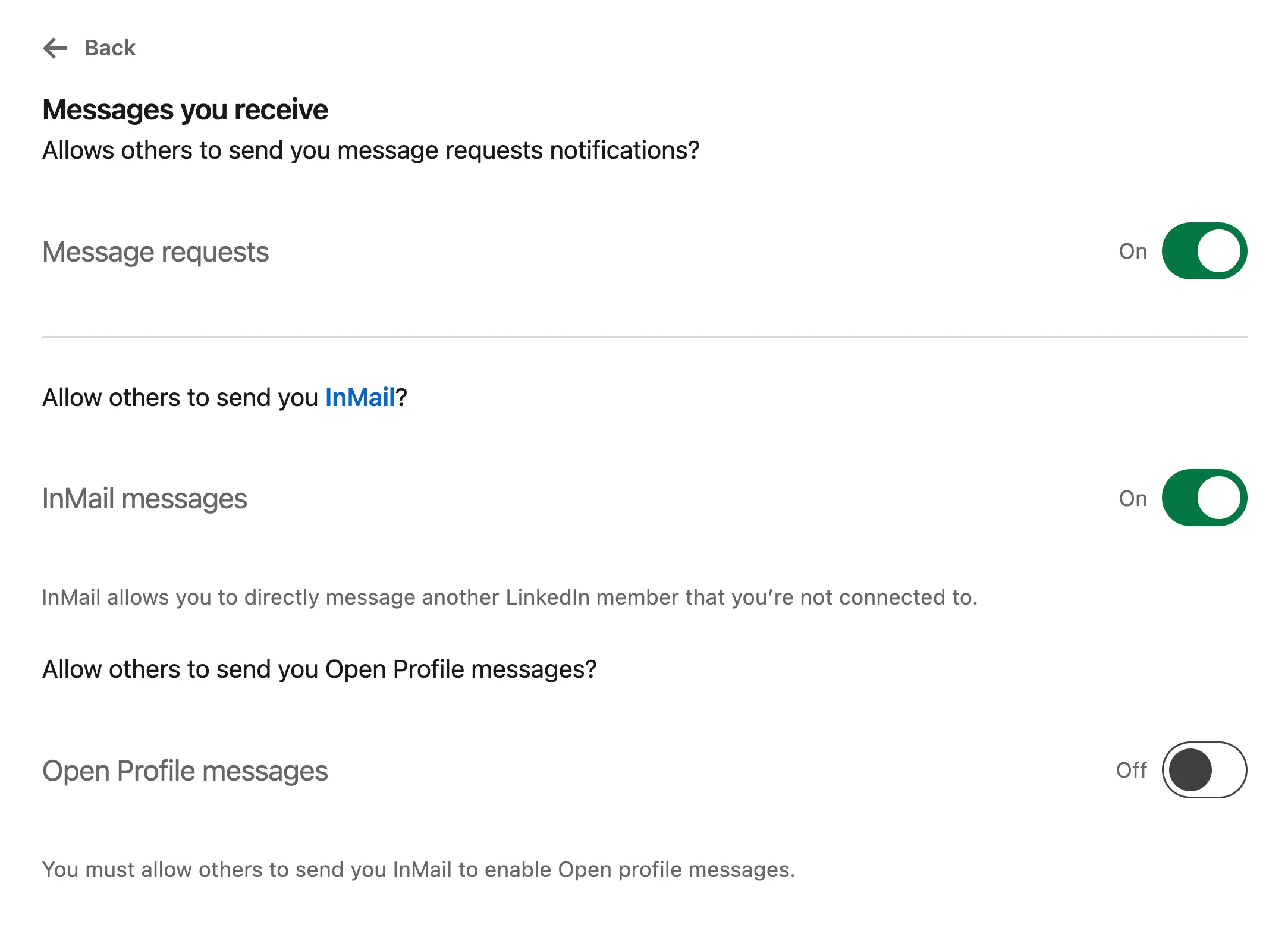
Adjust who can message you, send you InMail, and see your email. This way you’ll reduce spam at the source. Head into your settings and limit these to connections or people you choose.
3) Verify Before You Connect
Slow down and check for signs of a fake profile: a stolen or stock photo, a thin work history, an instant sales pitch, or a name that doesn't match the listed company. If something feels off, verify first and connect later.
4) Turn On Two-Factor Authentication
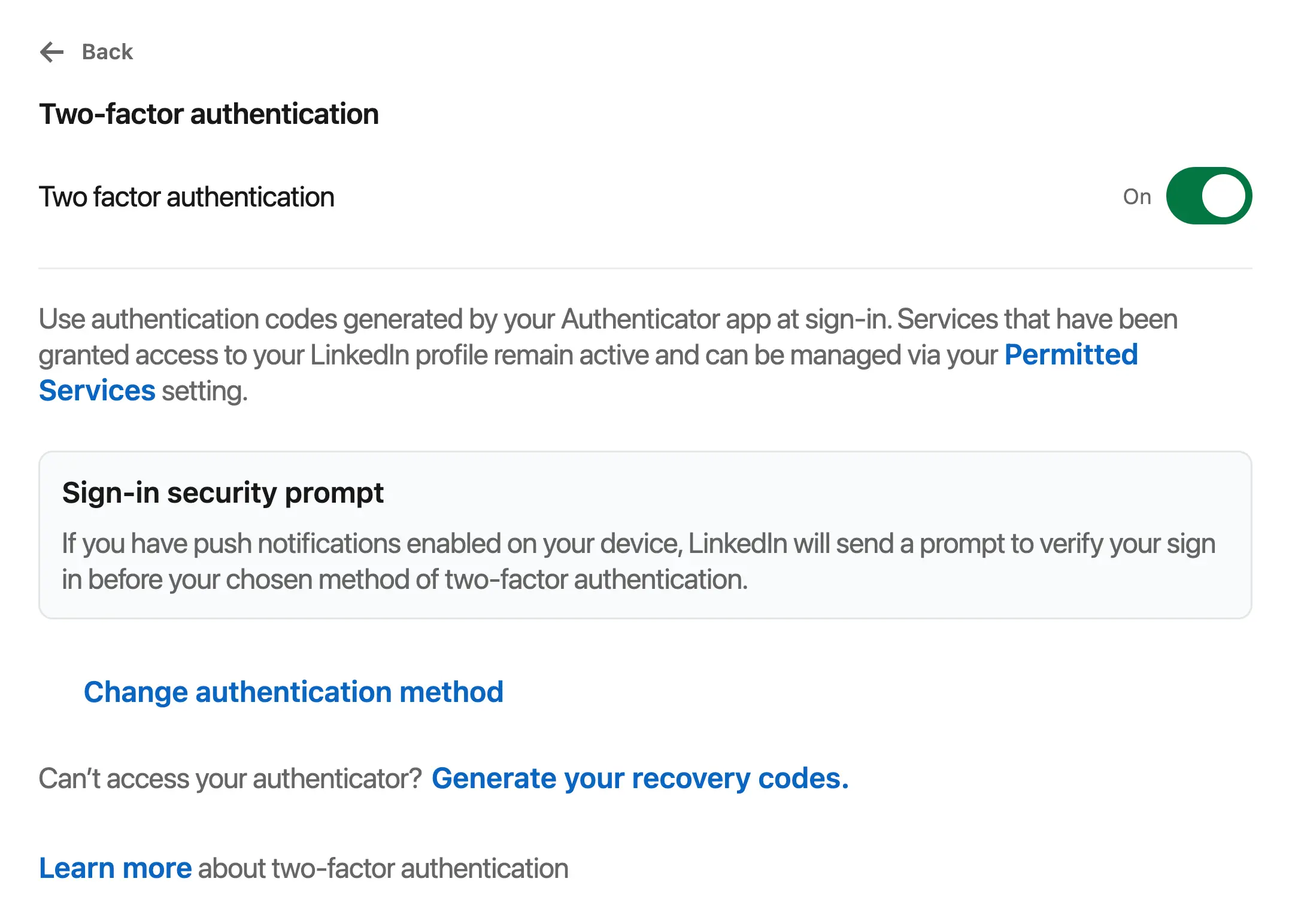
Two-factor authentication (2FA) adds a second layer of security for your account. It usually comes in the form of a code from your phone, so a stolen password alone won’t get an attacker in. While 2FA is a must, it’s not enough anymore. Attackers have found ways to bypass it, which is why it should be one layer of a bigger defense.
5) Watch for Brand Impersonators
Search LinkedIn regularly for accounts using your name, logo, or other brand assets, and report them. You can do this by hand if you want, but the process is slow and easy to forget, which is exactly why we recommend you automate it.
There are tools and platforms that can help you do this. For example, brand protection monitoring, social media moderation, and social media security tools. Analyze them all and choose the platform that fits your needs best.
How Spikerz Protects You From LinkedIn Spam and Account Takeovers
The best way to protect your social media presence from spam, takeovers, and impersonation is to use a social media security tool like Spikerz.
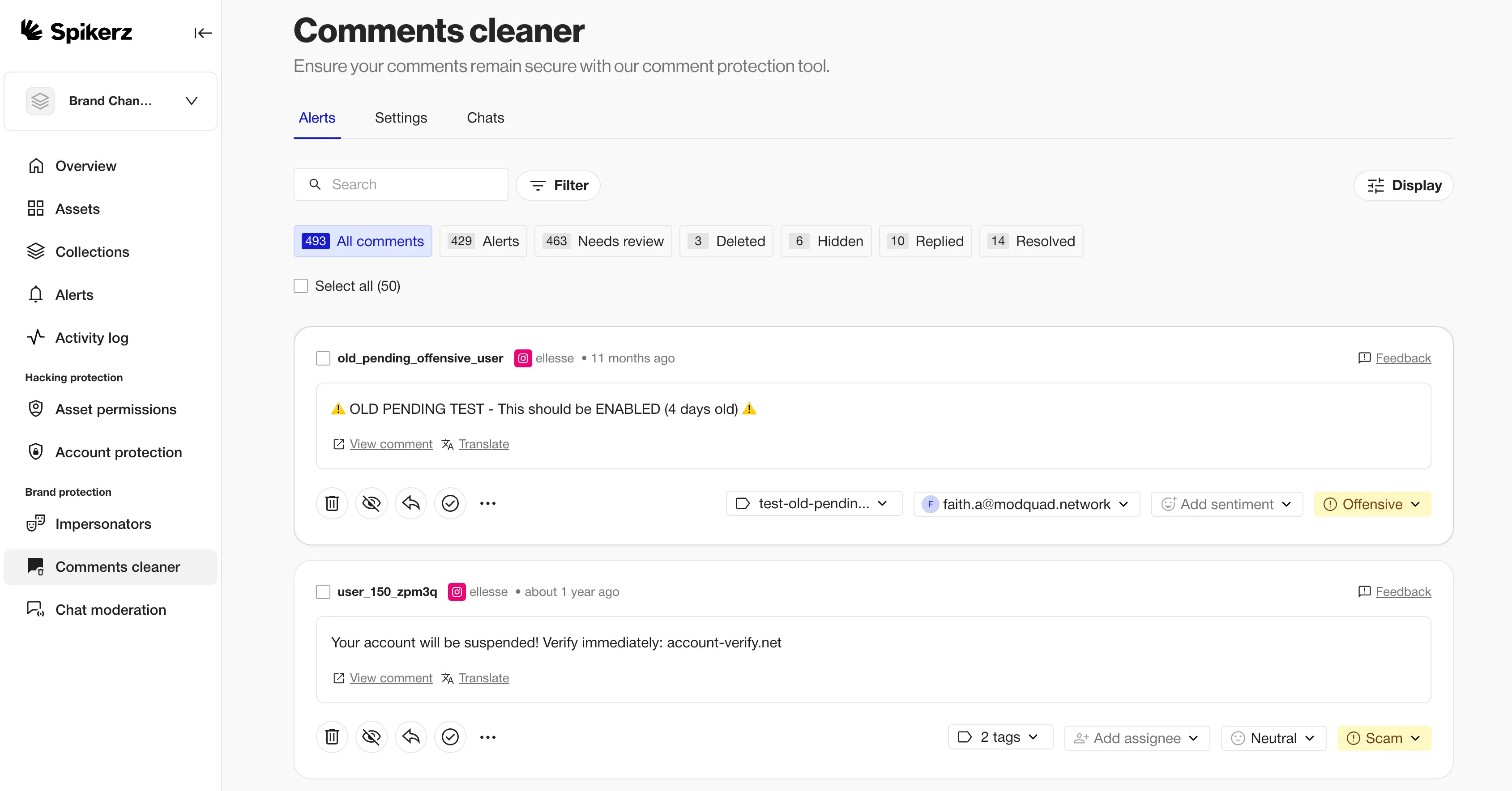
Spikerz is a social media security and protection platform that connects through official APIs, so you never share a password or credentials to get protected.
Here's how Spikerz helps businesses and creators stay ahead of these threats:
- Account takeover protection locks down 2FA and secures logins so spam-driven phishing can't hand your account to an attacker.
- Impersonator takedown scans for fake accounts copying your brand or executives and handles the removal process for you.
- Phishing protection scans DMs, comments, and emails to detect and block phishing links before they reach you or your team.
- Comment moderation automatically hides spam, scam links, and bot comments across your profiles to keep your community clean.
- Permissions management gives you visibility and control over who can access your accounts, so ex-employees and vendors can't become an inside risk.
Are you ready to keep one spam message from turning into a full on account takeover?
Spikerz watches your accounts around the clock, removes fakes trading on your name, and keeps phishing links away from you and your audience. Book a demo right now and see how it works on your own accounts.
Conclusion
LinkedIn spam is easy to dismiss because it often looks like the everyday noise of a busy professional network. But every generic request and fake job offer and email is a test of your attention, and one slip can make it so you lose access to your account.
Consider this: The spam itself is rarely the goal, it's a warning sign of a bigger threat aimed at your logins, your brand, and your entire network.
That’s why acting early is so important for avoiding a crisis. Here’s what you should always do:
- Report and block spam senders
- Tighten your settings so spammers can’t contact you
- Verify who is trying to connect with you
- Turn on 2FA
All these actions make it significantly harder for attackers to succeed. And if you need even more help, pair them with a tool like Spikerz that gives you around-the-clock protection.
Your account and your brand are worth defending before a breach forces your hand. Treat LinkedIn spam as the early warning sign that it is, that way you’ll protect both your brand assets and audience.

.webp)

