Social media comment moderation: 2026 playbook

Phishing on social platforms jumped 13.8% in Q1 2026, and most of it starts in your replies. This social media comment moderation playbook breaks down the five threats hiding in your comments, how they escalate into full account takeovers, and the five-step workflow that shuts them down.
Most brands treat their comment section as a marketing problem. However, it’s actually a security problem. Attackers no longer need to break into your account to damage your brand, they only need to reply to your posts.
A fake support reply, a phishing link, or an impersonator sitting in your comments can reach your audience with your credibility on the line. Your followers trust the thread because they trust you. That trust is exactly what attackers steal.
In this post, we will cover what social media comment moderation really means, why your comment section is a security risk, the five threats hiding in your replies, how comment attacks turn into full account takeovers, and how to build a moderation workflow that actually works.
What is social media comment moderation?
Social media comment moderation is the process of reviewing, filtering, hiding, and removing replies on your social posts to keep the conversation safe and on-brand. That is the standard definition, however, most teams apply it far too narrowly by only removing profanity and off-topic replies.
The biggest issue is the replies underneath your posts, they are a direct channel between attackers and your audience. That makes moderation a security control you have to take care of.
Why your comment section is a security problem
- Respondology's 2026 Business of Comments Report analyzed 169 million comments across 76 million social media posts, and found one in five comments contained spam, bot activity, or abuse.
- That same Respondology research found 47% of Americans hold the brand responsible for toxic or spammy comments on its social media posts.
- APWG's Q1 2026 report recorded 971,181 phishing attacks, a 13.8% jump from the previous quarter, with threat volume rising on every single social media platform.
- In that same APWG report, ZeroFox found impersonation made up 43.8% of all social media threats and scams made up another 27.1%.
Key insight: Your audience can’t tell the difference between a reply from your team and a reply from someone who stole your logo. That confusion is the entire attack you need to defend against.
5 threats hiding in your comments
There are five threats that show up in comment sections again and again. Here’s what you need to watch out for:
1) Fake support replies
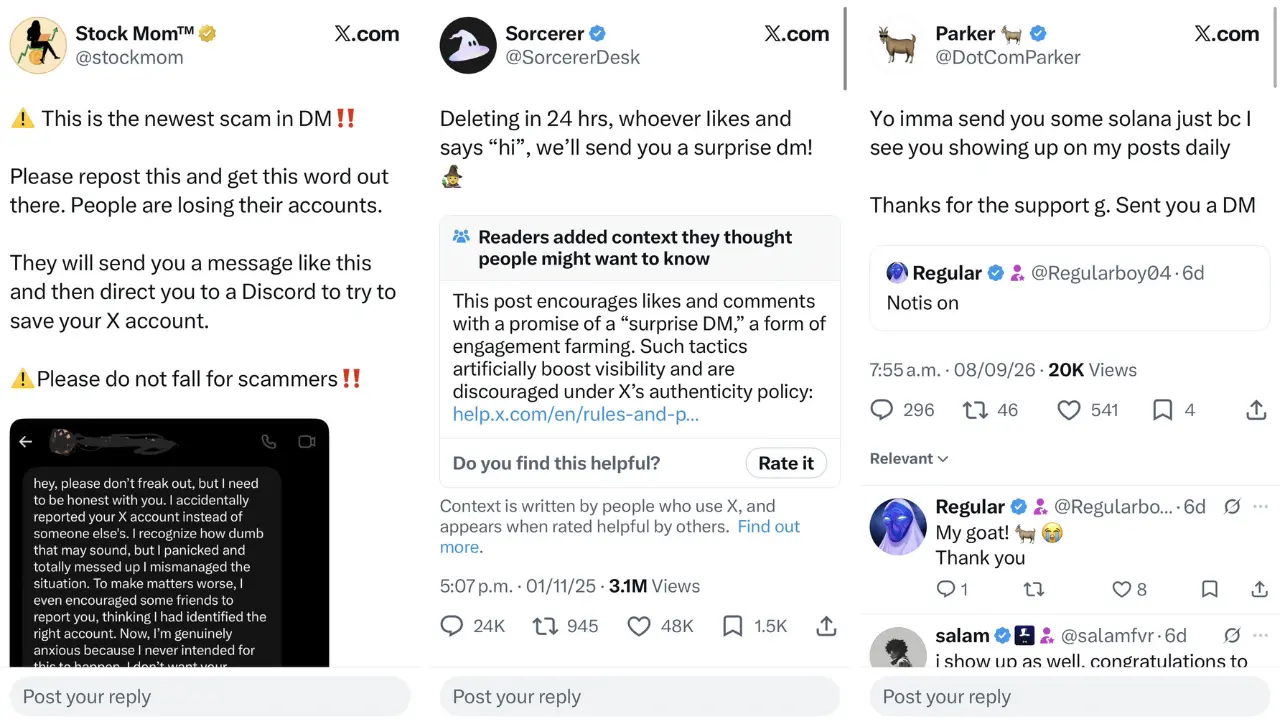
Angler phishing is a type of attack where someone poses as your customer support team in a public reply. The way it works is simple: First, an attacker waits for a real customer to complain, then jumps in with a helpful message and a malicious link.
For example, let’s say a customer posts under your bank's latest announcement asking about a delayed transfer. Within minutes, an account named "@yourbank.support" replies with sympathy, a case number, and a link to "verify your account details." When that customer clicks, the link leads to a phishing page that steals the customer's login information.
2) Impersonators
Your comment section is usually where full brand impersonation begins. Once the attacker’s account has your customer's attention, it drives them to fake giveaways, fake stores, or phishing pages.
3) Bot and spam floods
Bot-driven comment spam is automated activity that floods your posts with irrelevant replies, affiliate links, or copy-paste promotions. These bots run around the clock and target high-traffic posts because it’s easy to get exposure that way.
As a result, spam buries real customer questions under a wall of noise. Then your engagement rate drops, your reply time slows, and the algorithm reads the whole mess as low-quality content. Leading to your reach suffering, even though your content is good.
4) Hate speech and coordinated attacks

Coordinated comment attacks happen when a group targets your posts with hate speech, harassment, or brigading. This activity can look organic, but the timing and phrasing usually gives it away.
These are the types of attacks that push loyal followers out of the conversation. As a result, people stop commenting because they don’t want to be exposed to the abuse.
5) Hijacked ad comments
Attackers target comment sections on paid ads because campaigns generate high visibility. Attackers reply with scam links, fake discount codes, or complaints designed to hijack your audience.
In fact, in Q1 2026, over 18% of comments on Meta ads were classified as harmful. So how much of your ad budget is currently paying to deliver an audience straight to a scam?
How comment threats turn into account takeovers
Think of the following scenario: A phishing link in a comment or DM can lead directly to stolen credentials, which quickly turns into a full account takeover. Once attackers control your account, they use your brand's credibility and reach to scale their scam.
Unfortunately, we see this playbook happen all the time. Just consider this: 429 million social media accounts were hacked in 2025, and that figure is projected to reach 580 million by year-end. On top of that, over 60% of hacking incidents involve phishing scams targeting login credentials.
This is why comment moderation and account takeover protection are the exact same job. Your comment section is where attacks often start, and login pages are where it succeeds.
Manual moderation vs. automated moderation
Most teams start with manual moderation and native platform filters, then hit a wall. That’s when they should consider automation. Here is how the two approaches compare:
| Feature | Manual moderation | Automated moderation |
|---|---|---|
| Response time | Minutes to hours | Real time |
| Coverage across platforms | One platform at a time | Every connected platform at once |
| Nights and weekends | Gaps in coverage | Continuous coverage |
| Slang, emojis, and other languages | Depends on the moderator | Trained across 25+ languages |
| Cost as volume grows | Rises with every new post | Flat, regardless of volume |
| Consistency | Varies by mood and shift | Same rules applied every time |
How to build a comment moderation workflow
A working moderation process comes down to five essential steps:
1) Write down your rules
You need documented moderation guidelines before you automate anything. Your rules should cover what gets hidden, what gets deleted, what gets a reply, and who has the authority to decide. For genuine questions, AI comment replies can answer in your brand's voice, so buyers aren't left waiting. Write down edge cases too, such as satire, complaints, and criticism from real customers.
2) Turn on native platform filters
Enable built-in filters on every platform you use. Meta, TikTok, YouTube, and X all offer basic keyword blocking and profanity filters at account level.
These filters serve as a starting point. They catch obvious profanity and blacklisted words, but miss coded language, image-based attacks, and phishing links wrapped in polite phrasing. Treat them as a basic baseline instead of complete protection against real attackers.
3) Automate detection and removal
Manual review can’t keep up once volume grows. A single viral post can generate thousands of comments faster than any human team can read them. The good news is that automated detection removes harmful comments in real time instead of hours later.
4) Moderate DMs alongside comments
The attacker’s goal is to move conversations from public comments into private messages. Think of it this way: A public reply is the hook, and the DM is where they ask for their login details, payments, or their personal information. That’s why moderating one without the other leaves the attack path wide open.
5) Lock down who can access the account
Moderation fails if the account itself is exposed. Shared passwords, ex-employees with lingering access, and 2FA codes sitting in Slack or WhatsApp messages all give attackers a path in.
Once an attacker takes over an account, no moderation policy in the world will help you. Tight permissions management is the foundation everything else sits on.
How Spikerz handles social media comment moderation
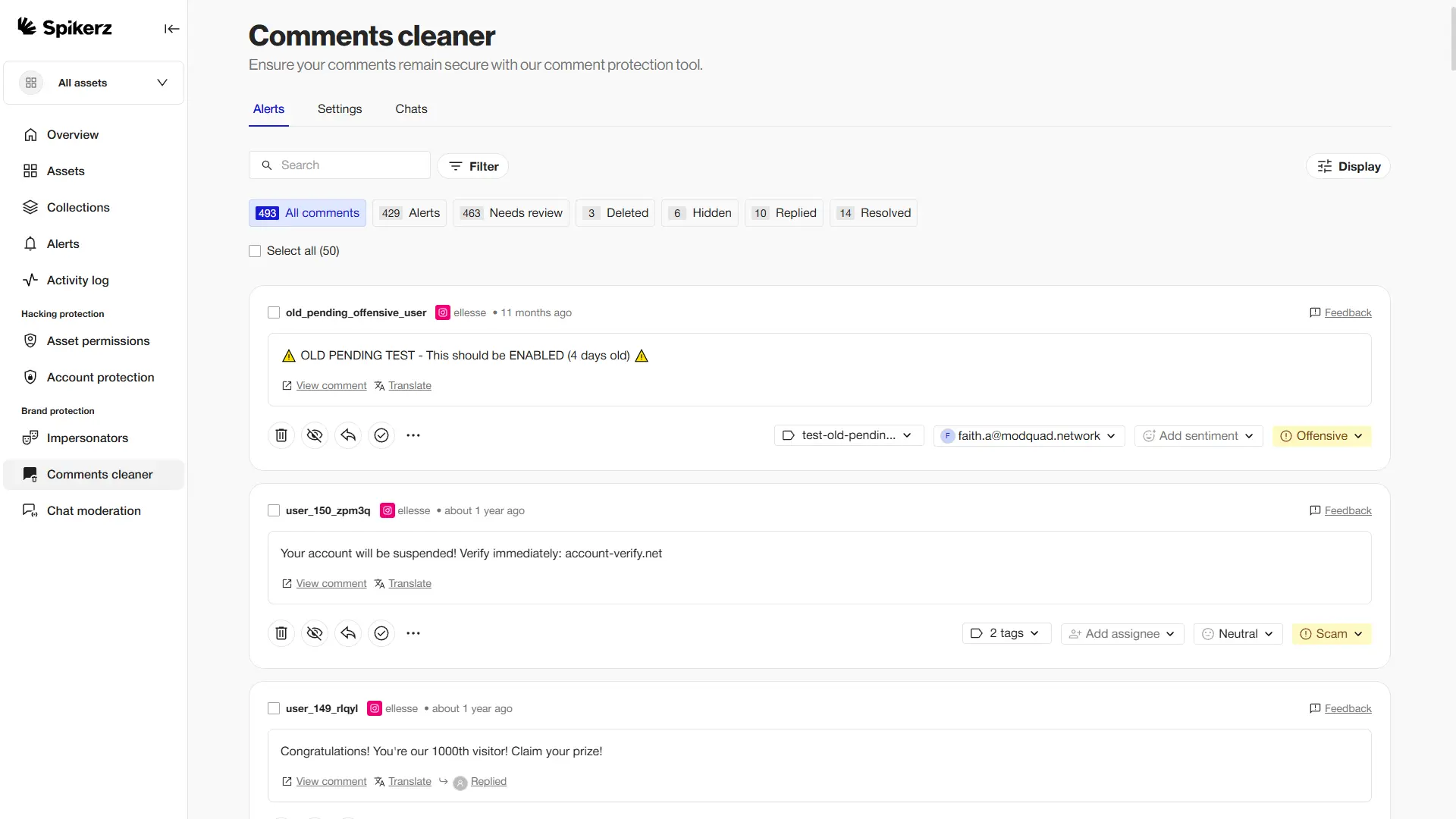
Spikerz is a social media security platform built for brands, agencies, and creators who rely on their accounts to run their business. Spikerz’ Comment Cleaner continuously scans comments across Instagram, TikTok, Facebook, YouTube, LinkedIn, and X, then hides or removes harmful ones automatically.
Our AI reads vocabulary, slang, emojis, and nuance across more than 25 languages. Teams can define what to block in their own words using plain descriptions and real examples from their own account, that way filters will be able to match your brand voice easily.
That said, our platform offers other tools that cover the rest of your social media security. For example:
- Account takeover protection: Centralized access management, 2FA for teams, and phishing scanning.
- Impersonator takedown: AI-powered detection that finds fake accounts using your brand and files takedowns automatically.
- Phishing protection: Around-the-clock scanning of comments and DMs to block phishing links before your audience sees them, plus inbox filtering to stop phishing emails before they reach your team.
- Comment moderation: Automated removal of hate speech, scams, spam, and impersonators across every major platform.
- Permissions management: A single dashboard for controlling who has access to your accounts, with instant offboarding when someone leaves.
Are you ready to stop letting attackers use your comment section as their playground?
Book a consultation right now and see what a protected comment section does for your engagement, your trust, and the safety of the audience you worked so hard to earn.
Conclusion
Your comment section is the shortest path between an attacker and your audience. Every unfiltered reply lets phishing links and bots exploit it. However, you aren’t powerless. You just need a clear process.
Document your rules, enable native filters, automate real-time detection, protect your DMs, and secure account access. Skipping any of these steps will leave your audience exposed, so do it all.
And if you need help, consider using a platform like Spikerz. It automates the entire process so you can focus on creating content instead of cleaning up scam links.