7 tips for dealing with TikTok spam comments


Spam comments on TikTok can harm trust, reduce engagement, and expose users to scams. Managing them effectively requires combining TikTok's built-in moderation tools with AI-powered moderation to detect evolving spam, automate protection, and keep conversations safe as your audience grows.
TikTok, the globally popular short-form video platform, has garnered a dedicated following for its innovative, entertaining, and diverse content. However, like most social media platforms, TikTok isn't free from the persistent problem of digital spam.
This Spikerz guide will walk you through some essential tips for dealing with spam comments on TikTok, helping you to maintain a cleaner, safer, and more enjoyable social media experience.
Why it's important to control spam comments on TikTok
Protect your brand's reputation
Spam comments filled with scams, fake giveaways, or phishing links can make your content look untrustworthy and discourage genuine users from engaging with your brand.
Improve engagement quality
A cleaner comment section makes it easier for real conversations to stand out, helping you build trust, answer questions, and strengthen your community.
Reduce the risk of scams
Spam isn't just annoying. Across social media, spam and bots account for 41.8% of all comments hidden by moderation platforms, and 10% of those hidden comments involve active fraud or piracy attempts.
How to handle spam comments on TikTok in 2026
1. Learn to spot spam comments early
Before you start deleting comments, it's worth knowing what genuine spam actually looks like. Common signs include:
- Comments that have nothing to do with your video
- Repeated messages posted by multiple accounts
- "Check my bio," "DM me," or "Follow for follow" promotions
- Cryptocurrency scams, fake giveaways, or suspicious investment offers
- Accounts with random usernames, no profile photo, or very little activity
- Suspicious links directing users off TikTok
For example, if you post a skincare tutorial and the comments are suddenly filled with crypto promotions or fake "Congratulations, you've won" messages, you're dealing with automated spam rather than real engagement.
2. Configure TikTok's built-in comment filters
TikTok's native comment filters should be your first line of defense against spam.
Go to:
Profile → Menu → Settings and Privacy → Comments
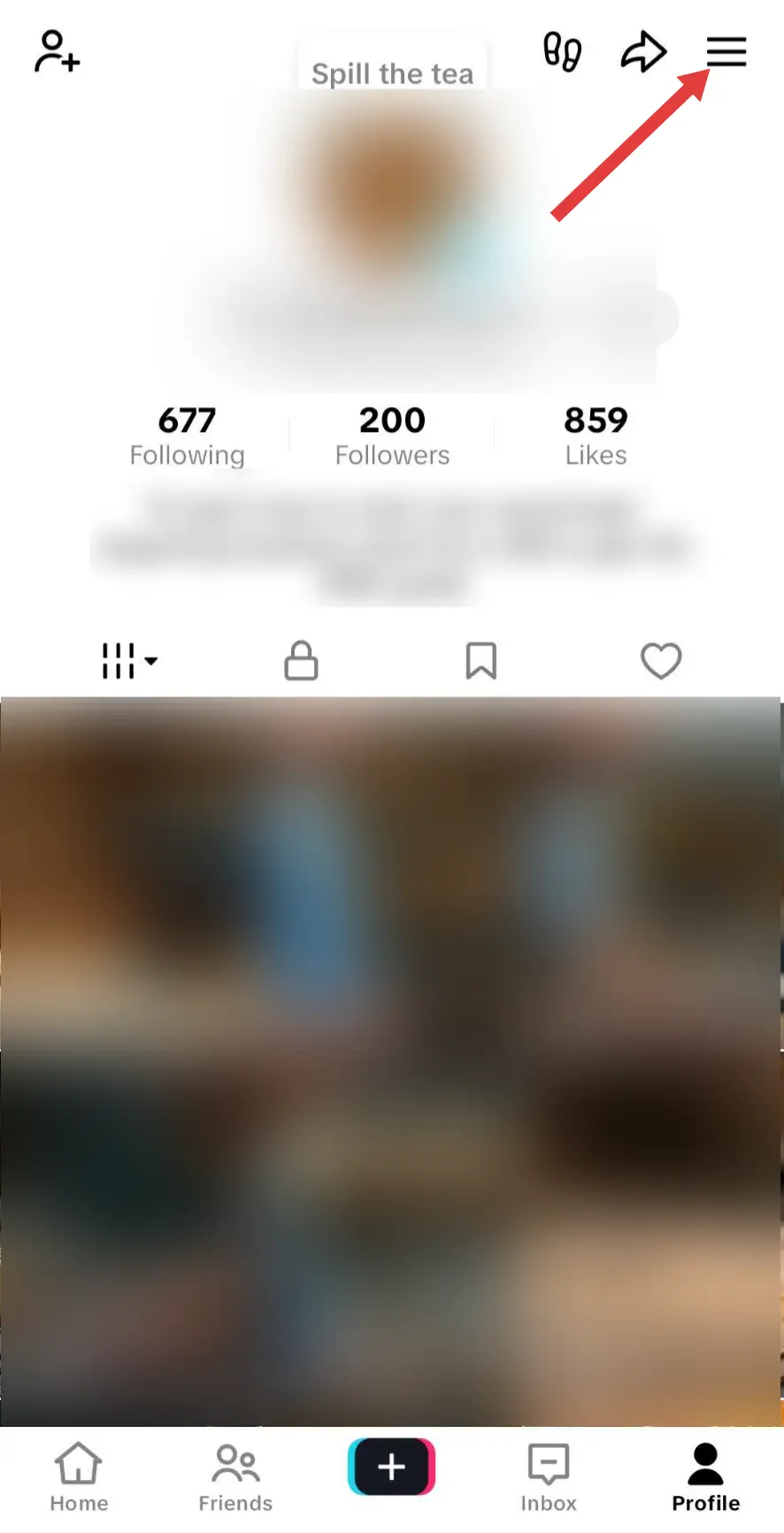
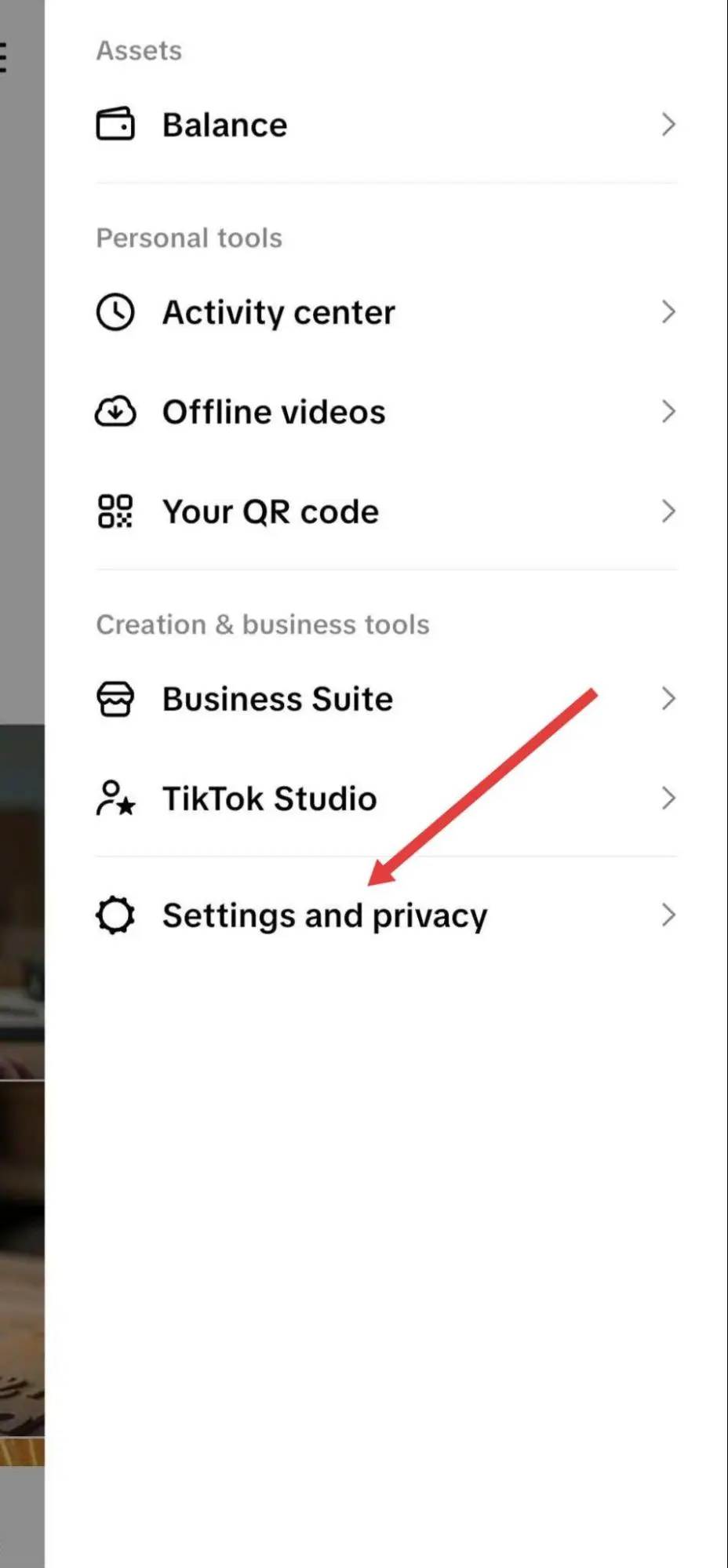
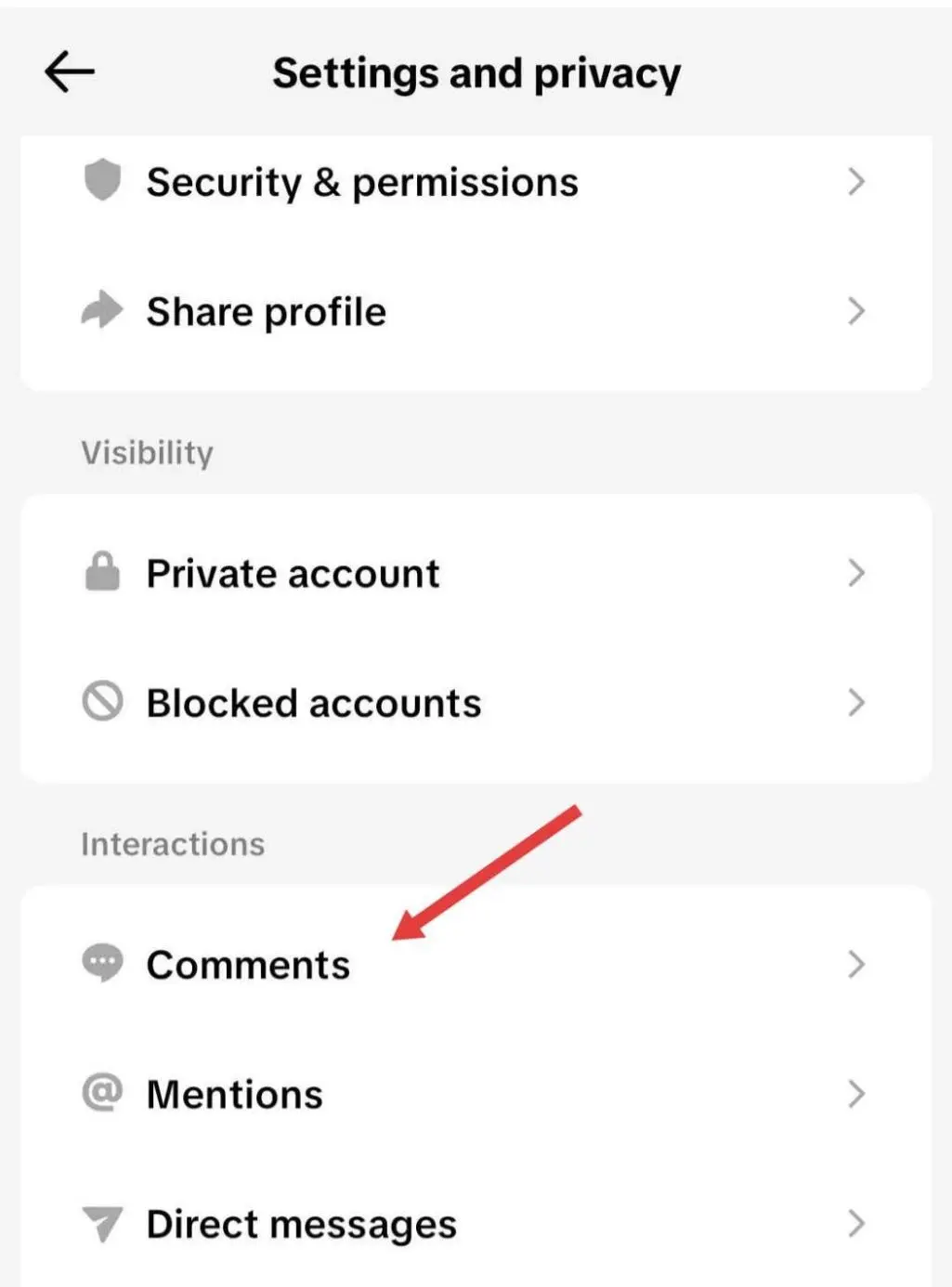
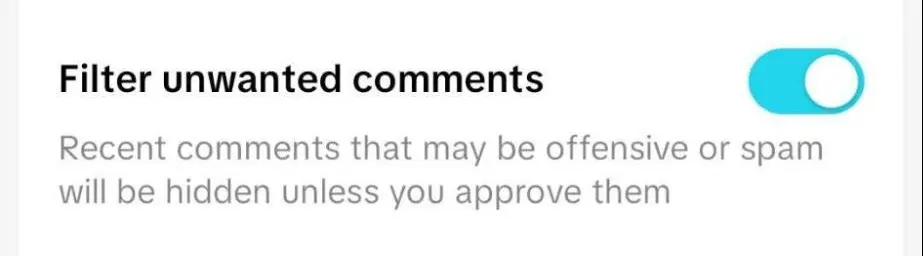
Start by turning on Filter Unwanted Comments. This automatically hides comments TikTok identifies as spam, offensive, or suspicious until you review them. While it isn't as comprehensive as a dedicated comment moderation tool like Spikerz, it can still reduce the number of spam comments that become visible on your videos.
Next, open Filter Specific Keywords to add a custom blocklist. TikTok lets you add up to 500 keywords, so you can build a much more targeted filter for spam, scams, and impersonation attempts.
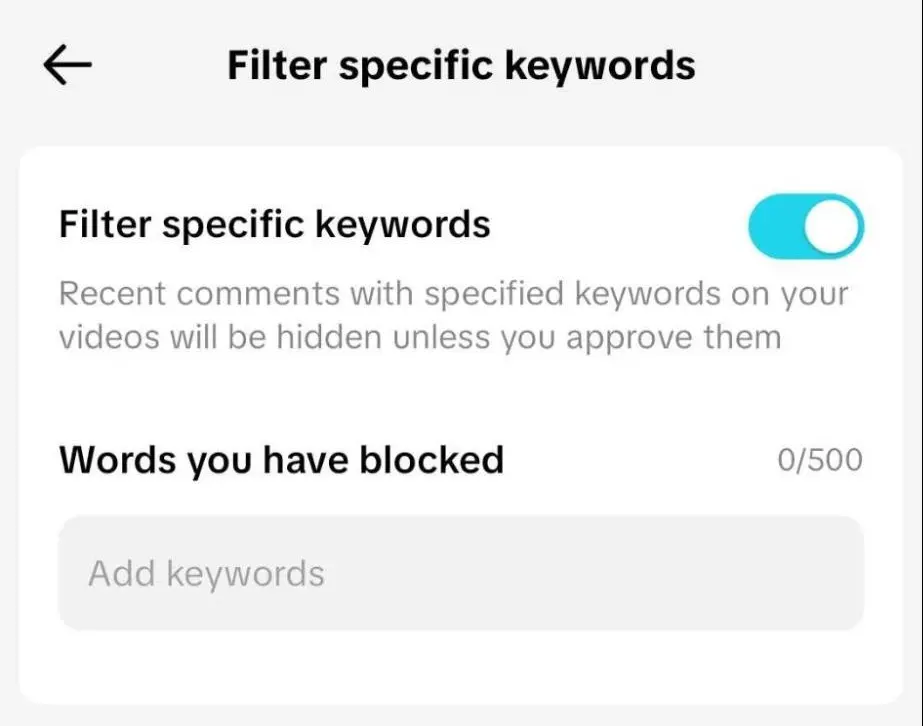
Add terms commonly used by spam accounts, such as:
- Follow for follow
- Check my bio
- DM me
- Free money
- Guaranteed investment
- Crypto giveaway
- Click the link
- Claim your prize
You should also consider adding:
- Common misspellings of your brand name
- Executive or employee names frequently used by impersonators
- Product names targeted by scammers
- Phishing-related phrases
Your keyword list shouldn't be static. Review it regularly and add new phrases whenever you notice emerging spam patterns.
3. Adjust who can comment
If your account experiences sudden waves of spam, you don't have to leave discussions open to everyone.
While you're in the "Comments" settings, you can also choose who can interact on your videos:
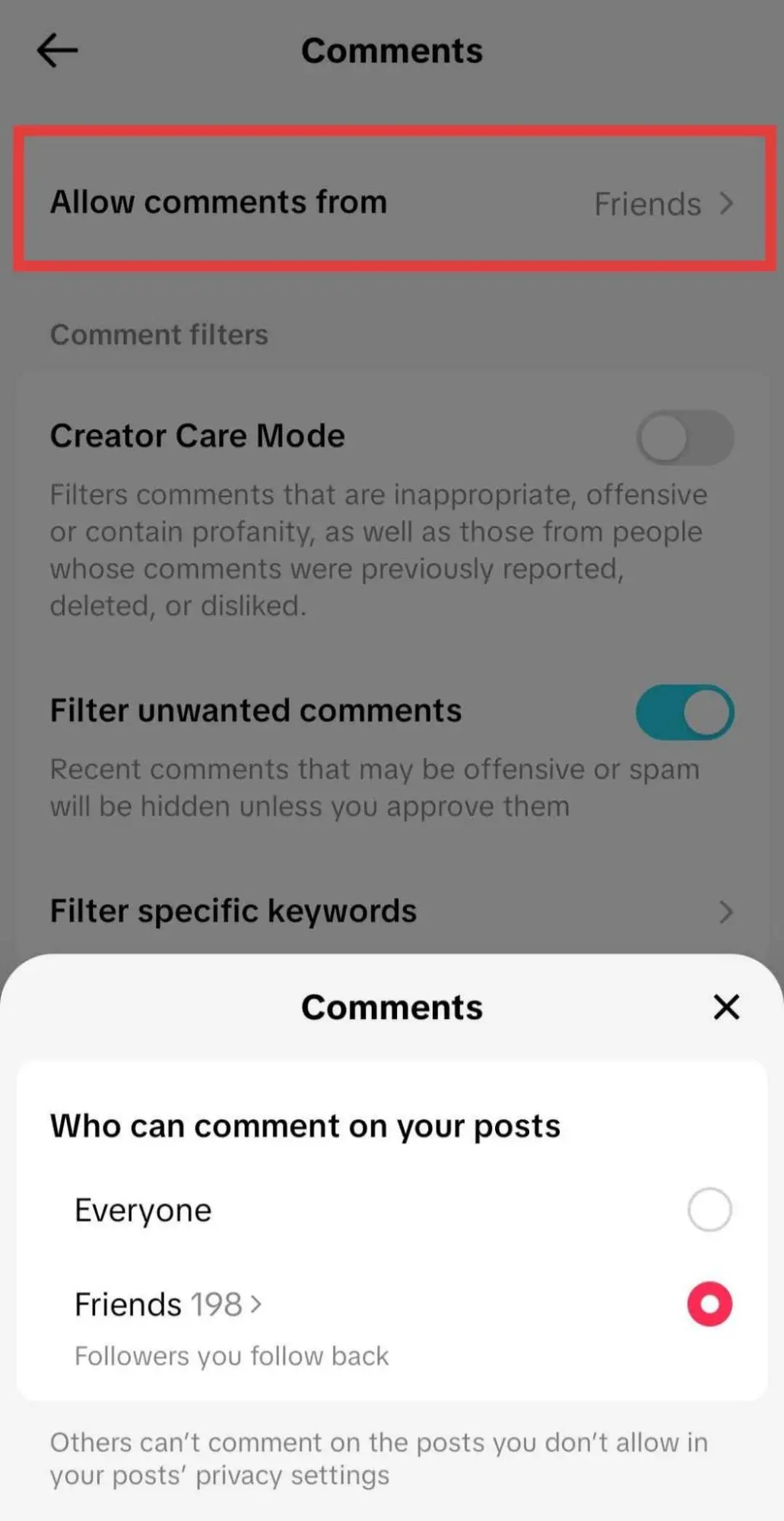
For many businesses, restricting comments to friends provides a good balance between community engagement and spam reduction since most automated spam accounts don't follow profiles before commenting.
Also, during product launches, viral campaigns, or periods of targeted abuse, temporarily tightening comment permissions can dramatically reduce unwanted activity while you regain control. If you're managing multiple TikTok accounts, Spikerz lets you apply AI-powered comment moderation from one dashboard instead of adjusting settings for each account individually.
4. Turn ON Creator Care Mode
Also found in the "Comments" settings, Creator Care Mode adds another layer of automated protection beyond TikTok's standard filters.
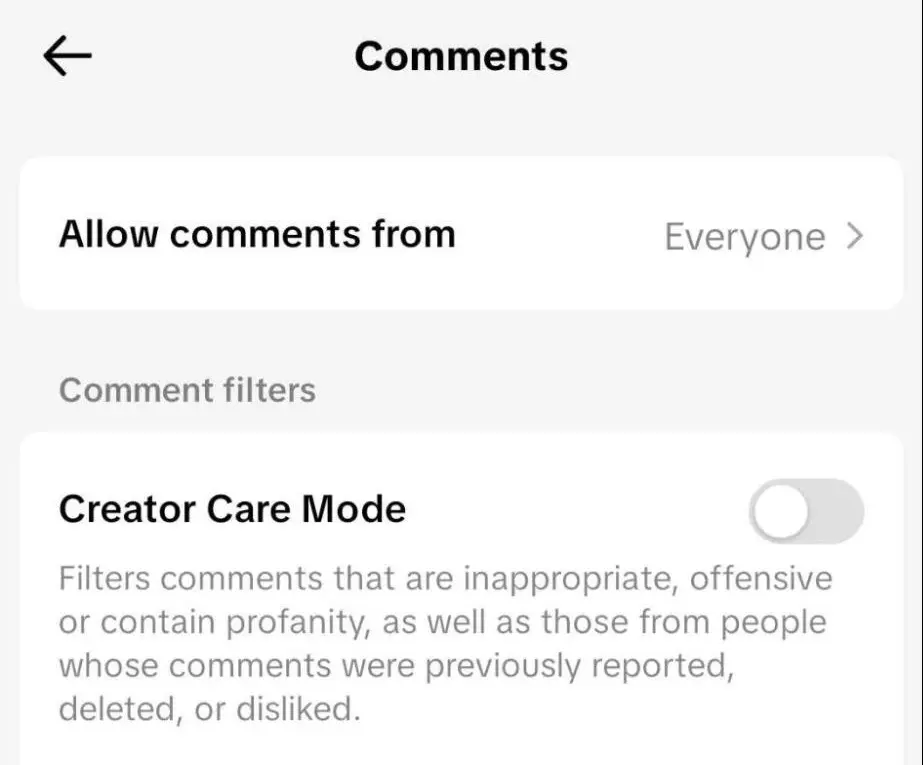
Once enabled, it automatically filters:
- Comments identified by other users as offensive, inappropriate, or profane
- Comments from accounts you've previously reported, deleted comments from, or consistently marked as unwanted
TikTok's AI learns from your moderation decisions, so if you repeatedly report or remove certain types of comments, similar comments are more likely to be filtered automatically in the future. During one quarter of 2025 alone, the platform removed tens of millions of spam comments and billions of fake likes generated by automated accounts.
5. Moderate paid campaigns separately
Research consistently shows paid social attracts substantially more scams, spam, and abusive comments than organic posts. Those comments don't just affect brand perception. They can also reduce click-through rates, lower conversions, and discourage potential customers from engaging with your ads.
Use TikTok Ads Manager to manage ad comments from a central dashboard.
Go to: Assets → Comments

From there, you can:
- Filter comments by status (Public or Hidden)
- Reply to, hide, or block comments in bulk
- Create and manage Blocked Words lists
- Moderate comments across multiple ad campaigns
6. Actively moderate during TikTok LIVE
Spam can spread much faster during a TikTok LIVE than on regular videos because comments appear instantly and are visible to everyone watching. A few malicious users can quickly flood the chat with scams, offensive messages, or repeated promotions if moderators aren't prepared.
Before or during your LIVE, go to LIVE → Settings → Comment Settings to:
- Block specific keywords, phrases, and emojis
- Filter unwanted comments automatically
- Mute viewers who repeatedly post spam or offensive messages
For larger broadcasts, add one or more LIVE moderators from LIVE → Settings → Moderators. They can manage comments, mute disruptive viewers, and block accounts while you focus on engaging with your audience.
7. Use AI moderation
As your audience grows, checking comments throughout the day quickly becomes unsustainable. That's where AI moderation platforms like Spikerz can complement TikTok's native moderation tools. It automatically detects and removes spam, scams, and abusive comments not just on TikTok but across multiple social platforms.
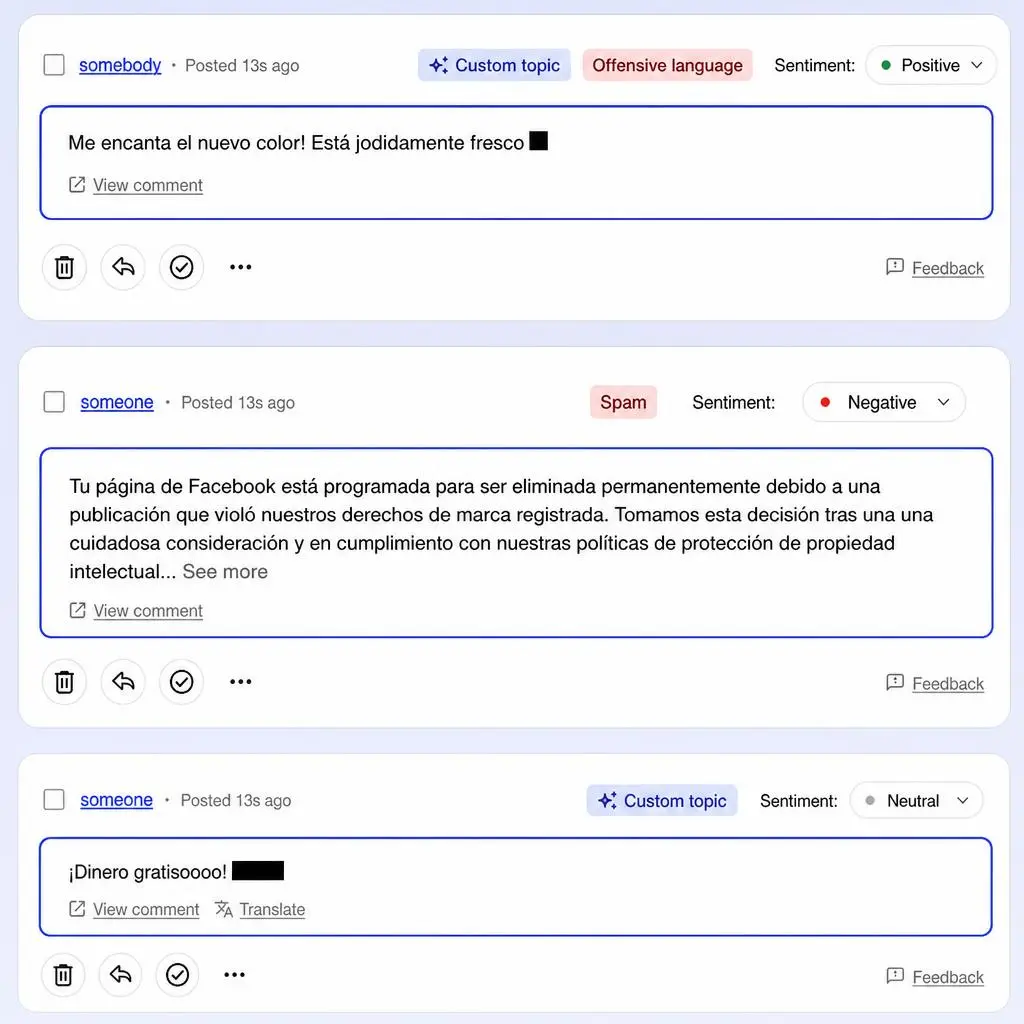
While TikTok may use AI to identify spam and offensive comments, its built-in moderation is limited. Spikerz adds another layer of protection by using context- and sentiment-aware AI that can distinguish between legitimate discussions and evolving spam tactics.
For example, it can distinguish between a legitimate discussion about cryptocurrency and a bot promoting an investment scam, reducing both spam and false positives.
This becomes increasingly important because harmful comments don't stop outside business hours. A significant share of social media activity happens overnight, leaving manual moderation teams unable to respond in real time.
Final thoughts
TikTok's built-in moderation tools do a decent job at reducing spam, especially when combined with keyword filters, Creator Care Mode, and proactive moderation during LIVE sessions. As your audience grows, AI-powered moderation provides an additional layer of protection by keeping conversations clean without increasing your team's workload.
Book a consultation with Spikerz to see how you can automatically protect your TikTok comments and social media communities at scale.