How to Stop Hackers From Hijacking Your Instagram Account

Former Chelsea star Mikel Obi lost his Instagram after angry fans hacked it over a football take, proof that anyone with an audience is a target. Most hacks start with human error: shared passwords, phishing DMs, bots. Here's a 4-step blueprint to lock down access, DMs, comments, and impersonators.
Most social media hacks don't start with clever code. They start with a person.
Sometimes a teammate clicks a bad link, a password sits in a shared note, and a former employee still has access that nobody remembered to remove. Human error and decentralized access are the two biggest weaknesses brands face right now, and attackers know it.
That's why protecting your accounts can't be an afterthought. Your social media presence carries your revenue, your reputation, and your relationship with every follower you worked to earn. One slip can hand all of it to someone who wants to hurt you.
In this post, we'll break down a recent hack that proves the point, explain why these attacks cost brands so much, and walk you through a four-step blueprint to lock down your Instagram account.
TLDR:
Most Instagram hacks don't come from clever code, they come from human mistakes. The way hackers get in is simple: Shared passwords, phishing DMs, sketchy comments, and fake accounts. One slip can cost you your revenue, your reputation, and the audience you spent years building.
Former Chelsea player Mikel Obi learned this the hard way when angry Arsenal fans hijacked his account over a football take.
The fix is a four-step blueprint:
- Lock down team access so ex-employees and old agencies can't log in
- Filter phishing attempts before anyone clicks
- Keep bots and scam comments out of your feed
- Hunt down impersonators before they scam your followers
Instagram's native settings handle the basics, but they miss the stuff that actually gets brands hacked, so pair them with a tool like Spikerz that automates the whole thing.
What Happened to Mikel Obi's Instagram Account?
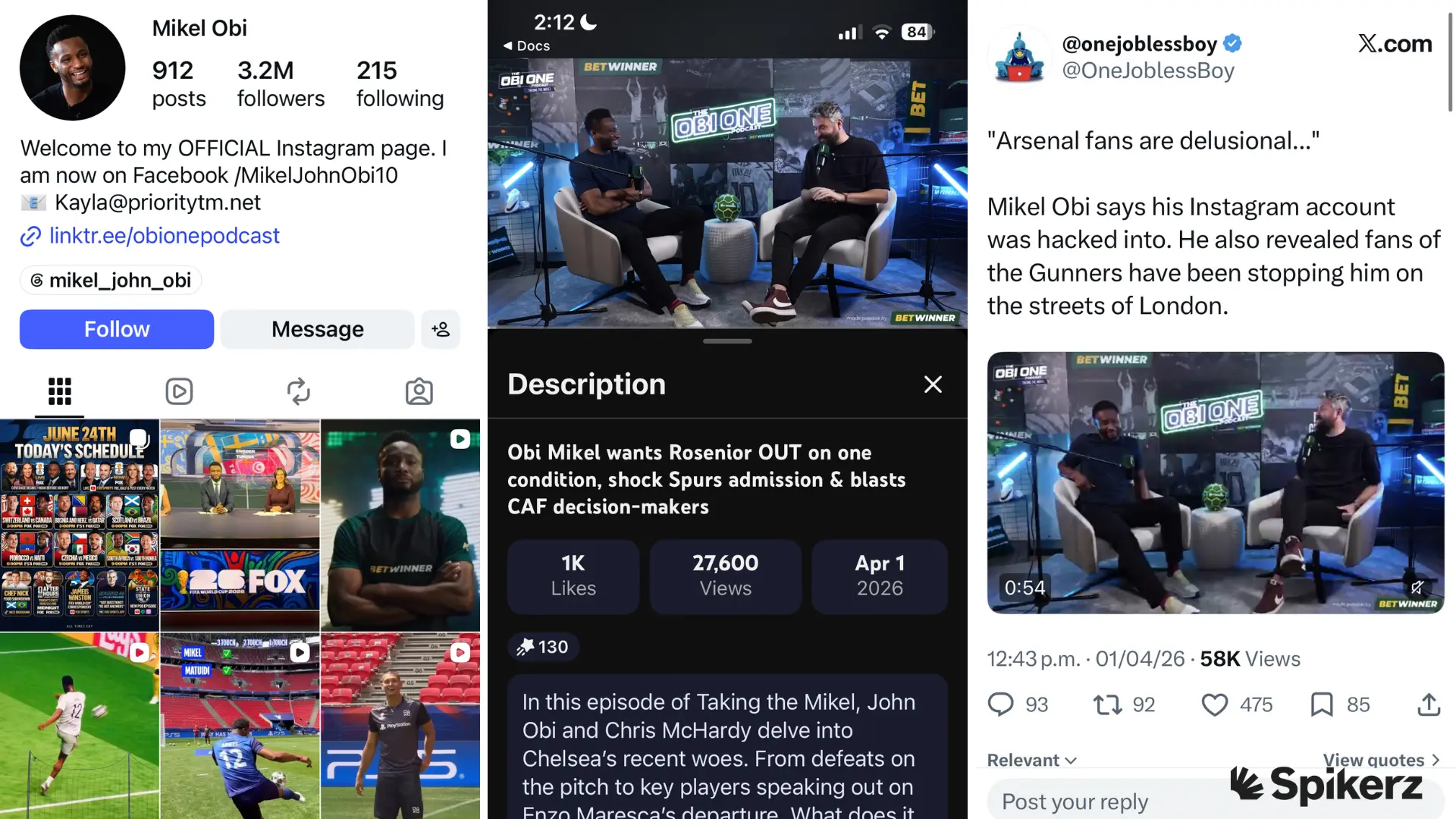
Former Chelsea midfielder John Mikel Obi shared a hard lesson on his The Obi One Podcast. After he criticized Arsenal's playstyle, a group of furious fans decided to hit back. They didn't fire off a strongly worded comment. They hacked his Instagram account.
Mikel Obi described the wave of abuse he faced from Gooners (Arsenal supporters), and confirmed his account was compromised in the fallout. You can read the full story on Pulse Sports and see the reaction on X.
Think about what that means for a moment. A retired professional athlete with a huge following lost control of his account, not because of a targeted attack by a criminal group, but because he shared an opinion that upset people.
If a public figure with that reach can be targeted over a football take, what happens to a brand that posts something a vocal group disagrees with?
The truth is, your audience is not always on your side, and a motivated fan with the right tools can do real damage. So you must do everything in your power to ensure your brand is always safe.
Consequences: Why These Hacks Matter
Listen, your social media profiles are some of the most valuable assets your business owns. The reason is simple: profiles are your company's online storefront. They attract prospects, build trust, and turn strangers into paying customers.
Yet for most marketing and security teams, these profiles stay a massive cybersecurity blind spot. Companies pour money into protecting their websites and email, but leave the accounts that face their customers wide open.
What's worse is that a hijacked account can be financially devastating. Here's why:
- Account takeovers are climbing fast. The Identity Theft Resource Center recorded a 254% jump in account takeover attacks in a single year, driven by phishing and stolen credentials.
- Breaches steal real money. IBM put the global average cost of a data breach at $4.4 million in 2025, a 9% drop from the year before driven by faster identification and containment.
- Stolen accounts scam your audience. Hackers turn trusted brand profiles into scam machines. We saw it when McDonald's Instagram was hacked to push a fake "Grimace Coin" to 5.1 million followers.
- Lost trust is the hardest cost to win back. Disneyland Anaheim recovered its hacked account, but the racist posts blasted to 8.4 million followers left a stain no recovery could wipe away.
4-Step Blueprint to Protecting Your Instagram Account
You don't need a security degree to protect your account. You just need the right mix of native Instagram settings and automated defense. Native settings handle the basics and automated tools catch the threats those settings miss.
Step 1: Lock Down Team Access and Remove Shared Credentials
Access management is the practice of controlling who can get into your accounts and what they can do once they're in. The goal is the principle of least privilege: give each person the minimum access they need to do their job, and nothing more.
Why does this matter so much?
Because every person with access is a potential entry point. The intern who needed posting rights last summer, the agency you stopped paying, the employee who left on bad terms (if you never revoked their access, they can still get in).
For example, picture a social media manager who quits and joins a competitor and nobody removes their access. A month later, your account starts posting content you never approved, and you're scrambling to figure out how.
What do you do?
The solution: use a platform like Spikerz. Spikerz is a social media security platform built to protect the accounts your business depends on across Instagram, TikTok, YouTube, Facebook, LinkedIn, and X.
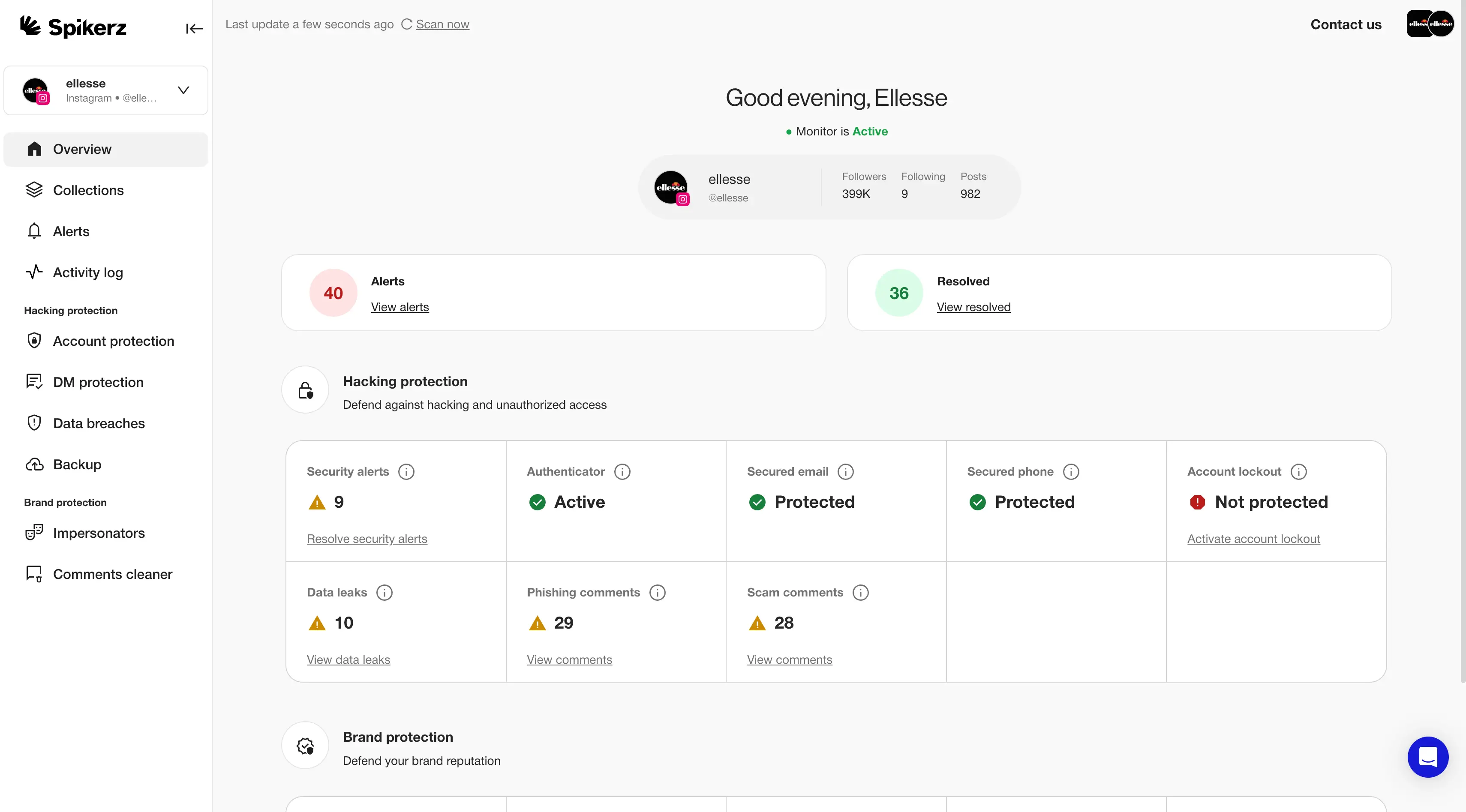
Our Account Takeover Protection and Permissions Management replace shared passwords with secure, web-based team 2FA, so no one relies on a single person's phone or drops codes into a group chat. We also continuously audit everyone connected to your accounts and let you revoke a former employee's access in seconds.
Step 2: Filter Out Phishing Attempts Before Anyone Clicks
Phishing is when an attacker tricks someone into handing over passwords or login codes by pretending to be a trusted source. It's one of the oldest tactics in cybercrime, and it's highly effective. And that’s precisely why you have to filter phishing DMs and comments.
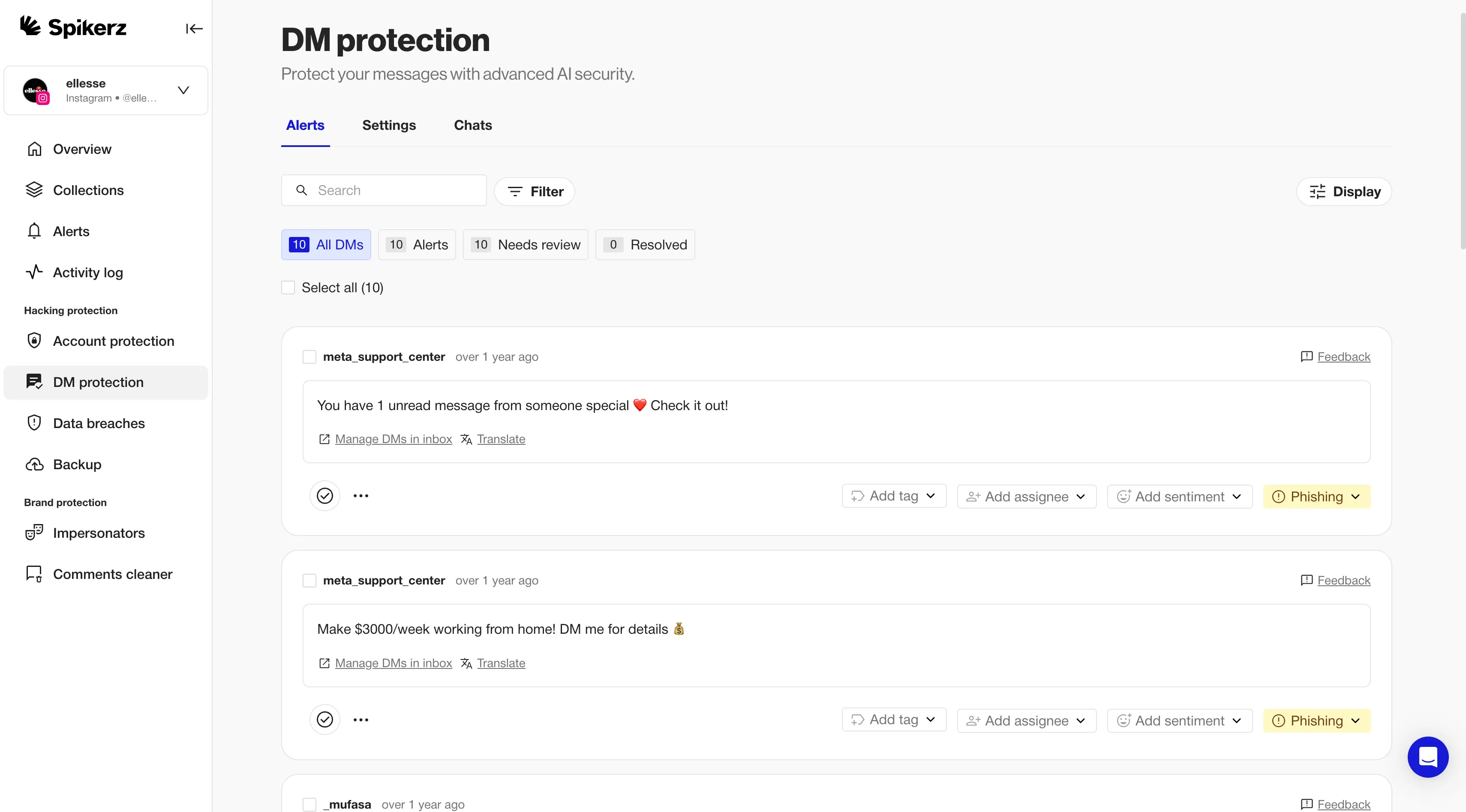
Hackers often send sneaky DMs or emails dressed up as "Instagram Support," warning that your account will be deleted unless you "verify" right now. Or saying someone requested to reset your password, so you should update it as soon as possible. After that, it only takes one panicked click on that link, and your credentials are gone.
The good news is that there are ways to protect yourself from these threats. The best way to stop your team from clicking a phishing link is to use a specialized security tool like Spikerz. For example, our Phishing Protection uses AI-powered scanning to analyze incoming direct messages and links, then neutralizes threats before you or an employee clicks anything malicious.
Step 3: Keep Your Feed Clean From Bots
Hackers use bots at scale to spam accounts, hoping to trick your followers into visiting shady websites, messaging scammers, or handing over personal information. And while you could try to fight this by hand, it’s just not reasonable.
Reading every comment to judge whether it's harmful would take hours you don't have, and you'd still miss some. The good news is that there are tools that do the heavy lifting for you. For example, Spikerz Comment Moderation tool runs a 24/7 AI-driven system that automatically hides and purges scams, hate speech, and spam links in more than 25 languages.
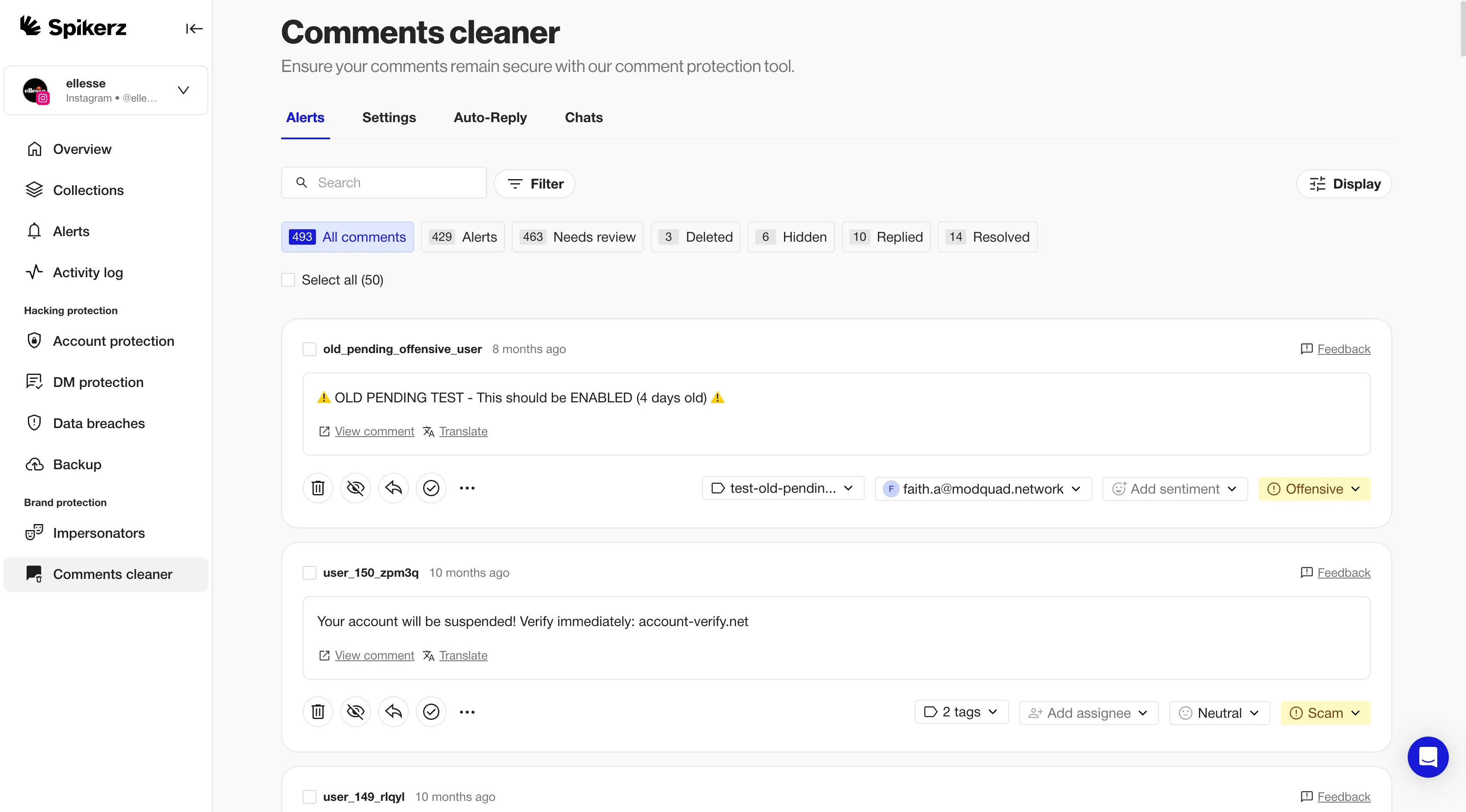
The reason it’s so effective is because it’s able to read and understand context. Meta's filters catch obvious keywords, but they miss the slang, emojis, and disguised links that real scammers rely on. So go ahead and use a tool like Spikerz that is able to use AI to analyze nuance to quickly moderate comments.
Step 4: Hunt Down and Eliminate Impersonators
An impersonator is a fake account that copies your name, photos, and branding to trick your audience into believing it's really you (sometimes they just hack accounts to get access to your audience). Their goal is simple, steal your identity to run scams in your name.
For example, look at what happens to creators with loyal fans. Scammers target popular accounts like MrBeast's, then promote fake giveaways and crypto deals to followers who trust the brand. As a result, fans send money or personal details to a stranger, and the real creator gets blamed for a scam they never ran.
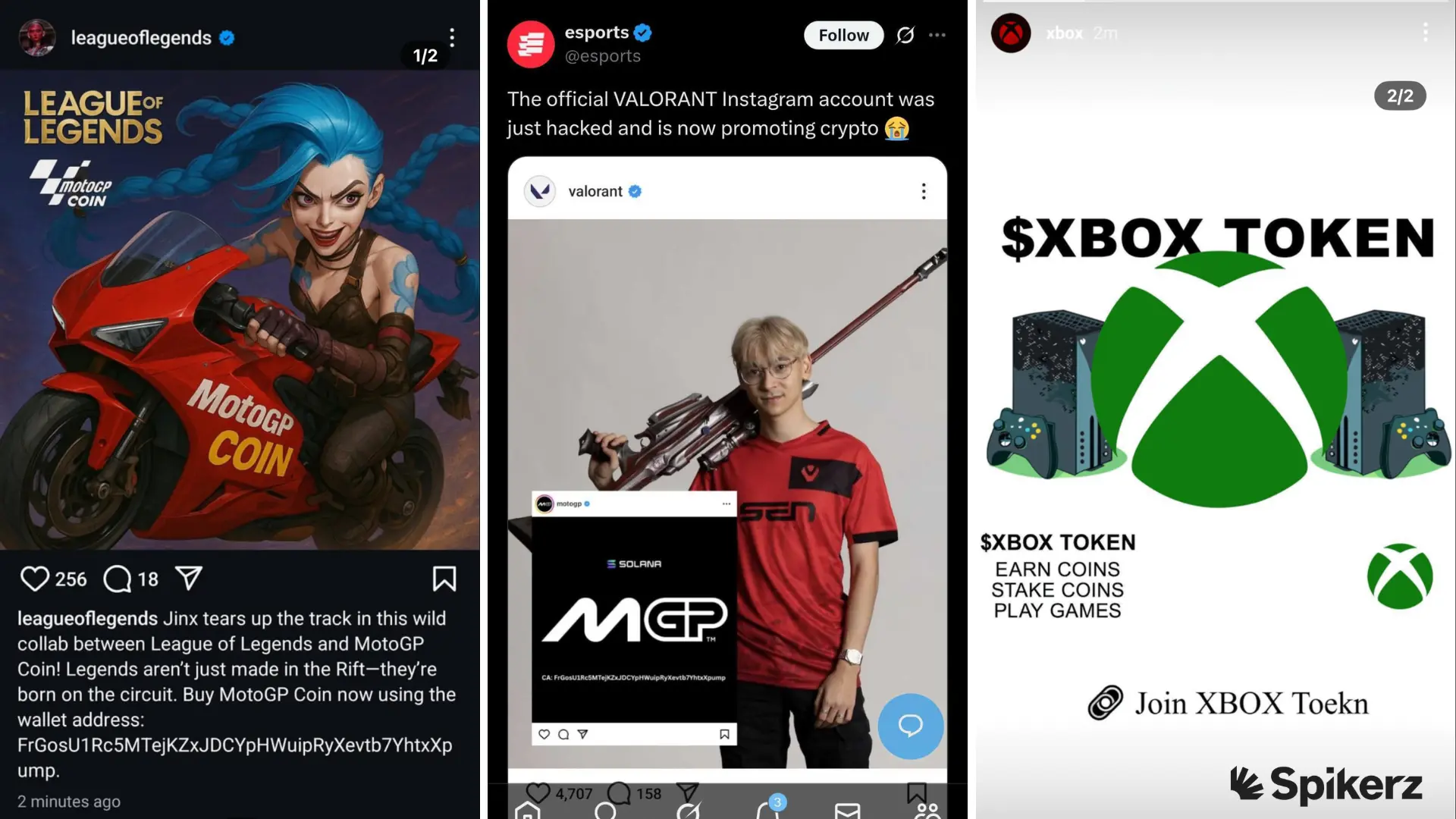
The good news is there's a tool for that too. Our Impersonator Protection uses AI face detection and similarity models to scan for fake pages, with a 95%+ success rate at wiping out scammers on Meta. We handle the takedown in hours instead of the months it can take to do it on your own.
Conclusion
John Mikel Obi lost his Instagram account over a football opinion, your brand can lose its accounts over far less. However, you've now seen the four steps that close those doors, so you don’t have to worry about it.
- First, lock down team access and remove shared credentials.
- Second, filter phishing before anyone clicks.
- Third, keep bots out of your feed.
- Fourth, hunt down impersonators before they fool your followers.
The simple truth is that native settings can't do this alone, and passing 2FA codes around Slack expands your attack surface. The good news is that there are tools like Spikerz that help you automate the entire process.
We protect more than 5,000 brands and creators, and we've already blocked over 57,000 hacks, removed 143,000 impersonators, and deleted 1.3 million toxic comments. Setup takes a few clicks, and we never touch your password. Don't wait for an angry crowd to find the gap in your defense, book a demo and keep your accounts in your own hands.
