Brand protection monitoring: how it works in 2026

Most brands only find out something's wrong when a customer tells them. This guide breaks down what real brand protection monitoring covers, from fake accounts to permission drift, why manual checks stop working past one platform, and the 5-step process to catch threats before they spread.
Most brands only find out they have a problem after a customer tells them. Someone gets scammed by a fake support account, a follower clicks a phishing link buried in your comments, or a former employee still holds admin access nobody thought to remove. And by the time the message reaches you, the damage is already spreading across your audience.
Brand protection monitoring closes that attack vector. It watches your social accounts around the clock, flags threats before they reach your community, and pulls harmful content down before it goes viral.
In this post, you'll learn what brand protection monitoring is, why manual checks stop working past a certain point, and how to build a process that catches threats early. You'll also see how Spikerz's social media brand protection software handles this work for the brands we protect.
What is brand protection monitoring?
Brand protection monitoring is the ongoing practice of scanning social platforms for accounts, messages, and behavior that put your brand and audience at risk. It combines detection, risk scoring, takedown workflows, and access oversight into a single operation.
The process runs as a continuous system (instead of a one-time audit) that watches for threats, scores them by severity, and triggers a response when it detects an issue.
That said, many teams confuse monitoring with social listening. For example, listening tools tell you what people say about your brand by tracking sentiment and mentions across the web. In contrast, monitoring tools find and remove the accounts and messages actively harming your brand. Monitoring is one part of a wider plan to protect your brand on social media.
What should brand protection monitoring cover?
There are four threats your monitoring system needs to catch. Each one targets your brand from a different angle, and skipping any of them leaves an attack vector exposed that attackers can exploit.
Impersonation and fake accounts
Social media impersonation is the creation of fake profiles that copy your brand, executives, or talent to deceive your audience.
For example, a fake support account might reply to a customer complaint under your latest post with a link that promises a refund. The link then leads people to a phishing page where they're asked to log in or submit personal information. Lastly, the customer hands over their details thinking they're talking to you.
As you can imagine, these types of attacks are very harmful. What’s worse is that impersonation campaigns move fast. That’s why detection speed decides how much damage they can cause before you take them down.
Account takeovers
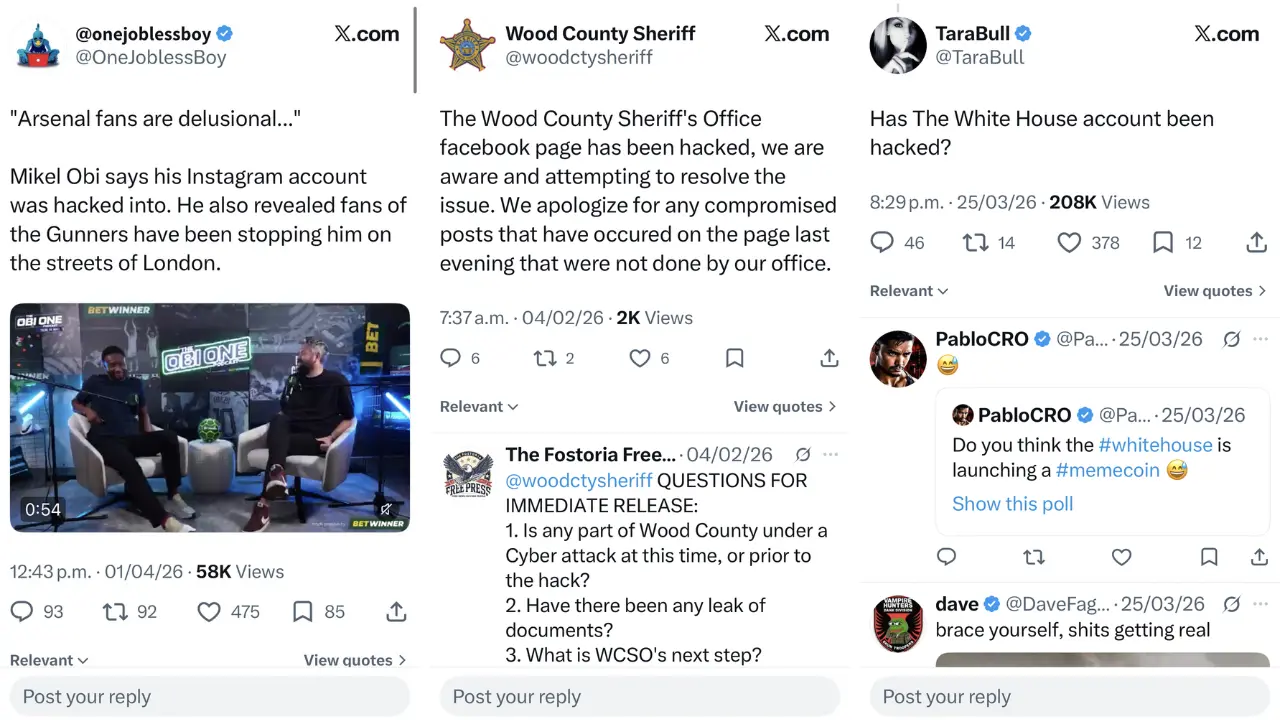
An account takeover happens when an attacker gains control of your social media profile and locks your team out. Once inside, they can post anything, message your followers, or hold the account for ransom.
The most common entry points include:
- Shared credentials
- 2FA codes passed around on Slack and WhatsApp
- Phishing emails that copy platform notifications like fake community guideline warnings
- User access that wasn’t revoked when someone left the company or a contract ended
Each of these looks harmless at a glance until someone on your team clicks the wrong link. The FBI received more than 5,100 account takeover fraud complaints in 2025, with losses over $262 million.
Phishing in comments and DMs
Attackers use your own comment sections and inboxes to reach your audience. They know your followers trust your content, so they share malicious links in the form of replies, giveaways, and support-style responses.
For example, a fake giveaway comment under a YouTube video might promise a free product in exchange for signing up on an impersonating page. Followers then click, pay for “shipping”, and never receive anything. As a result, they end up losing money and trust.
Permission and access drift
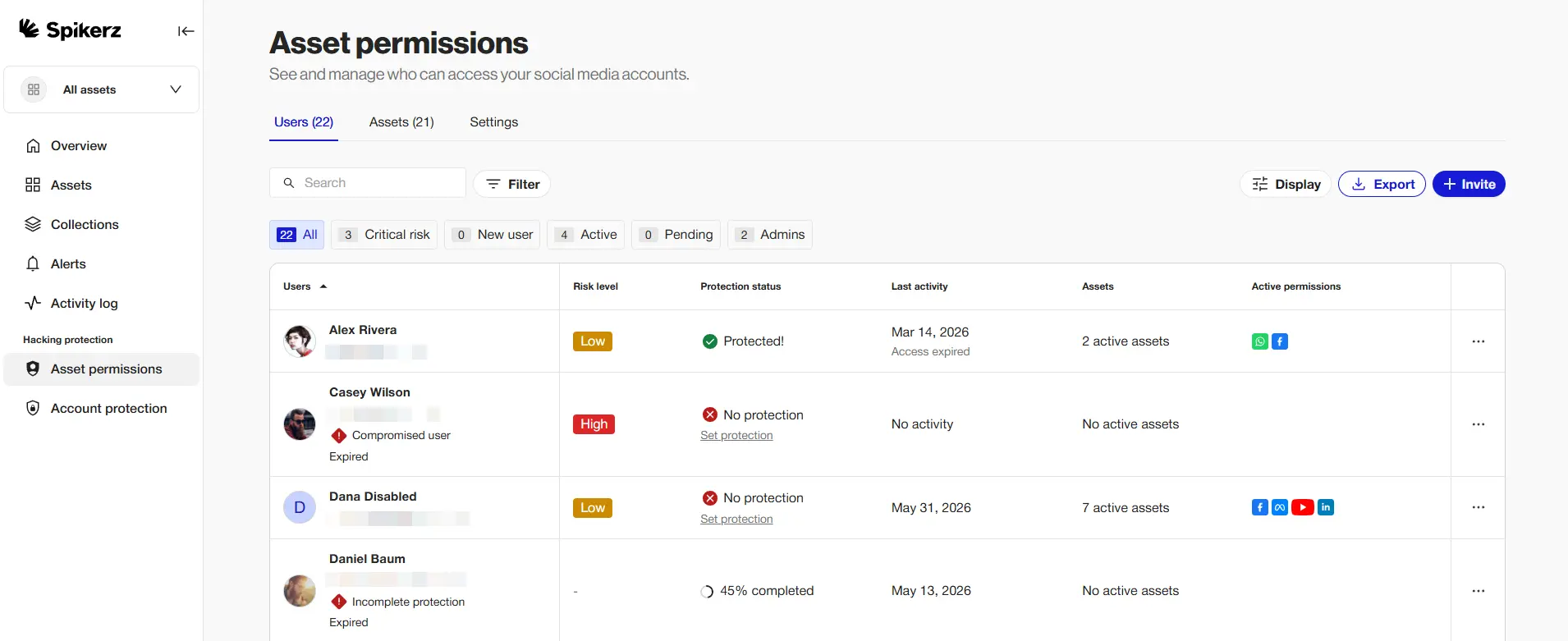
Permission drift is what happens when access to your social accounts spreads across people who no longer need it. For example, think of former employees, agencies, and vendors that keep their admin rights long after their work ends, and nobody tracks who still has access.
Why manual monitoring falls apart
The simple truth is, checking your accounts by hand stops working the second you run more than one profile and multiple people have to get access to your accounts. For example, you can't keep an eye on six platforms, five regional pages, and three executive accounts at the same time, and neither can your team.
That’s why built-in reporting relies on you catching the threat first. You find the threat, you file a report, and wait for a response that may take weeks. During that time, the fake account will keep operating and your audience will keep getting hit.
And those delays are expensive. Americans reported losing $2.1 billion to scams that started on social media in 2025, about eight times the 2020 figure, according to the FTC.
As a result, more companies are moving to automated monitoring to contain these losses.
How to build a brand protection monitoring process
There are five steps you need to follow to move from reacting to threats to catching them early. Follow them in order:
1) Map every account tied to your brand
List every profile connected to your brand, including regional accounts, executive profiles, and pages you no longer post on. It’s essential to include your dormant accounts, campaign-specific accounts, and the ones your agency set up two years ago but no longer use.
Unused accounts are the easiest ones to hijack because nobody watches them. Attackers know this, and they target these accounts first.
2) Audit who has access
Review every user with admin or editor access across each platform. Pull the list, compare it against your current team, and flag anyone who shouldn't be there.
Remove anyone who left the company, finished a contract, or no longer needs the permission level they hold. Do this every quarter.
3) Set your detection rules
Define what counts as a threat for your brand. That includes handle variations, logo use, executive names, product names, and the scam patterns your audience keeps reporting.
The more specific your rules, the fewer false positives your team has to sort through.
4) Decide how you escalate
Document a path to follow from detection to takedown. That includes who verifies the threat, who files the claim with the platform, and who tells the audience when a scam is circulating under your name.
Without this written down, every incident will turn into a headache. But with it, your team will know exactly what to do the second an alert fires.
5) Track your results
Measure detection time, takedown time, and repeat offenders. Ask yourself:
- How fast did you find the threat?
- How fast did the platform remove it?
- How often is the same actor coming back?
These three questions will show you whether your monitoring works or just generates alerts. If detection time is high, you need better tooling. If takedown time is high, you need better workflows.
How Spikerz handles brand protection monitoring
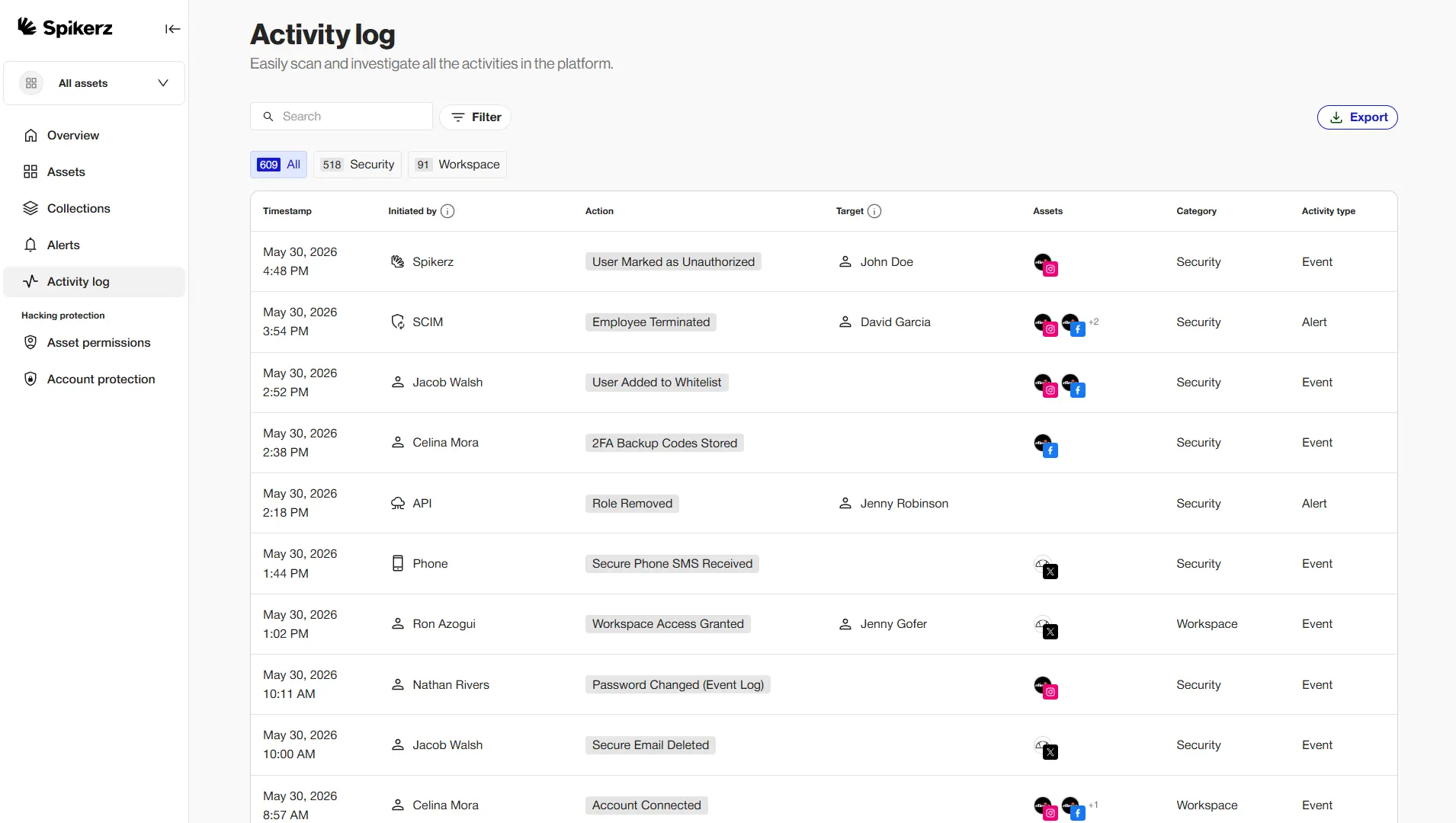
Spikerz is a social media security platform that protects your accounts against takeovers, impersonators, phishing, and permission risks. We connect through official platform APIs, with no passwords or credentials shared, and our AI scans your accounts around the clock.
Our monitoring runs on a stack of tools built for each threat category:
- Account takeover protection: Centralized 2FA, secure login management, and instant alerts when we detect suspicious activity across your accounts.
- Impersonator takedown: AI-powered detection paired with automated takedown workflows that remove fake accounts through platform integrations.
- Phishing protection: 24/7 comment and DM moderation that blocks scam links, fake giveaways, and lookalike support messages before your followers see them.
- Comment moderation: Real-time filtering of spam, hate speech, and phishing across every post and DMs, with customizable rules.
- Permissions management: A single dashboard that shows every user with access to every account, with instant offboarding when someone leaves.
Our comment filtering reads slang, emojis and nuance across more than 25 languages.
Would you rather find out about a fake account from a customer, or from a system that already removed it?
Your team deserves to sleep at night, and your customers deserve to trust every message that carries your name. Book a consultation to see what your brand looks like when someone is watching it around the clock.
Conclusion
Simply put, brand protection monitoring is the difference between finding out about a scam from your customers and catching it before they ever see it.
The process to defend against online threats:
- Map your accounts
- Audit access
- Set detection rules
- Document escalation
- Track your results
Do those five things well, and you'll catch problems while they're small. Or let Spikerz do it for you. We built our platform to watch your accounts every hour of every day, remove impersonators in hours, filter phishing out of your comments before followers see it, and keep your permissions clean as your team changes.

.webp)
