7 ways to detect phishing on social media

Attackers rarely show up in your inbox anymore. They slide into DMs, comments and fake copyright notices instead. Here are 7 ways to detect phishing on social media in seconds, from spotting fake accounts to catching manufactured urgency, before anyone on your team clicks.
Imagine your security team watches your email all day long. Meanwhile, attackers walk in through a DM, a comment reply, or a fake copyright notice from an impersonating account. That gap between where you're looking and where the attack comes from is what phishing attackers rely on.
Most brands take phishing seriously, but nobody is watching the channels where it now happens. What’s worse is that by the time most teams detect a social phishing attempt, someone on staff has already clicked the link.
That’s why in this post we cover what social media phishing looks like, why early detection changes the outcome, seven signals you can check in seconds, and what to do when the volume gets too high for manual review.
What is social media phishing?
Social media phishing is a scam that uses fake profiles, messages, or comments on social platforms to trick you into sharing passwords, one-time codes, or even payment details. The way it works is simple: attackers pose as brands, platform staff, sponsors, or support reps to earn a moment of trust before they ask for something they should never receive.
We cover how it all works in depth in our social media phishing guide. This guide focuses on detection.
Why early detection decides the outcome
The simple truth is that the window you have between the first phishing message and the first click decides whether you keep your account. A single click can hand an attacker your active session, your 2FA token, and your entire audience at the same time.
And unfortunately, the numbers back this up. Americans reported losing $2.1 billion to scams that started on social media in 2025, about eight times the 2020 figure, according to the FTC. The FBI received more than 5,100 account takeover fraud complaints in 2025, with losses over $262 million.
That makes phishing a detection problem. Attacks happen out in the open, yet almost nobody is actively looking for them.
Seven signs of a phishing attempt
There are seven signals that separate a phishing attempt from a legitimate message, and each one takes you seconds to check. All you have to do is run through them any time a message asks you to click, log in, or share something private.
1) Audit the account behind the message
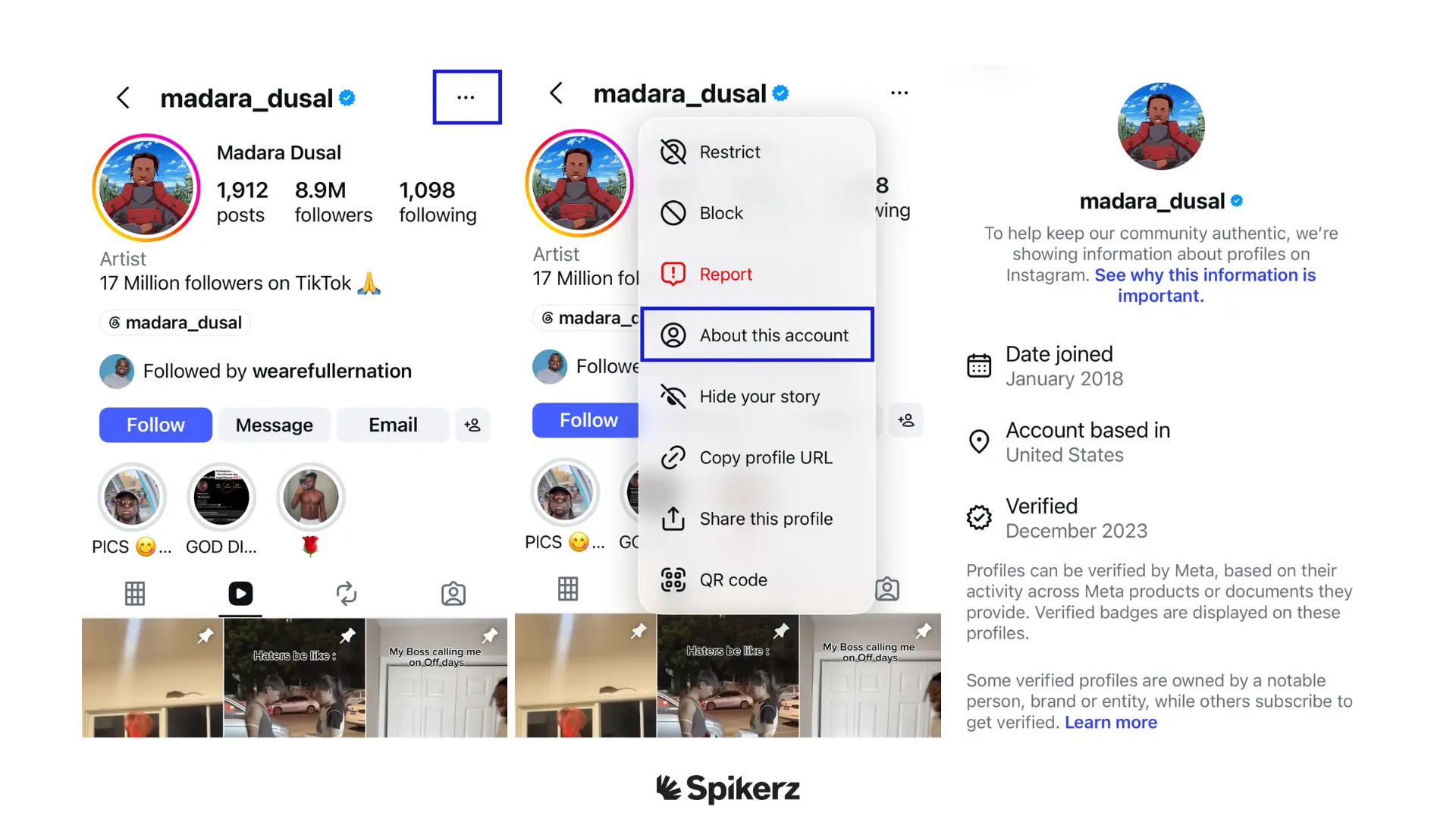
Check the sender's profile before you read the message’s body. Look at account age, follower-to-following ratio, post history, and whether the handle uses substituted characters like a zero for an "o" or an "rn" for an "m."
Brands rarely reach out from newly created accounts, and platforms like Instagram will never DM you for support. For example, a message from an account like "@1nstagram_help" offering assistance or claiming account issues is a scam.
Instagram never sends DMs to users to resolve security problems or offer assistance. All support on the platform is self-serve through their official Help Center or handled via direct email responses if you have submitted an official report.
2) Read the link before you click it
To inspect a link without opening it, hover on desktop, or long-press on mobile, and check the domain against the brand's real domain. Attackers often rely on link shorteners and subdomains to redirect people to their phishing websites.
For example, a link that reads "instagram-support.help-center.co" looks like a legitimate Instagram website at a glance. However, if you read it from right to left instead of left to right: you can see that the real domain is "help-center.co," which has nothing to do with Instagram. The word "instagram" only appears as a subdomain designed to fool you.
3) Manufactured urgency
Phishing messages compress your decision time on purpose. They arrive as copyright strikes, community guideline violations, and account suspension warnings that give you 24 hours or less to act.
For example, let’s say that a fake Meta copyright notice tells you that your Facebook Page will be permanently deleted in 12 hours unless you click a link and confirm your identity. A real notice would appear in the Support Inbox in Meta Business Suite, reference a specific piece of content and give you a proper appeals window. If a message demands you act now to save your account, treat it as an attack.
4) Question any request for credentials, 2FA codes, or payment
No platform ever asks for your password or a one-time code through a DM, comment, or email. This single rule is something all platforms follow so it’s easy to catch most phishing attempts by this alone.
For example, on LinkedIn, a marketing director gets a message from someone claiming to represent a Fortune 500 brand's influencer program. The "brand representative" asks for a scan of their ID plus the 2FA code from their authenticator app to "confirm the account owner for the wire transfer." That's a whaling attempt. Real partnerships pay through invoices and legal contracts, not through 2FA codes.
5) Scan your own comments section
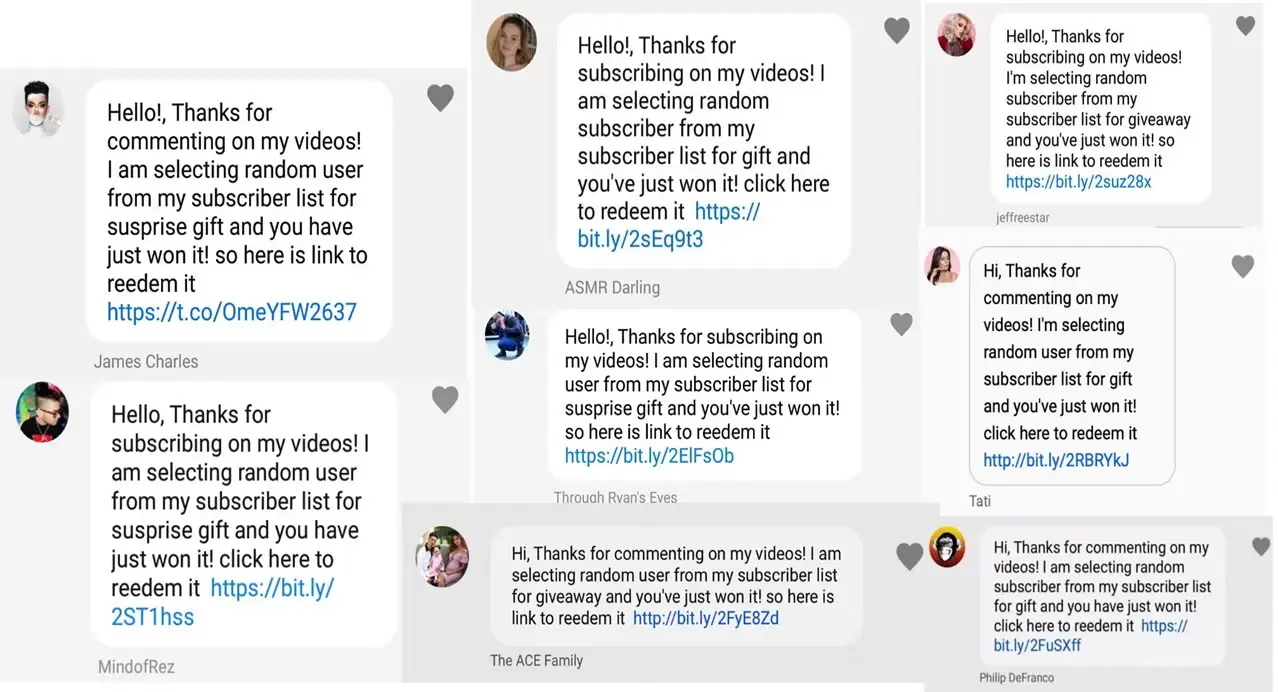
Your comment section is a powerful distribution channel for attackers targeting your followers. Phishing there often looks like fake giveaway replies, fake support accounts offering to "help" upset customers, and spam comments posted at volume with the same suspicious link.
For example, let’s say a beauty brand runs a product launch, and within an hour, dozens of comments appear from an account called "@brandname.support" telling customers to DM them for a refund or because they won something.
The only issue is that this account is impersonating the business. As a result, every follower who clicks ends up on a phishing page. And the brand only finds out days later, when a customer emails asking why their card was charged or how they were scammed.
6) Cross-check every "official" platform notice
Platforms deliver real account notices inside the app, not just by email. If you get a warning about a violation or a login attempt, open the app first and check your notifications and account status directly. Don’t just do what the email tells you to do.
Build the habit of treating every email as a claim to verify. When Meta, TikTok, X, or YouTube flag something on your account, you'll see it in the app. If there are no notifications in your app, but your inbox is sounding alarms, it's likely a scam.
7) Watch your account's access and login signals
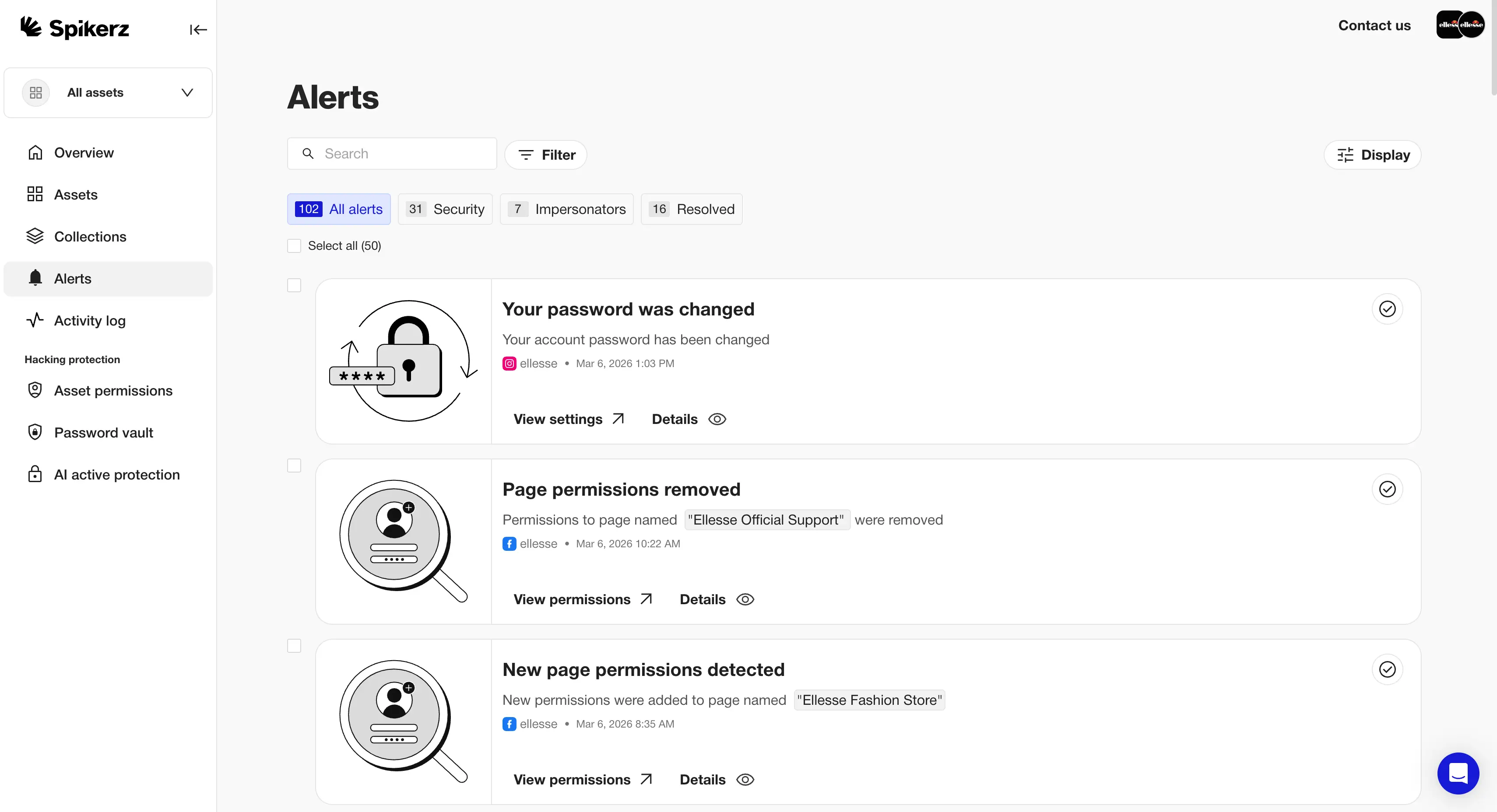
The clearest phishing signal often shows up on your side of the login screen. For example, a login from an unfamiliar location, a new device on the account, a recovery email change, or a team member who suddenly loses access all point to the same event. These signals tell you a phishing attempt has already succeeded, which makes speed of detection the only thing standing between an attempt and a full takeover.
This is where most brands find out too late, since nobody owns the job of watching. Marketing assumes IT is looking, IT assumes the social team is keeping an eye on it, and the attacker takes advantage of that gap.
Why manual detection breaks down
Every method above works on a single message. However, the issue comes down to numbers because a brand receiving thousands of DMs and comments each week can’t apply all seven checks to every one of them, and attackers know it. That’s why they pick volume. They know your team won't scale to meet it.
Manual review also fails on timing. Your team may review comments during business hours, but attackers can simply post at 3 a.m. on a Saturday.
The good news is you don't have to choose between coverage and sleep.
How to detect phishing on social media automatically
The most reliable way to detect phishing across your accounts is to use a social media security platform like Spikerz.
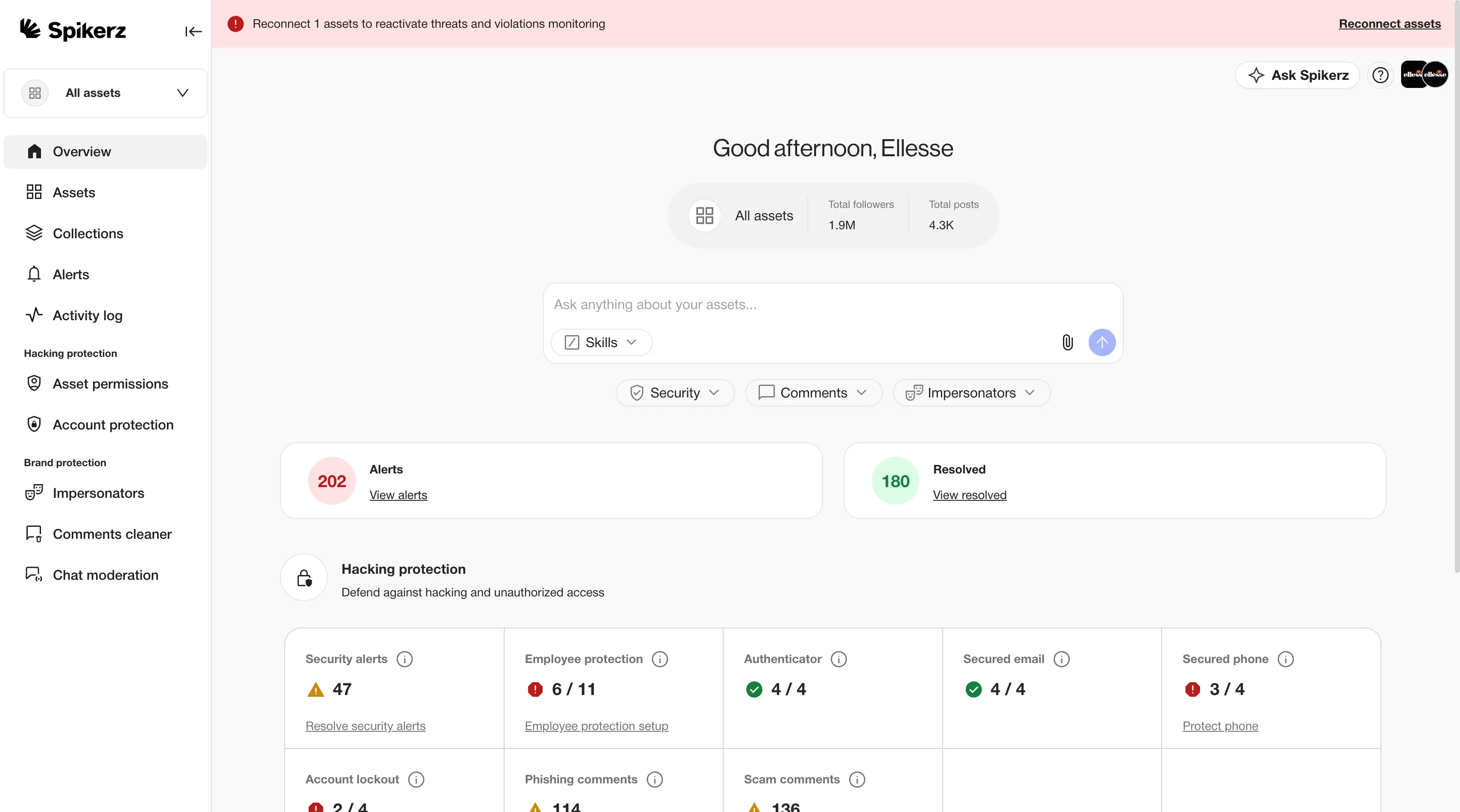
Spikerz is a social media security platform that connects through official platform APIs, and we never ask you for a password or credentials.
Our detection works in real time. Our AI scans comments, DMs, and inbound email for phishing attempts and harmful links using sentiment and context analysis instead of simply relying on keyword matching. We flag and filter threats around the clock, and we've built this across more than 25 languages so slang and emojis don't slip past.
Here's what we cover for your brand:
- Account takeover protection: We host and secure your team's 2FA codes, block credential sharing on Slack and WhatsApp, and shut down risky logins before an attacker gets in.
- Phishing protection: We scan DMs, comments, and inbound emails for phishing links and malicious content, filtering threats out before your team sees them.
- Impersonator takedown: We find fake accounts posing as your brand, executives, or support reps, and we file the takedowns for you.
- Comment moderation: We hide phishing replies, scam giveaways, and other spam under your posts, in real time, across every major platform.
- Permissions management: We give you one dashboard for every user with access to every account, so nobody retains login permissions after they leave.
Are you ready to stop finding out about phishing from an angry customer?
Book a consultation, and we'll show you exactly how we protect your accounts, your team, your followers, and your peace of mind.
Conclusion
Phishing on social media is easy to identify once you know what to look for. The problem is that most people never check, and nobody has time to run these checks on every message, comment and notice that hits your accounts. And attackers know that. They pick volume because they know your team will never be able to go over everything.
So you have two paths:
- You can train every person on your team to run all seven checks, accept that some attempts will slip through at 3 a.m., and hope your followers are patient.
- Or you can put a system in place that never sleeps, reads every message, and flags the ones that matter before someone clicks.
The choice is yours.


