Building a social media stack: what to look for


Disconnected tools waste marketing budget. This guide explains how to evaluate software on core functionality, engagement management, analytics and security, from multi-platform scheduling to spam filtering, and reviews six tools that can turn social media into a measurable revenue driver.
Building a social media stack: what to look for in software
Your social media presence needs more than random tools piled together. A social media stack is a curated, integrated set of tools that work together as a single engine to manage, schedule, listen, analyze, and optimize all your social media efforts.
The problem isn't just having tools. It's having the wrong, disconnected, and inefficient tools that waste your time, miss opportunities, and leave your accounts vulnerable to security threats. In this post, we'll explore what a social media stack is, what happens when you choose the wrong tools, and what you should look for when building your stack.
What is a social media stack?
A social media stack is the collection of tools and platforms a person or company uses to manage their social media activities. This includes creating, scheduling, publishing, and analyzing content across multiple platforms.
Think of it as your social media toolkit. Each tool serves a specific purpose, from content creation to security monitoring, working together to streamline your entire social media work. The right stack always saves time, improves results, and protects your brand from online threats.
What happens if you choose the wrong tools?
Choosing the wrong social media tools often leads to serious business consequences. These problems compound over time, making it harder to recover and grow your presence.
1) Low engagement
It's no secret that engagement and reach are the biggest hurdles marketers face. According to SQ Magazine, 32.2% of marketers struggle to maintain visibility and interaction. If your content doesn't reach the right people, you'll see minimal likes, comments, and shares.

2) Ineffective content strategy
If you choose the wrong research tools, you'll get inaccurate data and create strategies based on a flawed hypothesis. This leads to wasted effort creating content that doesn't resonate with your audience and fails to attract any leads. You'll spend months producing posts that generate little to no return on investment.
3) Missed opportunities
Using the wrong tools can mean missing out on the unique benefits of different platforms. For example, a platform like LinkedIn is better suited for establishing brand authority and sales, while YouTube can be used for community building. Without the right tools to manage each platform effectively, you won’t maximize their potential.
4) Wasted resources
You may spend time and money on platforms where your target audience isn't active or on tools that don't help you track or achieve your business goals. This is all backed by research, in fact, 26% of companies waste their marketing budget on ineffective strategies. That's a quarter of your budget going nowhere.
5) Brand inconsistency
If you are not using the right tools to manage your brand's voice and visuals, it can lead to inconsistent branding across different channels. This confusion weakens brand recognition and makes it harder for customers to trust your business.
6) Lack of measurable results
Without the right analytics tools, it's impossible to track performance and understand what is or isn't working. This makes it difficult to optimize your strategy. You're essentially flying blind, making decisions based on guesses rather than data. In fact, only 19% of marketers believe their campaigns are highly effective.

What to look for in social media software
There are a few important things every business needs to consider when choosing software for their social media stack. Making the right choice can save you thousands in wasted resources and protect your brand from serious security threats.
Here are some of the most important things you should consider:
1) Core functionality
You should carefully consider the tool's core functionality before committing to any platform. If you're active on several social platforms (Facebook, Instagram, Twitter/X, LinkedIn, TikTok, etc.), look for tools that support multi-platform management.
For example, the ability to schedule posts across platforms and work with teammates on one dashboard can save hours each week. Also, consider whether you need content creation features like built-in image editors, AI video editing tools, an AI video generator or AI-powered caption generation. These features can streamline your workflow and reduce the number of tools you need.
2) Engagement and inbox management
You should carefully consider how the tool will help with engagement and inbox management. There are tools that do both and others that provide a more specialized approach and focus on one thing at a time.
What you have to do is determine what matters most for your business. For example, there's:
- Unified Social Inbox: A single place to view and respond to all comments, mentions, and direct messages from your different social platforms. This prevents you from missing important interactions and helps your team have a bird's eye view on all your engagement.
- Spam filtering: The more you grow, the more spam you'll receive. It's unfortunate but it's also inevitable. Thankfully, there are tools like Spikerz that help social media teams filter out spam so they can focus on solving your audience's problems.
- Real-Time Monitoring: The ability to track brand mentions, industry keywords, and competitors in real-time. It's often called Social Listening.
- Team Collaboration: Features like assigning messages to team members, adding internal notes, and using saved/suggested replies to speed up customer service.
3) Publishing and scheduling
Consider if you need a tool that will help you publish or schedule content. There are many different types of publishing and scheduling tools so you have to choose one that fits your specific business needs.
For example, some tools allow you to actively schedule and publish content, while others help you create content libraries to repurpose content over time. The right choice depends on whether you're managing real-time content or building an evergreen library that can be reshared.
4) Analytics and reporting
Consider if you need advanced analytics and reporting or you are fine with something simple. Strong analytics capabilities are crucial for understanding what's working.
Look for software that provides engagement metrics, audience demographics, post performance comparisons, and the ability to track specific campaigns. Also, customizable reports that you can share with stakeholders make it easier to demonstrate ROI and make data-driven decisions.
5) Teamwork and usability
Consider if you need teamwork capabilities. You need to determine if your entire social media team needs access to the platform or a couple of people can do everything you need.
You also need to consider whether people will work on the platform or just use it to achieve a certain task. This determines whether you need features like role-based permissions, approval workflows, and team activity logs.
6 best tools you should consider having in your social media stack
You don't have to use all the tools below, but you should definitely consider them and use the ones that will help you achieve your business goals. Each tool serves a specific purpose and excels in different areas of social media management.
1) Buffer
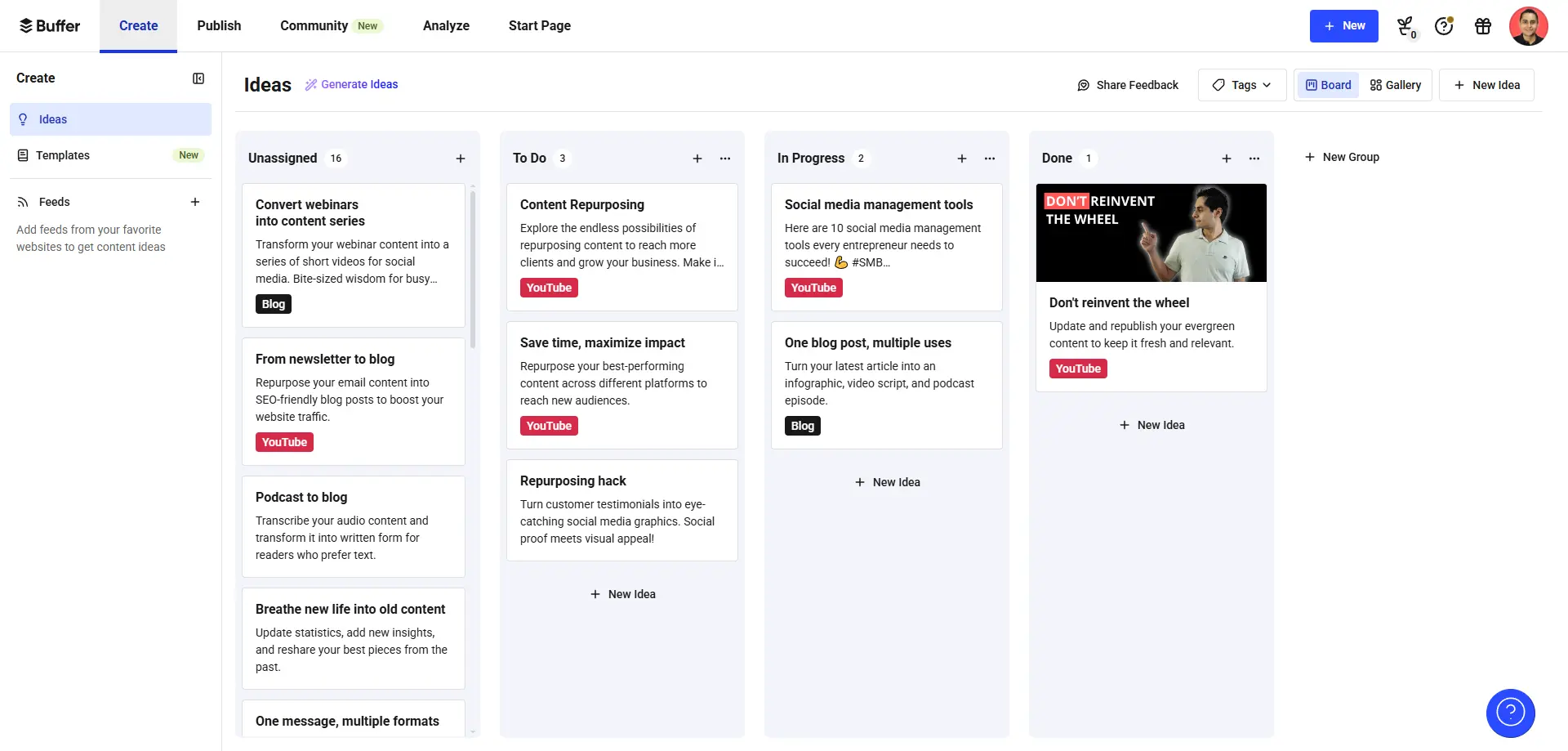
Buffer is a social media scheduling tool that allows businesses and content creators to create, collaborate with team members, and share content on multiple platforms all in one place. It simplifies the scheduling process and helps you maintain consistent posting across channels.
It also has the ability to show you all comments in one place so you can manage your communities easily. Lastly, their analytics allows you to see which posts perform best so you can modify and focus your efforts on things that work.
2) Spikerz

Spikerz is a social media security tool that helps protect business and content creator's social media accounts from threats like account takeovers, impersonations, spam comments. It also helps with user access management and enables 2FA for teams.
It's a fantastic option for people who:
- Want to protect their social media presence
- Feel overwhelmed by spam comments
- Don't know who has access to their social accounts
- Have a hard time sharing 2FA codes between team members
3) VidIQ
VidIQ is a platform that helps businesses and content creators optimize their YouTube videos and channels to get more views and subscribers. It provides AI-powered suggestions for titles, descriptions, and tags, offers channel audits to analyze performance, and identifies trending topics and competitors.
It's available as a browser extension for chromium based browsers, with both free and paid versions. If YouTube is a part of your business, adding VidIQ to your social media stack is a no brainer.
4) Claude

Claude is an AI assistant that can be used for tasks like writing, summarizing content, and having conversations to brainstorm ideas. It's a fantastic tool that in combination with data obtained from tools like VidIQ, Answer The Public, and Ahrefs, can give you data-backed ideas for new social media posts.
It's a fantastic tool for quickly turning data into actionable insights. Instead of spending hours analyzing data manually, Claude can process information and suggest content angles that align with your audience's interests.
5) Answer The Public
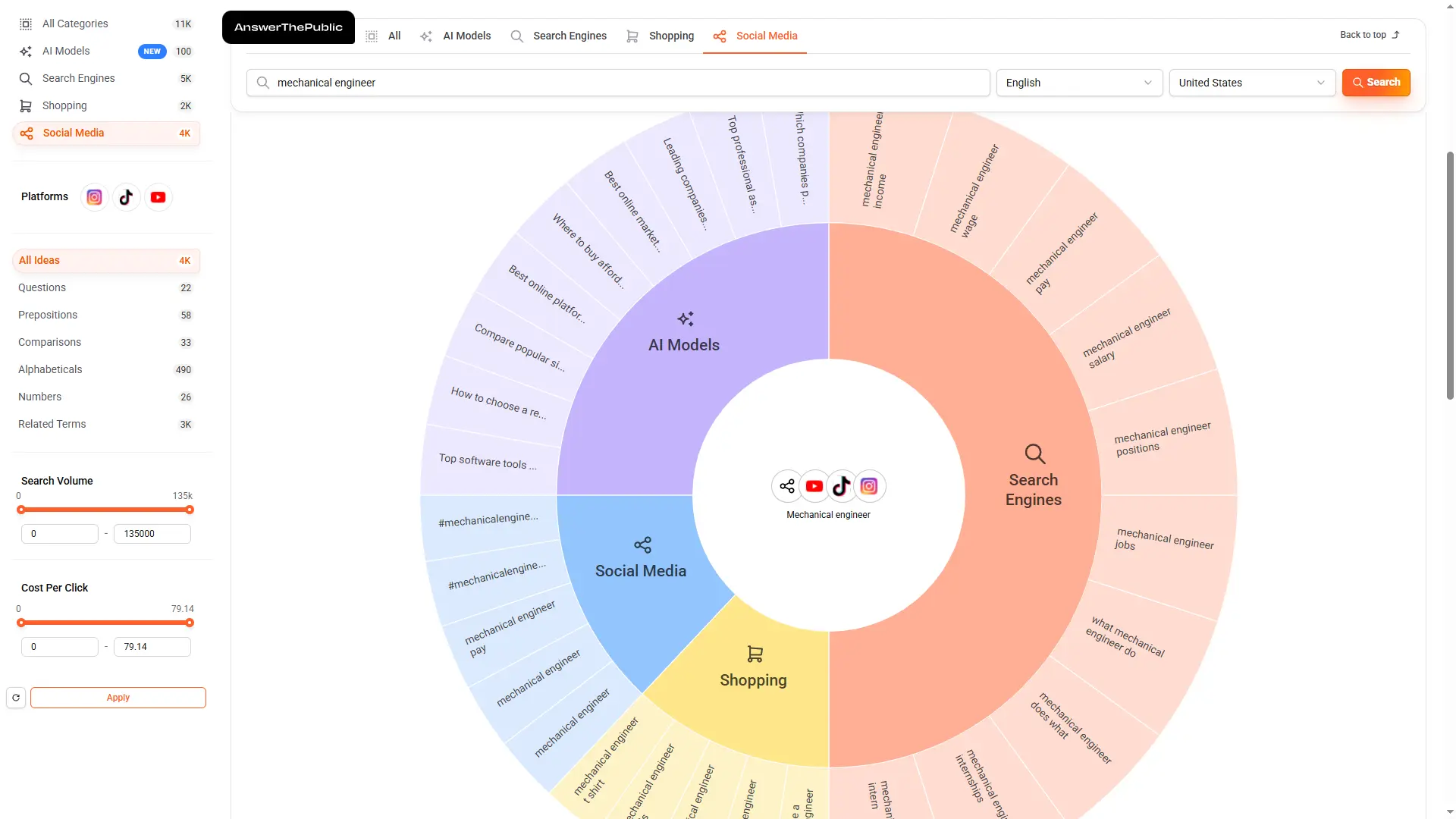
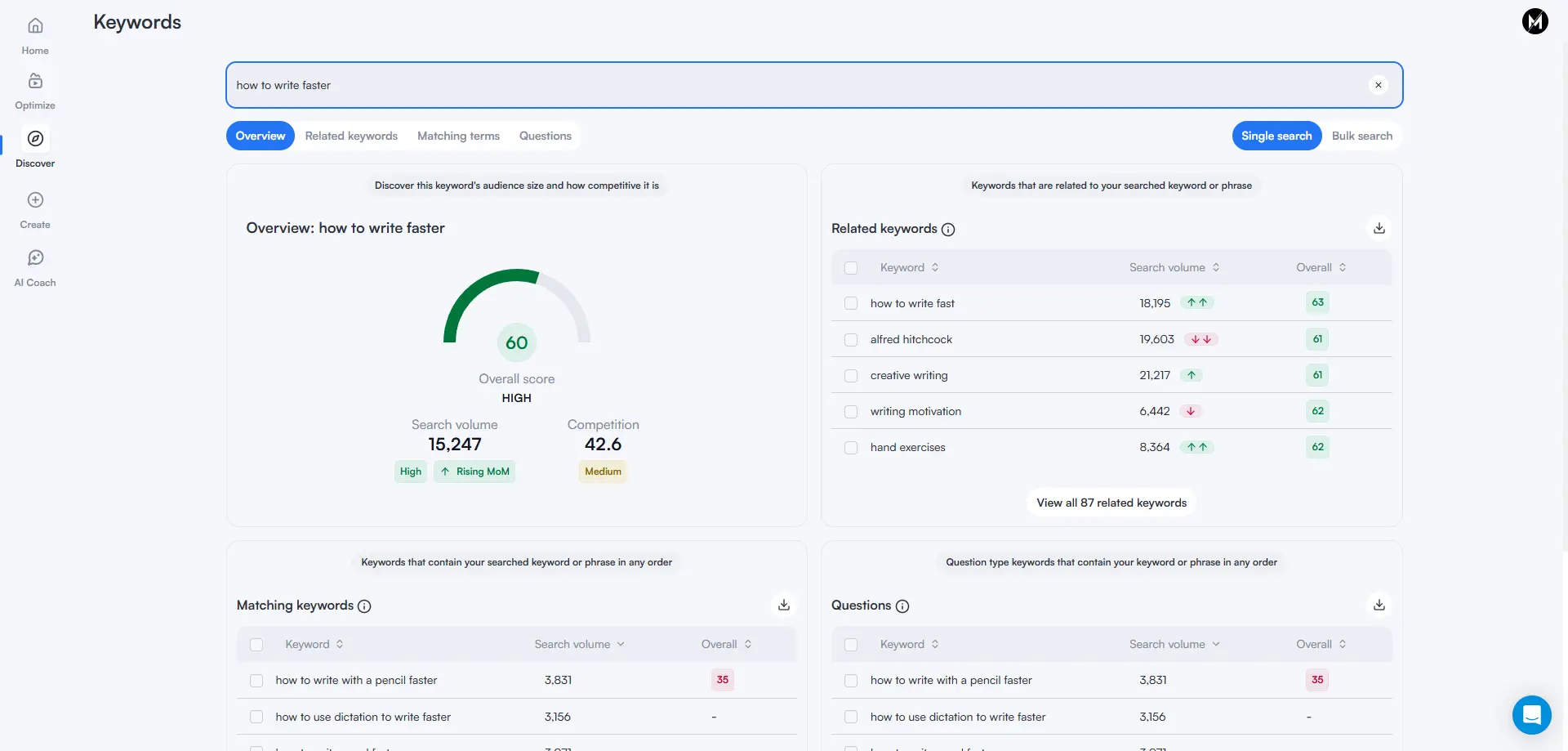
Answer The Public is a research tool that helps businesses and content creators turn search data into clear, visual insights. We love it because it provides you with a clear picture of what your audiences want to know, offering an edge in keyword targeting and content planning.
Analyze questions, comparisons, and related topics to enable the creation of content that aligns perfectly with audience intent and current trends. This ensures your content answers real questions your audience is asking.
6) MeetEdgar
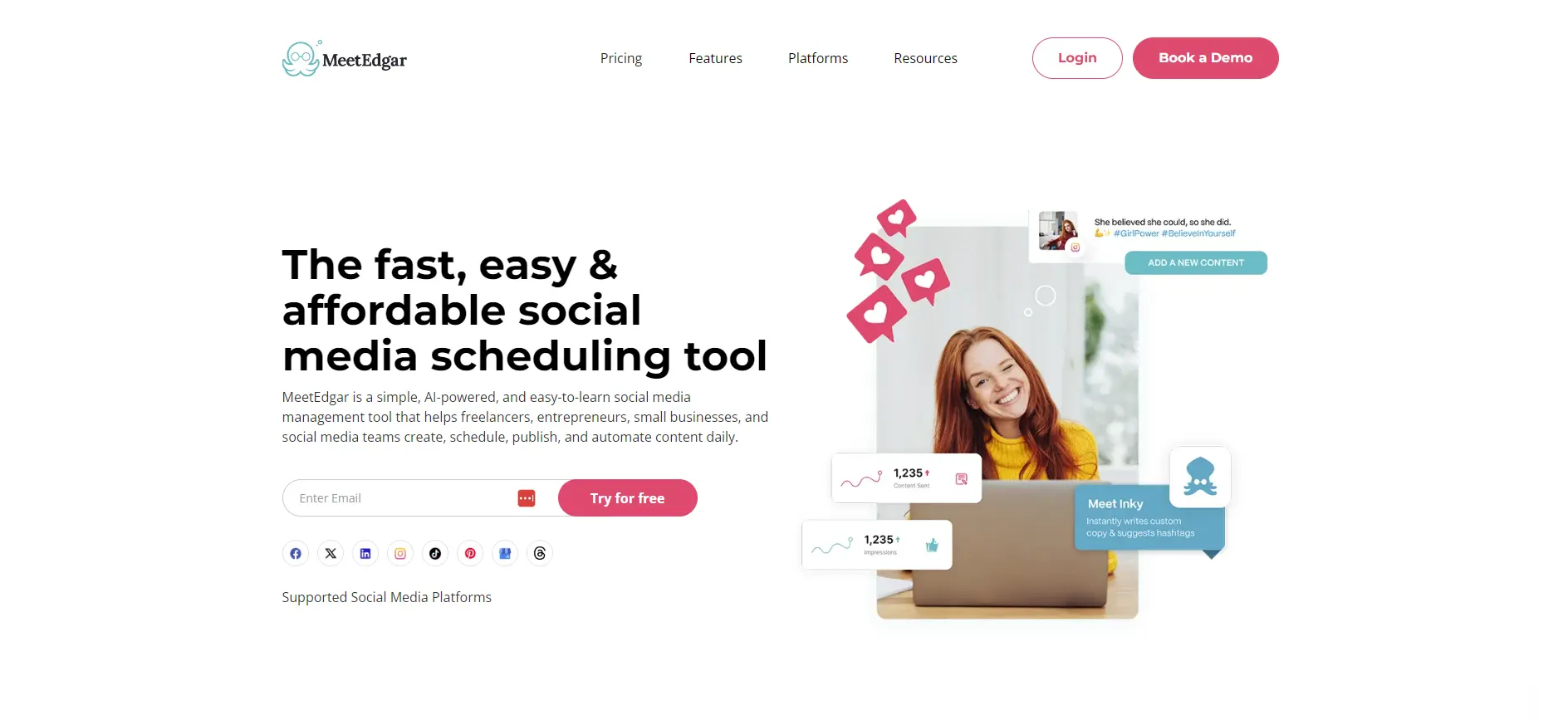
MeetEdgar is a social media management tool that automates content scheduling and publishing across platforms like Facebook, Instagram, LinkedIn, and X (formerly Twitter). We like it because it uses an "evergreen" content system, which automatically reshares older posts from a user's library to keep their social media active.
All you have to do is create a library of updates with variations for the same post. Then the system shares content based on your set criteria. For example, share this post only once every 30 days.
Users can also schedule one-time posts for time sensitive content. Lastly, the platform provides an AI assistant named Inky to help generate content, along with analytics to track performance. It's an excellent option for content creators and businesses that already have a library of content that they want to re-share over time.
Conclusion
Your social media stack determines whether you're working efficiently or wasting time on disconnected tools. The wrong tools lead to low engagement, inconsistent branding, and missed opportunities that cost your business thousands in lost revenue and wasted marketing spend.
That said, building the right stack starts with understanding your specific needs. Focus on core functionality that supports multi-platform management, engagement tools that help you connect with your audience, and analytics that guide your strategy. Also, don't forget security. Protecting your accounts from threats should be non-negotiable.
The tools we've covered each serve distinct purposes in a well-rounded social media operation. You don't need all of them, but you should evaluate which ones align with your business goals. Start with the essentials, test what works, and build a stack that turns your social media presence from a time sink into a business asset.
.webp)