The Complete Guide to Social Media Security

.webp)
Summary:
Learn the nine essential strategies to protect your social media accounts from hackers, phishing attacks, and account takeovers—from strengthening passwords and enabling two-factor authentication to implementing real-time monitoring and building a rapid response team. With nearly one in three Americans experiencing account breaches, this guide provides the practical, multi-layered defense approach you need to secure your personal profiles and business assets before an attack happens.
The Complete Guide to Social Media Security
Attacks on social media have surged drastically over the past year. Hackers are targeting everyone from everyday users to major corporations. As such, regular users, content creators, and businesses need to take cybersecurity seriously.
Your social media profiles aren't just accounts anymore. They're valuable assets that criminals want to exploit for financial gain, data theft, and reputation damage.
In this guide, we'll cover what social media security actually means, what happens when you ignore it, and nine practical ways to protect your accounts from hackers and scammers.
What Is Social Media Security?
Social media security refers to the strategies, tools, and practices you use to protect your accounts from unauthorized access, data breaches, and cyber attacks. It covers everything from strong passwords to advanced monitoring systems that detect suspicious activity in real-time.
The entire point of strong cybersecurity is to add as many layers of protection as possible. Each layer reduces your attack surface, making it harder for hackers to break through. Think of it like a castle with multiple walls, a moat, and guards. If one defense fails, others still stand.
That said, no single security measure is foolproof. That's why combining multiple layers of protection creates the strongest defense against today's threats.
What Happens When Businesses Don't Take Cybersecurity Seriously?
The consequences of weak cybersecurity are quite severe. When regular people, content creators, and businesses ignore security, they expose themselves to financial loss, reputation damage, and legal liability.
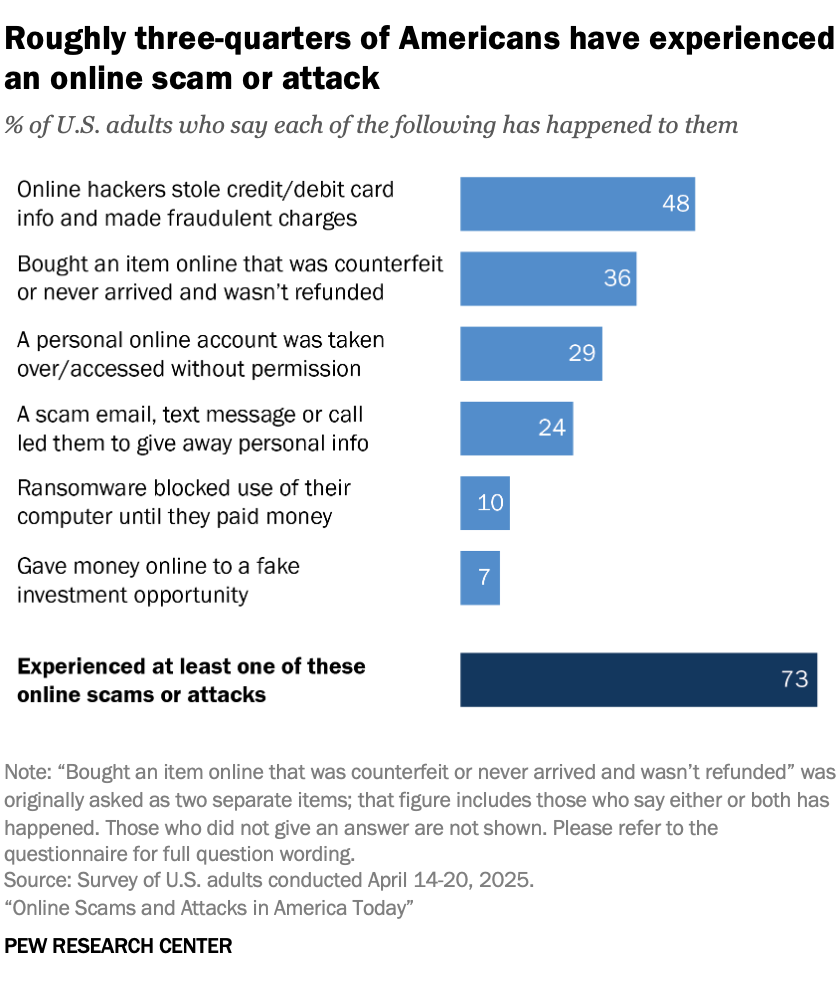
In fact, a recent Pew Research Center survey revealed just how common and damaging phishing attacks are. Here’s what they found:
- 29% of people surveyed have had a personal online account hacked, including social media, email, and bank accounts. That's nearly one in three Americans falling victim to account breaches.
- 24% say they received a scam email, text message, or call that led them to give away personal information.
- 10% report that ransomware blocked use of their computer until they paid money.
- 7% gave money to a fake online investment opportunity (like crypto scams).
- About 22% say they've experienced two of the six scam types surveyed, and another 22% say three or more have happened to them.
As you can see, cyber attacks aren't rare events. They're affecting millions of people every year.
How Can Brands Improve Their Social Media Security?
Protecting your social media accounts requires setting up multiple layers of protection and governance. So if you implement everything we share below, you'll significantly reduce your attack surface and make it much harder for hackers to compromise your accounts.
1) Improve Your Password Strength
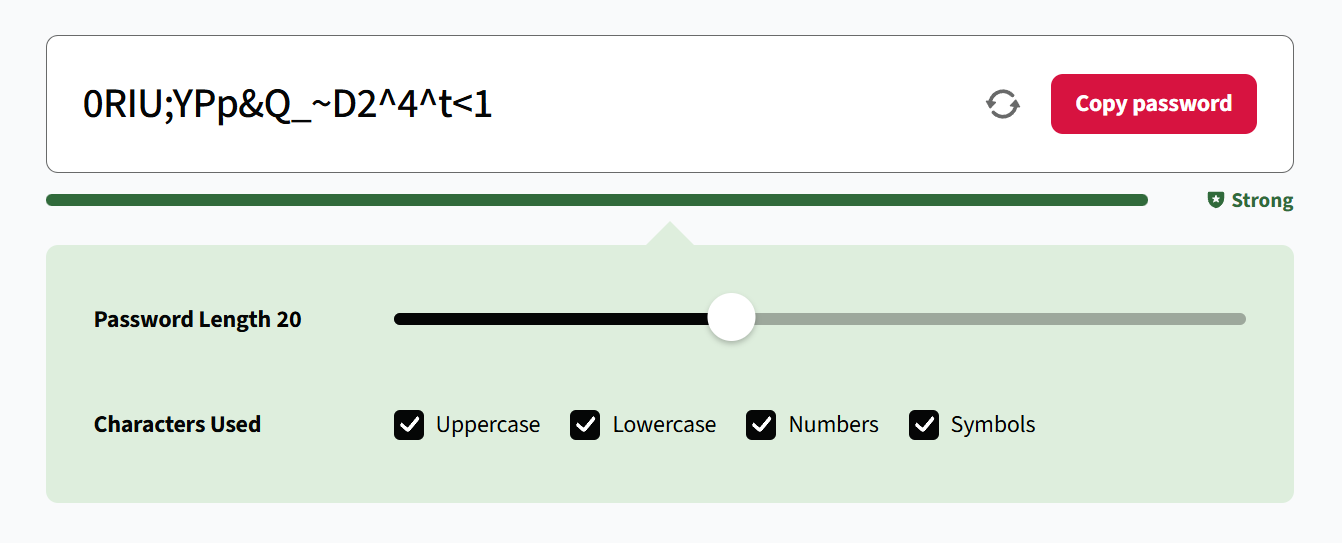
Weak passwords remain one of the easiest ways for hackers to break into accounts. Many people still use predictable combinations like birthdays, pet names, or simple sequences that can be cracked in seconds.
That’s why you need to create passwords that are at least 16 characters long and include uppercase letters, lowercase letters, numbers, and special characters. Avoid dictionary words or personal information that someone could guess or find online.
Also, never reuse passwords across multiple accounts. When one service gets breached, hackers immediately try those stolen credentials on other platforms. If you use the same password everywhere, one breach compromises everything.
If you worry about remembering all your new passwords, use a password manager to securely store and access them. These tools generate strong, unique passwords for each account and remember them for you.
2) Enable Two-Factor Authentication (2FA)
Two-factor authentication adds a second verification step when logging into your accounts. After entering your password, you must confirm your identity through another method, typically a code sent to your phone or generated by an authentication app.
And the main reason to use it is because 2FA stops 99.9% of brute force attacks. That means that even if hackers steal your password, they still won’t be able to access your account without that second verification factor.
With that said, while traditional 2FA works well for most people, it’s not ideal for businesses and content creators who need multiple people accessing their accounts. For example, if your marketing team needs access to post content, sharing a single 2FA code becomes impractical and creates security gaps.
But this is precisely where 2FA for teams shines. Team-based 2FA solutions let businesses grant secure access to multiple team members without sharing codes or compromising security. That means each person gets their own verified access while the account stays protected.
3) Filter Out Spam And Phishing Attacks
Spam and phishing attacks flood comment sections and direct messages daily. These messages often contain malicious links leading to fake websites where cyber criminals steal login credentials or try to get you to install malware.
The good news is, you can easily filter these threats with a social media security tool like Spikerz. Spikerz automatically scans incoming messages and comments for phishing attempts, suspicious links, and spam. When detected, these threats get blocked before they reach you or your followers.
4) Review User Access Permissions
Regularly reviewing who has access to your social media accounts prevents unauthorized users from lingering in your system. Over time, team members leave, agencies finish projects, and contractors move on. However, their access often remains active long after they should have it.
For example, if a marketing agency that managed your accounts six months ago still has full admin access, that's a security risk waiting to happen. You must revoke access immediately when working relationships end.
You can review permissions manually on each platform, or use a tool like Spikerz that centralizes everything. Spikerz gives you a clear overview of all users with access to your accounts, making it simple to spot and remove outdated permissions.
5) Enable Account Takeover (ATO) Monitoring
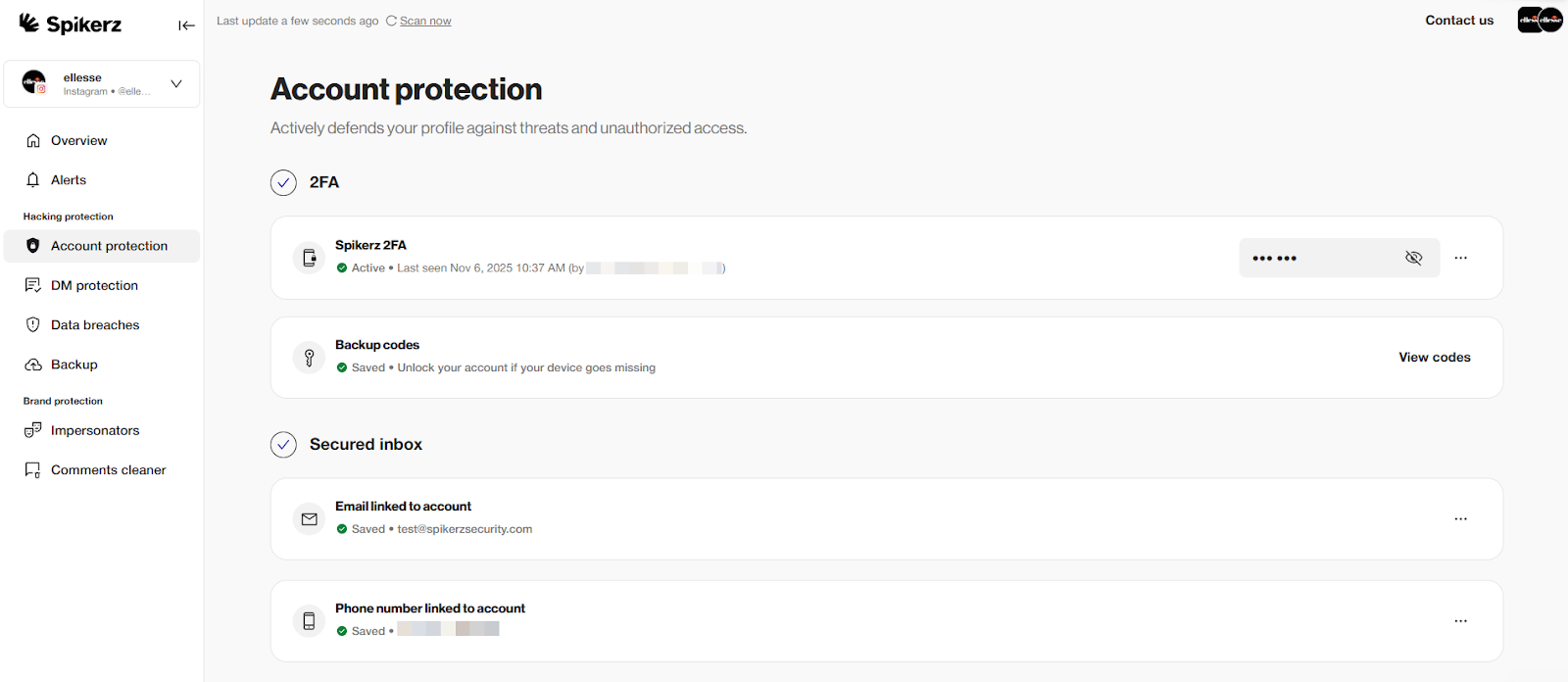
Account takeover monitoring watches your accounts 24/7 for signs of unauthorized access. It detects suspicious login attempts, unexpected changes to account settings, and other red flags that indicate a potential breach.
There are many different types of monitoring tools in the market but we recommend checking Spikerz for ATO protection.
Spikerz monitors your social media accounts in real-time and immediately blocks suspicious login attempts from unfamiliar locations. When it detects a potential takeover, the system automatically kicks out the intruder, changes your password, and notifies you with the new credentials. It also alerts you to any changes in your account settings so you can verify if they were authorized.
6) Use Browser Protection Tools
Browser protection tools guard against threats that specifically target your web browser. Unlike traditional antivirus software that scans files on your computer, browser protection focuses on browser activity.
These tools are particularly important for protecting against malicious browser extensions. Sometimes legitimate extensions receive updates that insert malware or start stealing your personal information without warning.
We’ve actually had this happen to us once, browser protection caught these threats before they compromised our data (two weeks later Chrome took down the extension for inserting malware into computers).
7) Use Traditional Antivirus Software
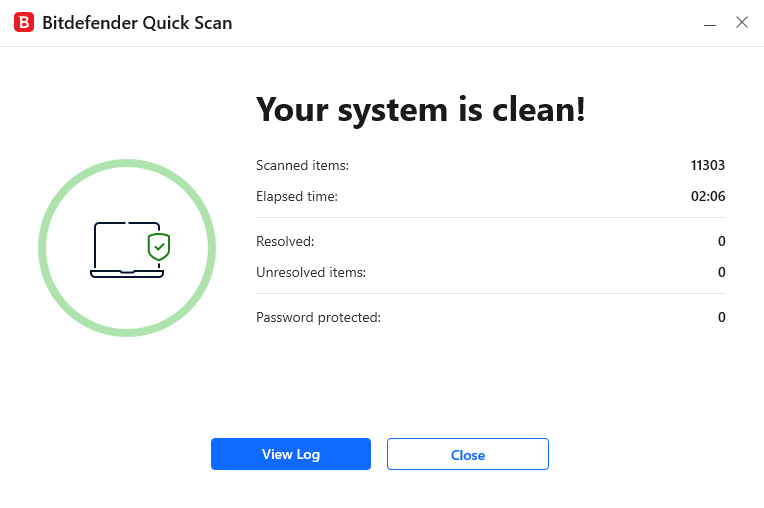
Traditional antivirus software protects your devices from threats that browser protection and social media security tools can't always catch. Programs like Bitdefender scan your entire system for malware, viruses, and other malicious software.
One critical threat antivirus helps protect against is session cookie theft. Session cookies are the files websites use to know you are already logged in. After hackers steal your session cookies, it allows them to bypass your passwords and 2FA entirely. So use antivirus software to ensure you never have to worry about this.
8) Create A Rapid Response Team (RRT)
A Rapid Response Team is a designated group of people ready to act when a security incident happens. This team knows exactly what to do, who to contact, and how to minimize damage when accounts get compromised.
You already know this but even huge corporations with dedicated IT departments get hacked. The reason they are able to recover so fast is because they have a RRT.
For example, think of the 2024 Samsung X account hack. When hackers took over the account to promote a fake cryptocurrency, Samsung's team quickly regained control and issued public statements. A well prepared response team made the difference between a minor incident and a prolonged disaster.
9) Train Your Team On Social Media Security Awareness
Your team is your first line of defense against cyber attacks. That’s why you must train yourself and your employees on social media security awareness to dramatically reduce the risk of successful attacks.
Your team members need to be able to recognize phishing attempts, suspicious messages, and social engineering tactics. And when someone spots a potential attack, they should know exactly how to report it so everyone stays informed and alert.
Conclusion
Social media security isn't optional anymore. Attacks have increased significantly over the last year and nearly one in three Americans have experienced account hacks. But the good news is, the strategies we covered create multiple layers of defense that make you a much harder target.
The key is taking action before an attack happens. Every layer of protection you add reduces your attack surface. So don’t wait until after a breach to implement security measures that will help you deal with damage that could have been prevented.
