A security key locked him out of his own account


Hackers seized a National Award-winning filmmaker’s X account overnight, and X refused to give it back. Here’s how the takeover happened, why platform support can’t always save you, and eight steps to protect your business accounts.
Even respected, established public figures are getting locked out of their own social media accounts, and when they ask for help, the platforms often refuse to give the account back. This hack proved this point. A National Award-winning filmmaker with decades of work behind his name lost his account, yet X still let attackers seize his account and then denied his request to recover it.
In this blog post, we'll break down what happened, why you should care, and the exact steps you can take right now to protect your own accounts from a takeover.
What happened to the filmmaker's X account?
In August 2026, filmmaker Sudhir Mishra’s X account was hijacked and he was locked out completely. Here's what we know:
According to the Times of India report, an unauthorized login came from an iPhone around midnight (12:53 AM). The attacker then added a security key and changed his registered email to a new address, after which Mishra was suddenly logged out of his own account.
Mishra then reached out to X to recover the account, but support denied the request, stating they could not validate that the account belonged to him. With no help from the platform, Mishra filed an official complaint with the cybercrime department at Oshiwara police station in Mumbai.
The Oshiwara police cyber team recovered the account days later. Mishra publicly thanked the Mumbai Police and Oshiwara PS Cyber Crime team, writing: "Heartfelt thanks to @MumbaiPolice and @OshiwaraPS Cyber Crime team for their excellent support in helping me recover my X account… Quite a relief."
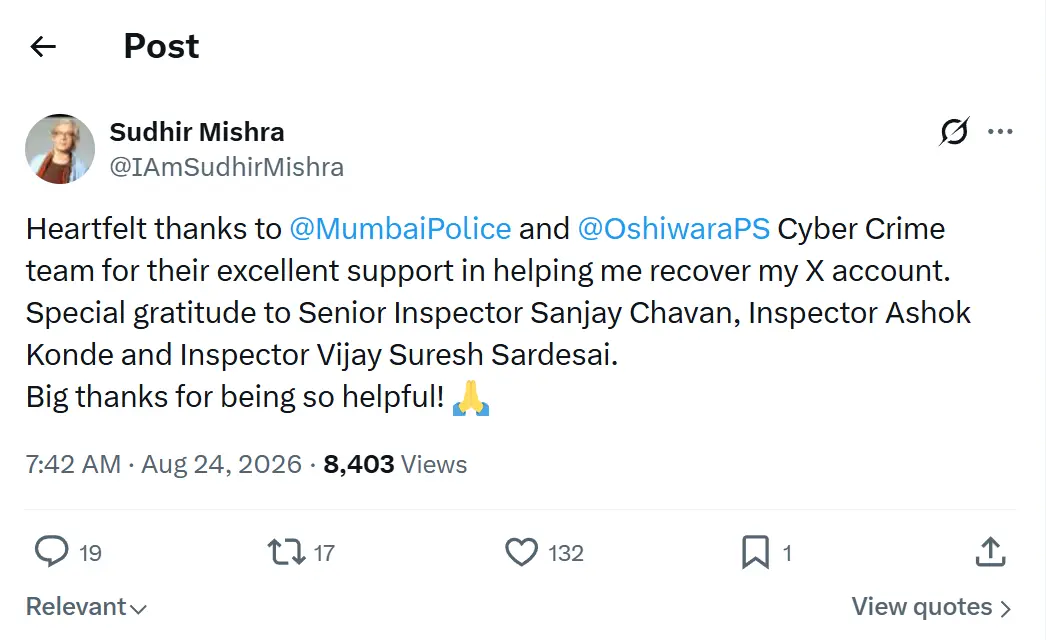
Mishra was one of several Indian public figures hit in a wave of X takeovers around the same time, alongside targets like sand artist Sudarsan Pattnaik and Maharashtra Deputy CM Eknath Shinde.
Why should you pay attention to this hack?
Mishra got his account back only because he could involve the Mumbai Police. But most businesses don't have that option. A hijacked account can lock you out for weeks, scam your customers, and burn years of trust before you regain control (if you ever do).
Here are some insights showing why these attacks are so dangerous:
- Attackers target recognizable profiles because a single scam post or DM from a verified account lets them reach thousands of trusting followers with very little effort.
- According to CrowdStrike's 2025 Global Threat Report, malware-free activity accounted for 79% of detections in 2024, up from 40% in 2019. Meaning that attackers no longer rely on complex software to break in; simple social engineering and credential theft now do most of the work.
- They are also using compromised profiles to keep the chain going. KnowBe4's 2025 Phishing Threat Trends Report recorded a 17.3% surge in phishing emails in six months, with 57.9% of them sent from accounts that attackers had already taken over.
- Lastly, the whole operation is scaling up fast, with Cybersecurity Ventures projecting global cybercrime costs to grow by 15% per year, reaching $10.5 trillion USD this year and $12 trillion annually by 2031.
This brings us back to what happened to Mishra. Once attackers hijacked his account and swapped out his recovery email and security keys, X’s automated systems started recognizing the hackers as the legitimate owners instead of him.
That’s why X refused to return the profile, and it’s also why standard support channels will leave your business in the dark the moment attackers take control. It’s a harsh reality every business has to keep in mind, but it doesn't mean there's nothing you can do about it.
How to protect your X account from hacks
Mishra didn't share exactly how attackers got in. But takeovers like this usually come down to weak credentials, phishing, or a stolen session, followed by the attacker swapping the recovery email and 2FA. The good news is that you can reduce your attack surface and make your account far harder to breach if you do the following:
1) Use strong passwords across all accounts
Your password strength is one of the easiest ways attackers measure how hard your account will be to breach. As your first layer of defense, make it as strong as possible and never reuse it across platforms.
A strong password is long, random, and unpredictable. Aim for at least 16 characters (the longer the better), and mix uppercase letters, lowercase letters, numbers, and special symbols so it can't be guessed or brute-forced. For example: #2nAhzguu4xXE4rhZRWPYV6a%^Kzr&
That said, if you're worried about not being able to remember them all, use a password manager to create, store, and retrieve them. A few good options include Proton Pass, 1Password, and Bitdefender SecurePass.
2) Use authenticator apps for 2FA
Two-factor authentication (2FA) adds a second layer of protection to your account, requiring a time-sensitive code on top of your password. This alone stops most brute-force attacks, since a stolen password isn't enough to get in.
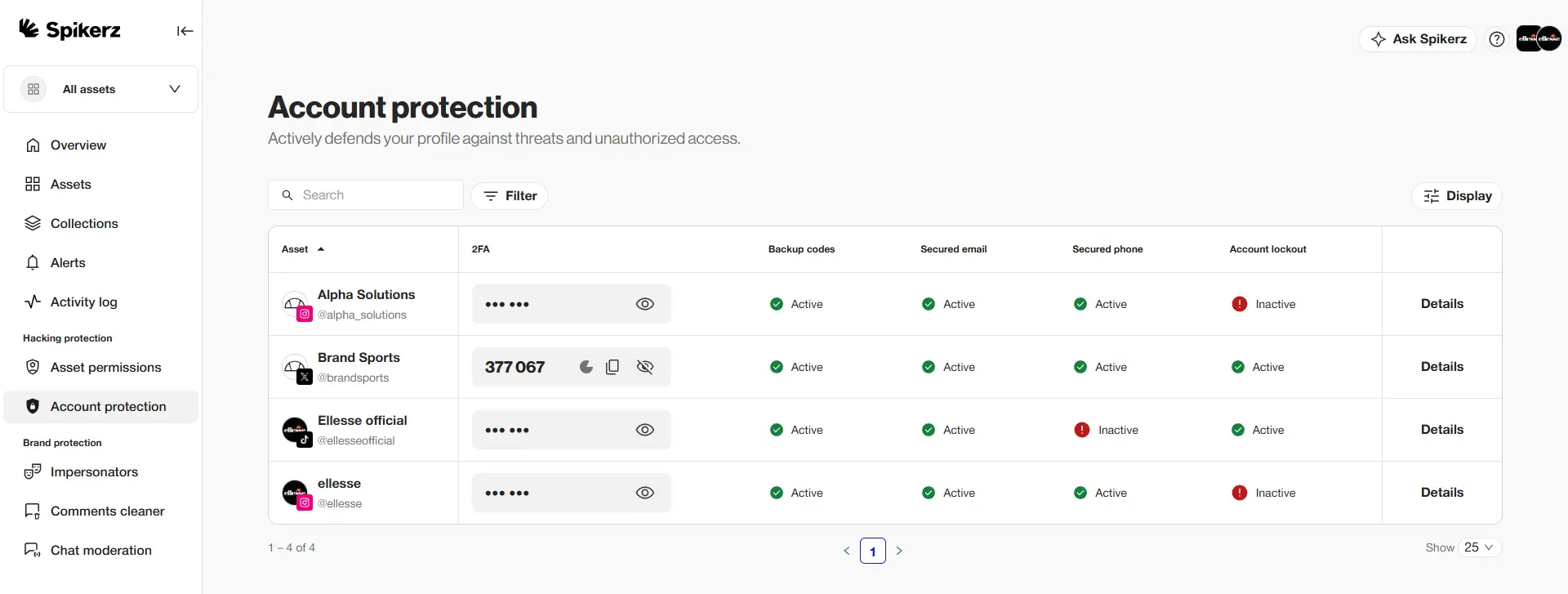
But you should never use SMS for 2FA. Phone numbers can be hijacked through SIM swap attacks, where an attacker convinces your carrier to move your number to their device and intercepts your codes.
They can also be intercepted by malware. Instead, use an authenticator app on a separate device. Keeping your codes on a separate, dedicated hardware reduces the chance of them being leaked or stolen.
3) Enable 2FA for teams
Authenticator apps are great for individuals, but they get messy for businesses. Multiple people often need access to the same account, leading team members to share one-time login codes over Slack or WhatsApp. That kind of habit is exactly what creates a goldmine for hackers. One screenshot or pasted code in a group chat is all it takes to hand your account to the wrong person.
That's where team-based 2FA comes in. At Spikerz, we host and manage 2FA tokens through a secure web-based dashboard for your whole team, so nobody ever has to share login codes over chat.
4) Regularly review and revoke account access
It's essential to regularly review who has access to your accounts. People naturally leave organizations, and former employees or contractors often keep admin rights they no longer need. And unfortunately, this is something we've seen cause a lot of preventable damage.
If a former contractor's forgotten login gets hacked, an attacker can easily take full control of your account. For example, a Melbourne-based company became victim to spear-phishing due to a weak password policy, as a result, the company lost over $50,000.
That's why you need to regularly audit your permissions and revoke access the moment someone leaves or changes roles.
5) Protect your local devices with antivirus software
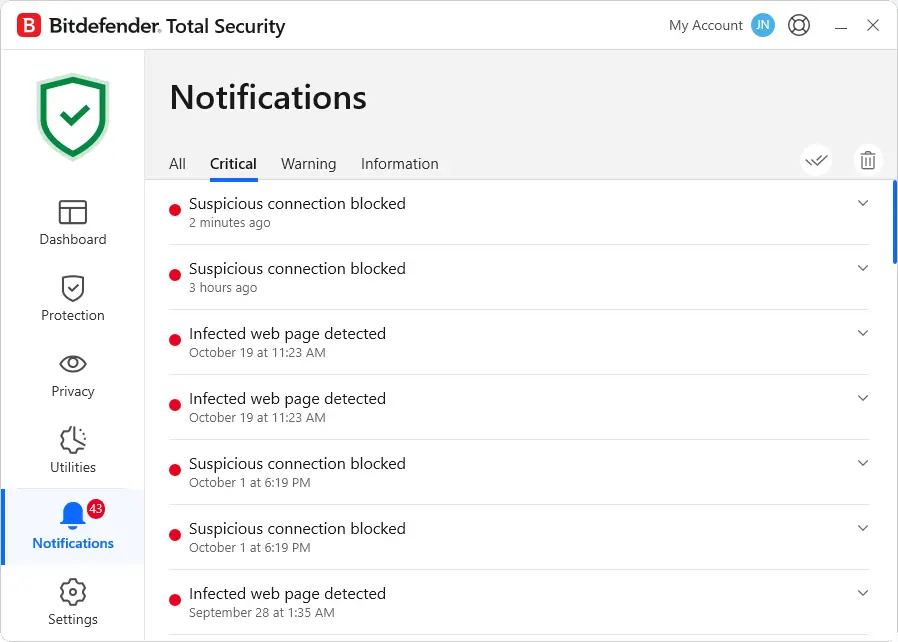
While 2FA and active monitoring stop most threats, they aren't perfect. Modern attacks can bypass your password and 2FA altogether through session hijacking. In these attacks, infostealers infect your device and grab the active session cookies stored in your browser. Hackers then use those stolen cookies to log right into your account, no password needed.
The best way to stop them is antivirus software, which scans your device and removes malicious programs before they can steal your data. We recommend Bitdefender as one of the best options for stopping infostealers.
6) Enable account monitoring
Social media account monitoring watches your accounts around the clock for suspicious activity and alerts you the moment something’s wrong. The goal is to catch a takeover in progress (like the midnight login from a new device that hit Mishra's account) before the attacker can change your email address and lock you out.
That said, there are many monitoring tools out there, but we recommend you check platforms like Spikerz that are built specifically to handle these exact security threats.
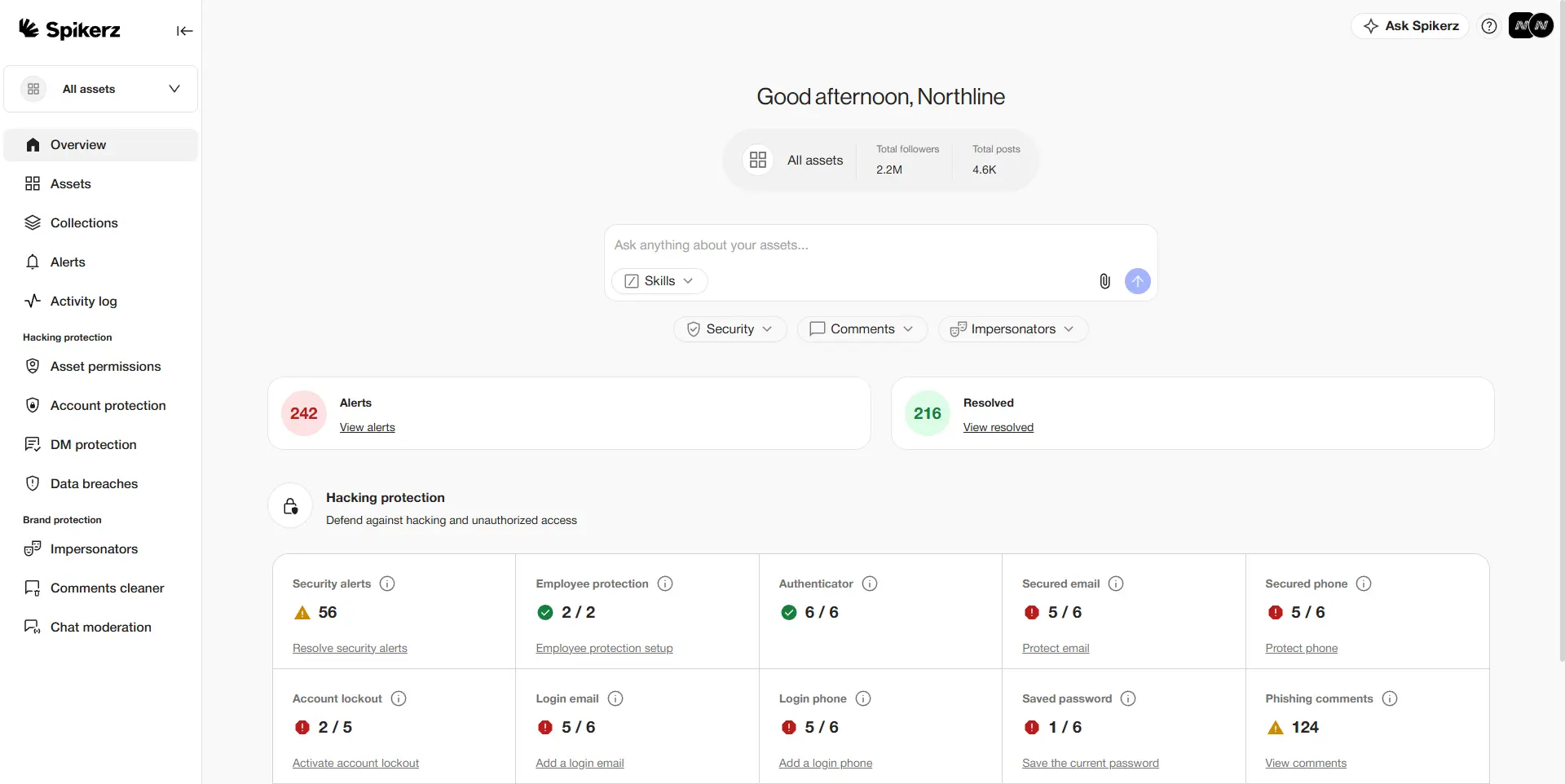
Spikerz is an all-in-one social media security platform that helps brands protect their online presence. We connect through official APIs in a few clicks, so your profiles are protected without ever handing over your passwords. Here's what we do:
- Account takeover protection: blocks unauthorized access and hijacking attempts in real time.
- Phishing protection: scans incoming DMs and links to neutralize threats before anyone clicks.
- Permissions management: gives you full visibility and control over who can access your accounts.
- Impersonator takedown: finds and removes fake accounts impersonating your brand.
- Comment moderation: automatically hides scams, spam, and hate speech across your posts.
So ask yourself: if a National Award-winning filmmaker couldn't get his own account back without police intervention, what would a takeover cost your business?
Book a consultation today to protect your social media presence.
7) Create a social media policy
Social media policies establish clear rules for who gets access to your accounts, what they can publish, and how they should manage them, giving your team strict standards to follow.
If you don’t have one yet, build yours using our customizable template. It gives you a practical setup tailored to your team, accounts, and specific risks, complete with built-in workflows for access approvals and crisis response.
8) Build a rapid response team (RRT)
Even with strong defenses, no account is completely immune to attacks, so you need a plan for worst-case scenarios. A rapid response team brings key people together from your social media, IT, and security teams to spot a breach and lock down your accounts before damage spreads.
For example, look at Mishra's case. Without a response plan in place, the attacker had time to change his recovery email, change security keys, and lock him out completely. Now contrast that with a company that catches the intrusion immediately and re-secures the profile before an attacker can touch your recovery settings.
That’s the difference between resolving a minor incident in private and managing a crisis in public.
Conclusion
Attackers go where the audience is, and a trusted, recognizable account is one of the most valuable things a hacker can hold. Mishra only got his account back because he could turn to the Mumbai Police, which is a lifeline most businesses will never have.
When your fallback is a platform that already told one filmmaker it couldn't prove the account was his, you're betting your brand on a support queue that may never side with you.
To fix this, reduce your attack surface ahead of time, so a hacker never gets the chance to lock you out in the first place.