Why trusted brands are the biggest target on X

%202.webp)
Attackers phish credentials from verified brand accounts on X and then run crypto scams, as in the Milwaukee Airport account takeover. This guide explains the attack and seven low-cost defenses, including strong passwords, 2FA, monitoring and impersonation detection, plus a team-wide policy.
Did you know that Facebook and Instagram are the most attacked social media platforms? According to Gen Digital’s Q1 2025 Threat Report, Facebook alone accounts for 63% of all social media threats. But here’s what’s catching our attention: attacks targeting X accounts are climbing fast, with phishing and scam activity surging on the platform.
A recent hack of a major airport’s verified X account shows exactly how these attacks play out. In this post, we’ll break down what happened, why this attack pattern matters, and seven steps you can take right now to protect your social media presence.
What happened to Milwaukee Airport’s X account?
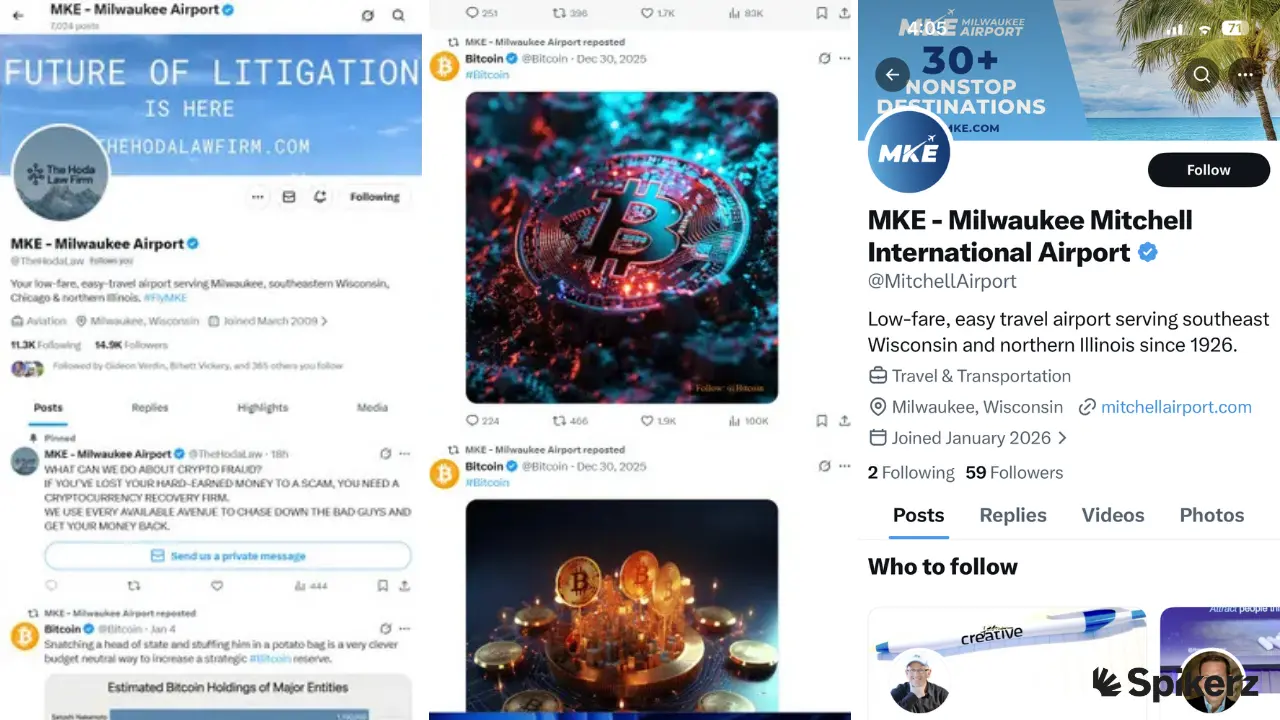
On January 16, 2026, the official X account for Milwaukee Mitchell International Airport was hacked. The verified “MKE, Milwaukee Airport” account was taken over by an entity pretending to be a law firm promoting cryptocurrency services. Then, all of the airport’s content was replaced with Bitcoin posts.
The attackers changed the account’s handle, swapped the profile picture and banner to reflect The Hoda Law Firm (a Texas-based firm), and pinned a message about crypto fraud with a direct message button. A link on the airport’s official website sent visitors to a “This Account Doesn’t Exist” page.
Later that day, the page reverted to a handle for “The Hoda Law Firm.” FOX6 contacted The Hoda Law Firm, who responded: “We have no idea who did this. This has nothing to do with our firm and urge everyone to stay away. These are presumably scammers trying to trade on my firm’s hard-earned reputation to take more money from scam victims.”
Why you need to pay close attention to these types of attacks
This attack stands out because it combined two methods: a phishing attack to steal the MKE X account, followed by an impersonation of a legitimate law firm to scam users. Over 90% of cyberattacks begin with a phishing email, according to CISA, but the layered impersonation that followed is what made this scam especially dangerous.
We’ve seen this pattern before. In March 2023, Linus Tech Tips’ YouTube channel (15+ million subscribers) was taken over through a phishing email disguised as a sponsorship offer. A team member downloaded a malicious file that harvested session tokens and cookies. Then attackers replaced all content with crypto scam livestreams using Elon Musk and Tesla branding.
It’s the same playbook: phish first, impersonate second, scam third.
Whether it’s X, YouTube, or any other platform, attackers are stacking techniques to maximize impact. Your job is to reduce your attack surface as much as possible before they get the chance.
How to protect your social media presence from phishing attacks
Since the MKE attackers used both phishing and impersonation, you need security measures that tackle both attack vectors.
Here are seven steps to lock down your accounts:
1) Use strong passwords
Passwords are the first line of defense for your social accounts, yet weak passwords are still a massive problem. According to a Cybernews analysis of over 19 billion leaked passwords, only 6% were unique, which means 94% were reused or weak. And NordPass reports that the top 10 most common passwords can all be cracked in under one second (passwords like “12345,” “123456,” “1234567,” and “1234567890”). That’s why it’s so important to create strong, unique passwords for all your accounts.
To create a strong password, use at least 16 characters and combine uppercase and lowercase letters, numbers, and special characters.
If you feel like you won’t be able to remember them, use a password manager to generate and store unique passwords for every account. Never reuse the same password across platforms.
2) Enable 2FA for teams
Two-factor authentication for teams is one of the strongest defenses you can use against phishing. The reason is simple: even if an attacker gets your email and password, they still need the second verification step to log in. It also eliminates the hassle of sharing access codes every time someone on your team needs to use a shared account.
Let’s use Spikerz as an example, here’s how it works:

Each team member creates an account on our centralized platform that controls user access management so permissions can easily be revoked whenever someone leaves the organization. Then, when they try to log in to a company profile and get asked to provide the 2FA code, they’ll have to check their permissions page where they’ll see codes that automatically change every few seconds.
All they have to do is copy and paste that code and that’s it. They’ll easily access the company account.
3) Use a Zero Trust framework
A zero trust framework operates on one principle: never trust, always verify. Every access request is authenticated regardless of where it comes from. This model works especially well when multiple people on your team need access to social media accounts.
It goes hand in hand with team-based 2FA because it lets you control who can access your accounts, the level of access each person receives, and when that access should be revoked. That’s why you should apply zero trust across your entire organization, not just to social media.
4) Enable account monitoring
Social media monitoring tools use AI to scan your account activity 24/7 for suspicious behavior. If someone logs into your account from a new location and starts changing your profile, the system flags the activity immediately, alerts you, and blocks the intruder.
What we like the most about them is that these tools make it significantly harder for attackers to breach accounts. And even if someone does get in, monitoring systems can lock them out, reset your password, and help protect your assets.
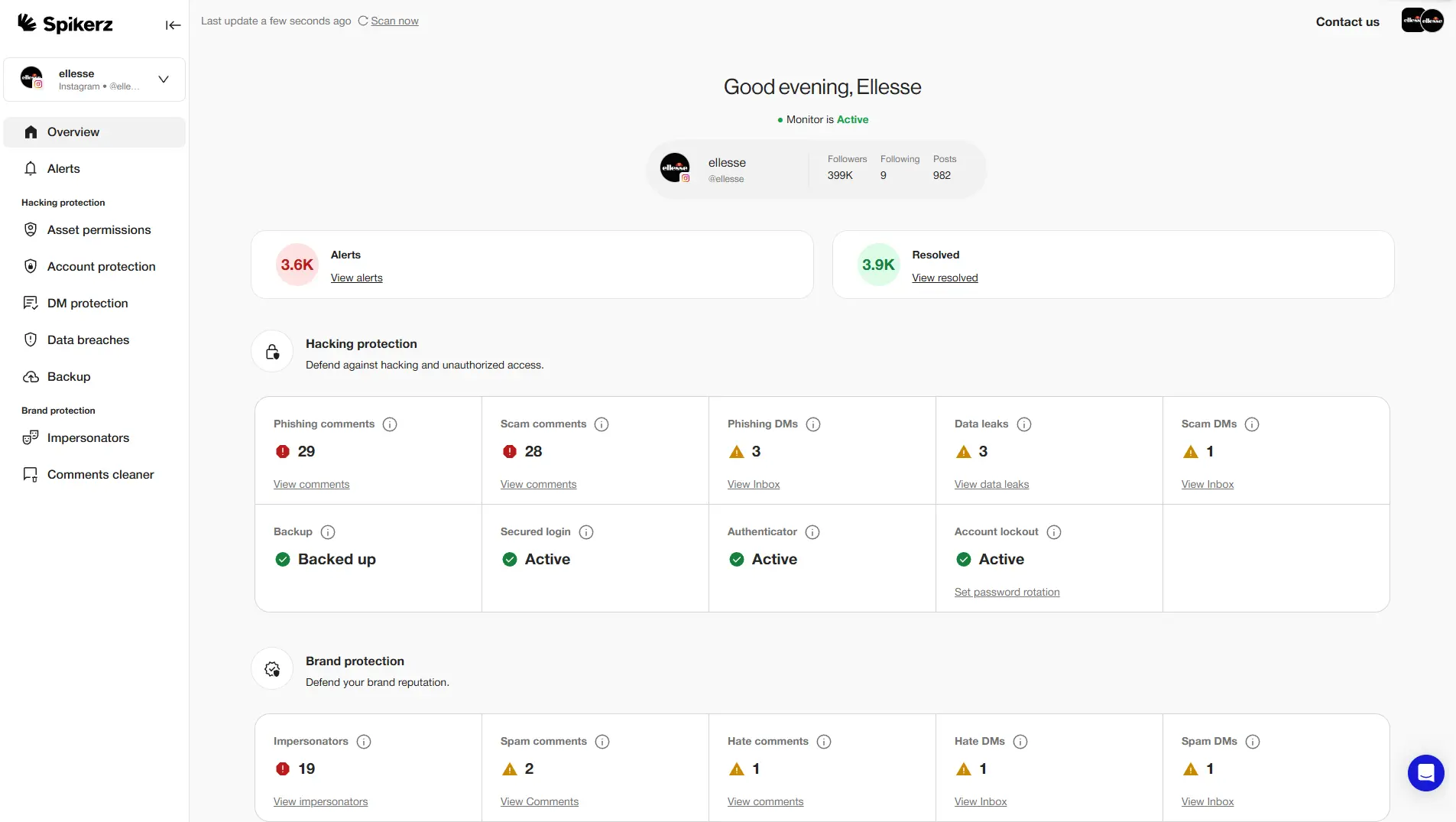
That said, one option you should consider is Spikerz. Spikerz is a social media security platform that provides 24/7 monitoring for hacking attempts, phishing, and impersonation. It connects through official APIs (no passwords needed) and uses AI to detect unauthorized access in real time. Spikerz also offers:
- Account takeover protection: Detects unauthorized login attempts and locks down your account before attackers can cause damage.
- Comment moderation: Filters spam, bot activity, and harmful comments that could damage your brand or serve as phishing vectors.
- Permissions management: Controls who has access to your accounts, their access level, and when access should be revoked. It also helps with user access reviews.
5) Use traditional antivirus software
Antivirus software scans your local devices for malicious programs like viruses, trojans, and spyware. The key difference between antivirus and social media monitoring is scope: antivirus protects your devices, while monitoring protects your online accounts. You need both.
Antivirus is especially important for defending against info stealers, which are a type of malware designed to steal session tokens that bypass your email and password entirely. In fact, that’s exactly what happened during the Linus Tech Tips hack. A strong antivirus program could have detected the malicious file before it was executed.
6) Enable impersonation monitoring
Impersonation monitoring scans social platforms for fake accounts using your brand’s name, logo, or identity. For example, if someone creates “@YourBrand_NameOfficial” with your logo and starts messaging your followers, impersonation monitoring flags it and alerts your team. You’ll benefit from this because it:
- Protects customers from scams that exploit your brand’s trust.
- Preserves your reputation by catching fake accounts early.
- Reduces phishing attacks that use impersonation as a delivery method.
Here’s our recommendation:
Look for social media monitoring tools that offer impersonation detection. Bundling these features into one platform saves costs and strengthens your cybersecurity posture.
7) Create a social media policy
A social media policy is a documented set of guidelines that defines how your team should use and protect your brand’s social accounts. You can draft one quickly with our social media policy builder. It covers acceptable posting behavior and security protocols like verifying links before clicking, never sharing credentials over email, and reporting suspicious messages immediately.
This is one of the most effective ways to stop phishing attacks. When every team member knows the rules and follows them, your human firewall gets stronger, and that’s the one layer of defense no attacker can automate their way around.
So go ahead and create a strong social media policy, train your team around it, and implement from now on. You’ll see how much of a difference it makes.
Conclusion
This and many other similar hacks are a clear warning you must pay attention to. Attackers are combining phishing and impersonation to take over verified accounts, replace content with scams, and exploit the trust your audience places in your brand. This isn’t a one-off. It’s a pattern that’s accelerating across every major platform.
The good news is that every step we covered, gives you a real layer of protection. None requires a massive budget. They just require attention, consistency, and the decision to act before something goes wrong.
Don’t wait until your brand is the next headline. Audit your security setup today, close the gaps, and make sure your team knows exactly what to do when a threat appears. Your social media presence is a business asset, so treat it like one.
