Live chat moderation for your brand's biggest moments
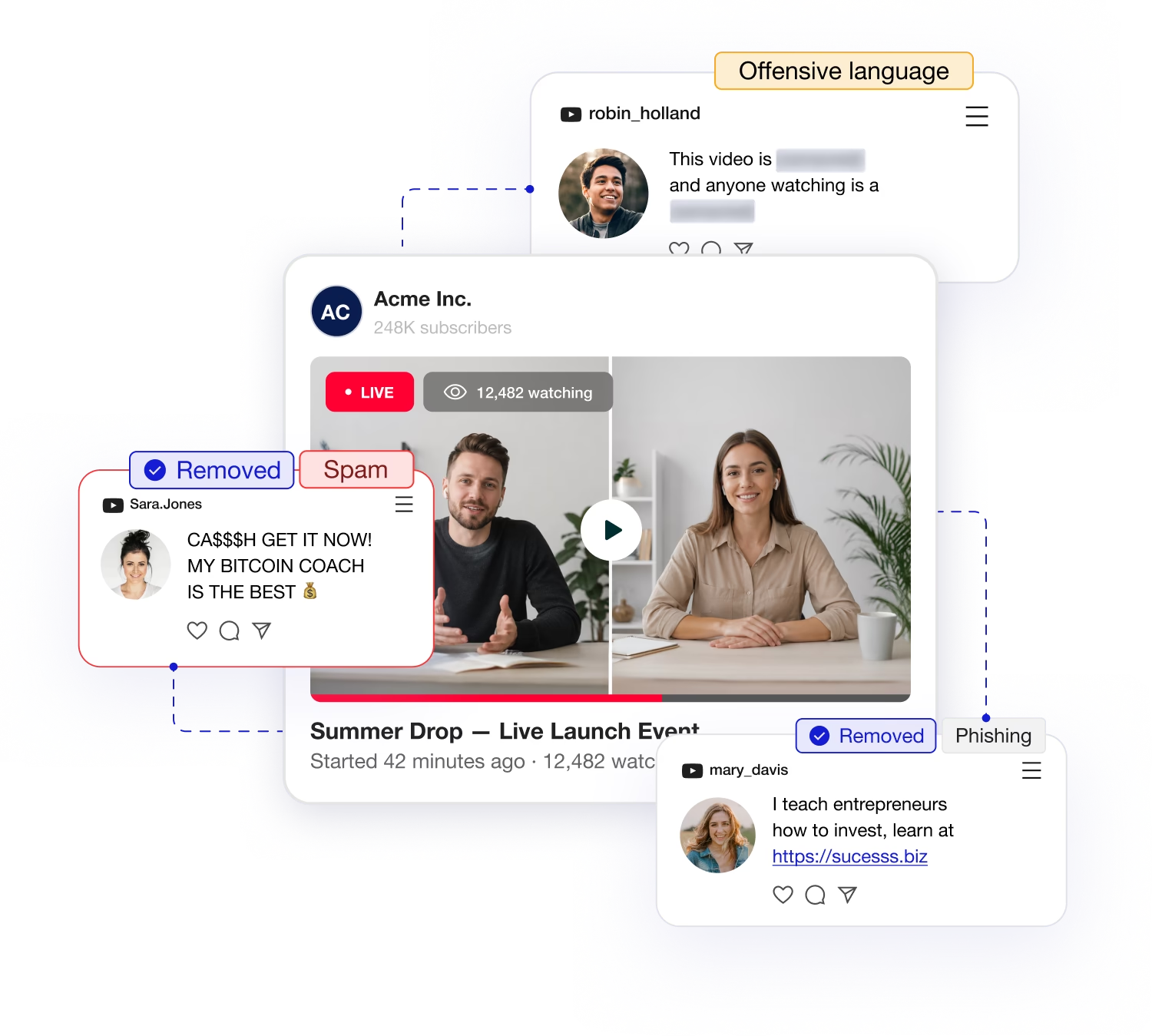
Livestreams, premieres and launch events draw your biggest crowds, and scammers come with them. Spikerz checks every message the moment it’s posted and removes harmful ones in under a second, so your team can focus on the show.

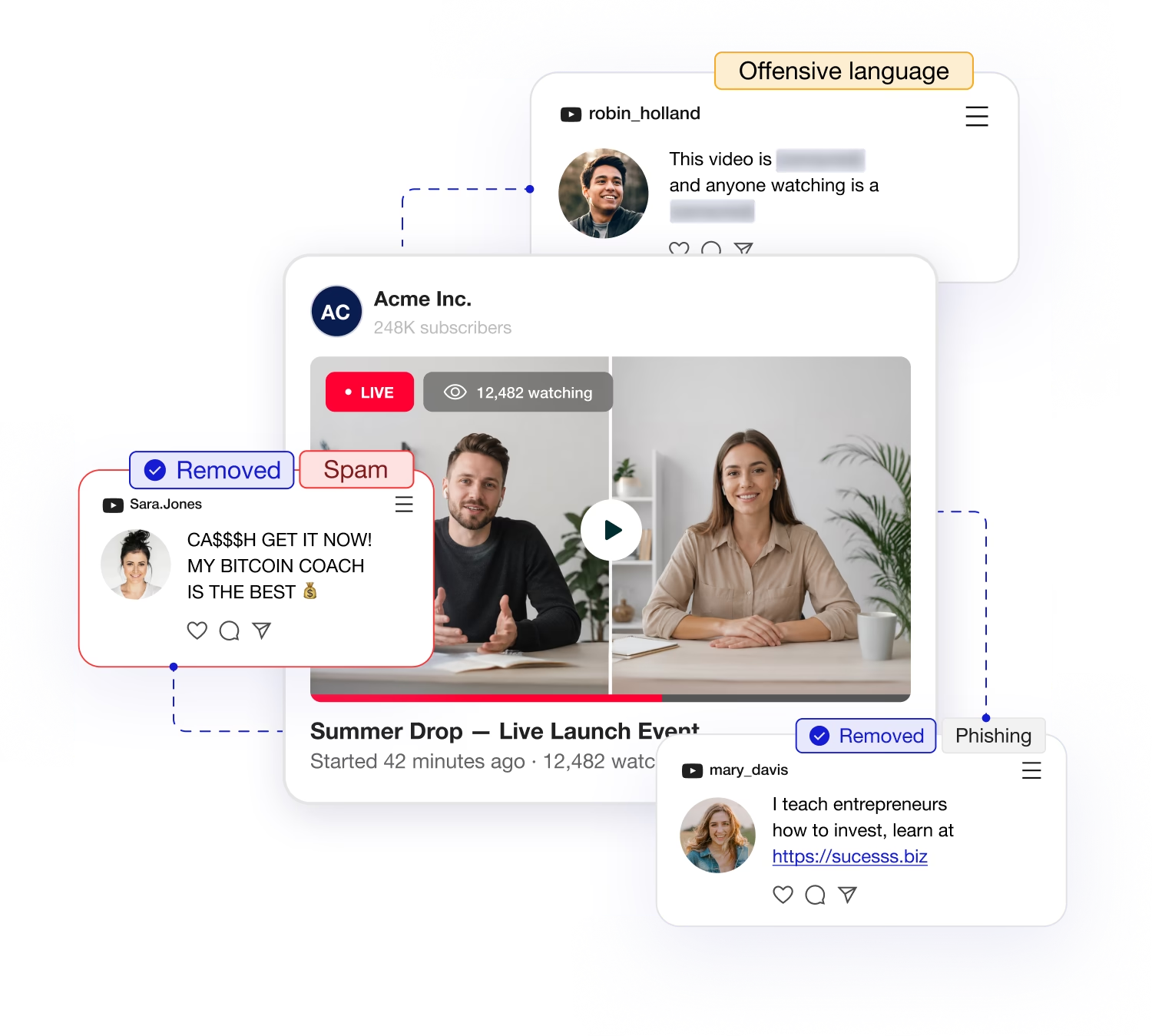






Chat moves faster than people can read, and scammers know it.
Spikerz guards your live chat
Spikerz connects to your YouTube channel once. Every chat message is then checked against your rules, and harmful ones are removed automatically, around the clock.
Real-time AI detection
Catches scams, phishing, spam, hate and harassment by intent and context, including slang, emoji and evasion tricks. Messages are analyzed the moment they’re posted.
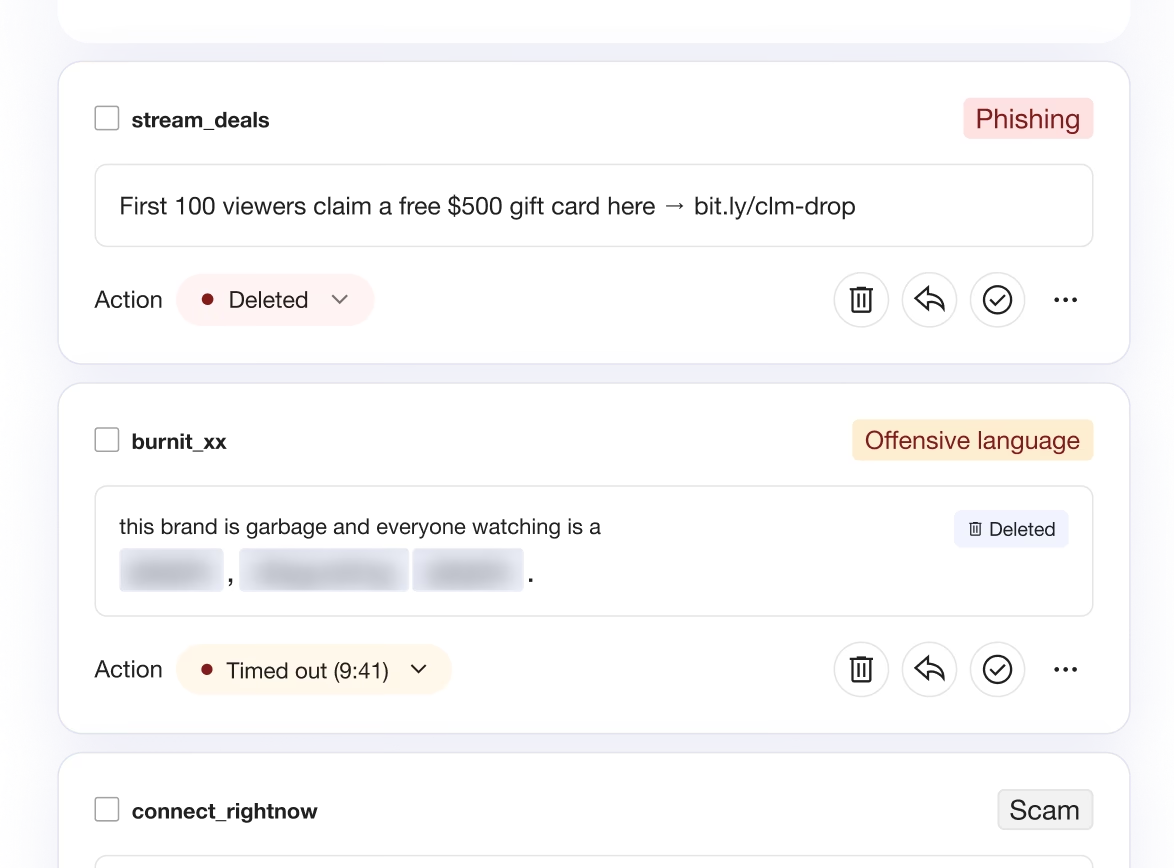
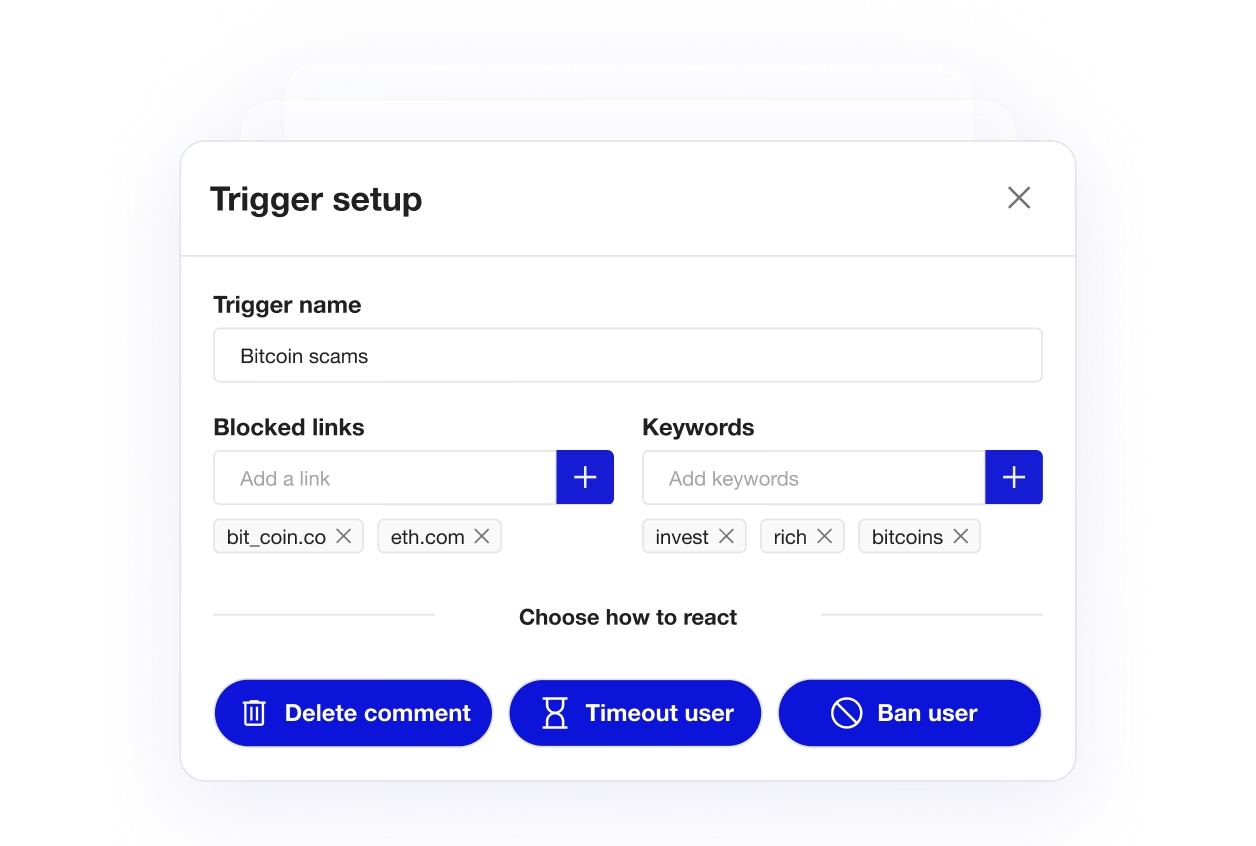
Your rules, in plain language
Use keywords or describe a topic the way you’d brief a moderator, and Spikerz enforces it. Pair each rule with delete, time out or ban, and it can run moderation with no one watching.
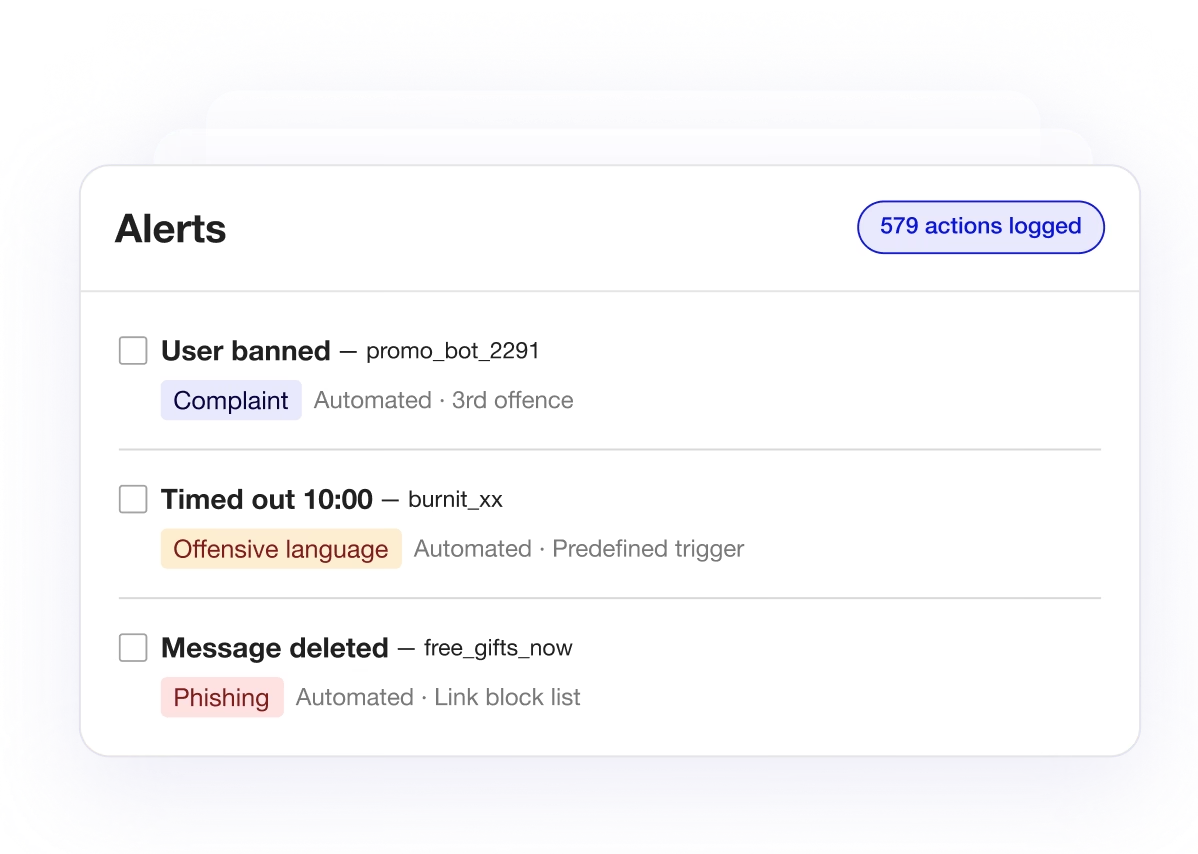
Full audit trail of every action
Every automated action is logged with its reason and can be exported for your brand and legal teams.
The Spikerz impact
Protect your audience live
Free up your team to engage
Stay covered during spikes
One policy across every channel
Is Spikerz a good fit for you?
Brands & Social Media Managers
Live Events, Sports & Entertainment Teams
What our customers say

"Since we started using Spikerz, we finally feel secure. They cover everything from account safety to protecting our comments, and it’s all in one easy platform. Honestly, it feels like a weight off our shoulders.”

"Before Spikerz, every post felt like an open door for scammers. Now our feed is clean, our team moves faster, and our real community can finally engage without distraction. Spikerz didn’t just fix the problem, they became part of our strategy."

“Spikerz gave us peace of mind and complete visibility. Our social presence is safer, stronger, and easier to manage, without slowing down our momentum.”

“Spikerz has become an essential part of my strategy, filtering out the noise, giving me clarity on what matters, and making sure every post performs at its full potential.”

“Spikerz caught everything from the former employee almost instantly. It gave us real peace of mind.”
Spikerz vs. YouTube’s built-in tools
Scam & phishing detection
AI reads intent and context, catching scams even when the wording is new
Automatic enforcement
Delete, time out or ban fires the moment a trigger hits, with no one watching
Custom AI topics & link control
Describe a topic in plain language, allow your own domains and block the rest
Repeat spammer detection
Spots the same user repeating messages and acts on them alone
Audit trail
Every action logged and exportable for your brand and legal teams
Scam & phishing detection
Static blocked-word lists you have to guess and maintain
Automatic enforcement
A moderator has to spot it and click, live, while the stream runs
Custom AI topics & link control
No topic detection, and no live-chat allow-list
Repeat spammer detection
Slow mode, which throttles your whole audience to stop one account
Audit trail
A per-user action count, with nothing you can export
Ready to take control of your live chat?
Enter your work email address
FAQs
How fast does Spikerz detect and remove messages?
Spikerz analyzes messages the moment they're posted to your live chat, there's no delay. This real-time detection is what lets us catch scams and phishing links before your audience even sees them scroll past, which is impossible with human moderation alone.
What types of harmful content does Spikerz catch?
Spikerz detects spam, scams, phishing links, offensive language, and impersonators out of the box. You can also create custom triggers based on keywords, AI-detected topics (like "fake giveaway" or "impersonating support"), link filtering with allow/block lists, blocked languages, and repeat spamming.
Can I decide what happens when a message is caught?
Yes. You pair each trigger with an action. For example, phishing links → delete, offensive language → time out for 10 minutes, repeat spam from the same user → ban. You set these rules once before the stream starts, and they run automatically the entire time.
Do I need someone watching the chat during my stream?
No. Once your rules are set, Spikerz enforces them automatically. Your team can focus on engaging with real viewers and answering genuine questions instead of staring at chat trying to spot spam.
Can I customize the time-out duration?
Yes. The default is 10 minutes, but you can adjust it based on your preference. Viewers see a live countdown so they know when they can chat again.
How do I create a custom trigger?
Name the trigger, describe what it should catch in plain language, like messages offering free or discounted tickets, then pick the action.
Which platforms does Spikerz support?
We currently support YouTube live streams and Premieres. Discord support is in development.
Can I see a log of everything that was moderated during my stream?
Yes. Every action (delete, time out, ban) is logged as an alert with a timestamp and reason. You can review the full audit trail after the stream ends, and export it for your brand and legal teams.
Why do I need an audit trail?
If a viewer questions why their message was removed or banned, you can show them exactly what triggered the action and when. It also protects your team and brand if you ever need to explain your moderation decisions to legal or compliance.
Can I pause or disable moderation mid-stream if I need to?
Yes. You can toggle rules on or off, adjust them, or turn off auto-enforcement and switch to manual approval mode if something unexpected is happening.
What if Spikerz removes a message by mistake?
You can review your audit trail and manually restore a message if needed. You can also adjust your rules or disable a trigger if you notice a pattern of false positives.
Can I get alerts during a stream if something unusual is happening?
Yes. You receive real-time alerts when actions are taken (especially bans), so you can check in on what's happening even if you're not actively watching the chat feed.
How much does live chat moderation cost?
Pricing depends on your stream volume and feature tier. Contact our team for a custom quote.
Does Spikerz protect against coordinated attacks?
Yes. Repeat spammer detection catches coordinated spam attacks where the same message or user account floods the chat. This is especially helpful during product launches or major events when attackers target large audiences.
What if my community has inside jokes or slang that shouldn't be moderated?
Yes. Spikerz reads intent and context instead of matching words, so everyday slang and inside jokes aren’t flagged just for sounding unusual. You can also describe your community’s tone in a rule. If something is removed by mistake, restore it from the audit trail and adjust the rule.