Social media security best practices: 10 ways

Your social accounts hold more revenue and trust than most business channels, yet they're often guarded by a single password. Learn what social media security means for a business and follow ten best practices, from a security policy, unique passwords and team-based 2FA to access control, app audits, phishing training, round-the-clock monitoring and an incident response plan. Then use the checklist to review every account.
Your social media accounts have quietly become some of your most valuable business assets. They hold more customer trust, more revenue and more reach than most of your other channels.
Yet they sit outside almost every security tool that protects the rest of your company. Your email has filters, your servers have firewalls and your laptops have endpoint protection. Your Instagram, TikTok, LinkedIn and Facebook accounts are often guarded by a single shared password.
That gap is exactly what attackers count on. This guide explains what social media security means for a business, why it matters, and ten best practices you can start using today, with a quick checklist at the end.
What is social media security?
Social media security is the set of habits, tools and controls you use to protect your accounts from being stolen, misused or impersonated. It covers how you log in, who has access, what's connected to your accounts, and how you spot attacks and fake versions of your brand.
Why social media security matters for businesses and creators
Social media security protects three things: your revenue, your reputation and your ability to keep operating. Lose your main account and you can lose your online store, ad campaigns, customer messages and years of content overnight. For a creator, that can mean losing their livelihood. For a brand, it can trigger a public crisis.
- The FBI received more than 5,100 account takeover fraud complaints in 2025, with losses over $262 million.1
- Americans reported losing $2.1 billion to scams that started on social media in 2025, about eight times the 2020 figure.2
Most breaches don't come from someone breaking encryption. They come from someone tricking a person on your team into handing over a password or a login code. The good news is that these attacks are preventable with a few consistent habits.
10 social media security best practices
1. Write a social media security policy
A policy turns good habits into rules everyone follows, including agencies and freelancers. It should cover who owns each account, who can post and approve content, how passwords and 2FA are handled, which apps can be connected, and what to do if something goes wrong. Our guide to social media governance explains how to build one.
2. Use strong, unique passwords and a password manager
Every account needs its own long, unique password. Reuse one password across platforms and a single leak becomes a full takeover, because attackers try leaked logins everywhere.
Nobody can remember dozens of random passwords, which is why a password manager matters. It creates and stores strong passwords, so nobody falls back on a weak or shared one.
3. Turn on two-factor authentication built for teams
Two-factor authentication (2FA) adds a second step to your login, so a stolen password isn't enough on its own. It blocks most automated takeover attempts.
But standard 2FA is built for one person. It ties a business account to a single employee's phone, and login codes end up shared in Slack or WhatsApp, which cancels out the protection. 2FA built for teams hosts the codes centrally instead, so the right people get secure access without passing codes around.
4. Control who has access to your accounts
Follow the principle of least privilege: only the people who need admin access should have it. The fewer people with full control, the fewer ways an attacker gets in.
Review who has access regularly instead of assuming the list is still correct, and remove access the moment someone leaves or an agency contract ends. Stale access from a former employee or an old agency is one of the most common ways brands lose control of an account. Our guide to social media access management covers this step by step.
5. Audit connected apps and security settings
Every scheduling, analytics or listening tool you connect keeps its access until someone removes it, and changing your password doesn't always cut it off. Review connected apps on each platform every few months and remove anything you no longer use.
While you're there, check each account's security settings: login alerts are on, the recovery email and phone number belong to the company rather than one person, and there are no unknown devices or sessions still logged in.
6. Train your team to spot phishing and social engineering
Phishing and social engineering target people instead of software. On social media, they show up as fake "policy violation" emails, fake brand partnership offers, scammers posing as a platform's support team, or messages aimed at an executive with account access, known as whaling.
For example, your community manager gets an email that looks exactly like it's from Instagram. It says your account broke a content rule and will be deleted in 24 hours unless you verify your identity. The link leads to a fake login page, and the moment they sign in, the attacker has the account.
Regular training turns your team into a first line of defense. When people know what these tricks look like, they slow down and report the attempt instead of clicking. Here's how to detect phishing on social media.
7. Monitor your accounts around the clock
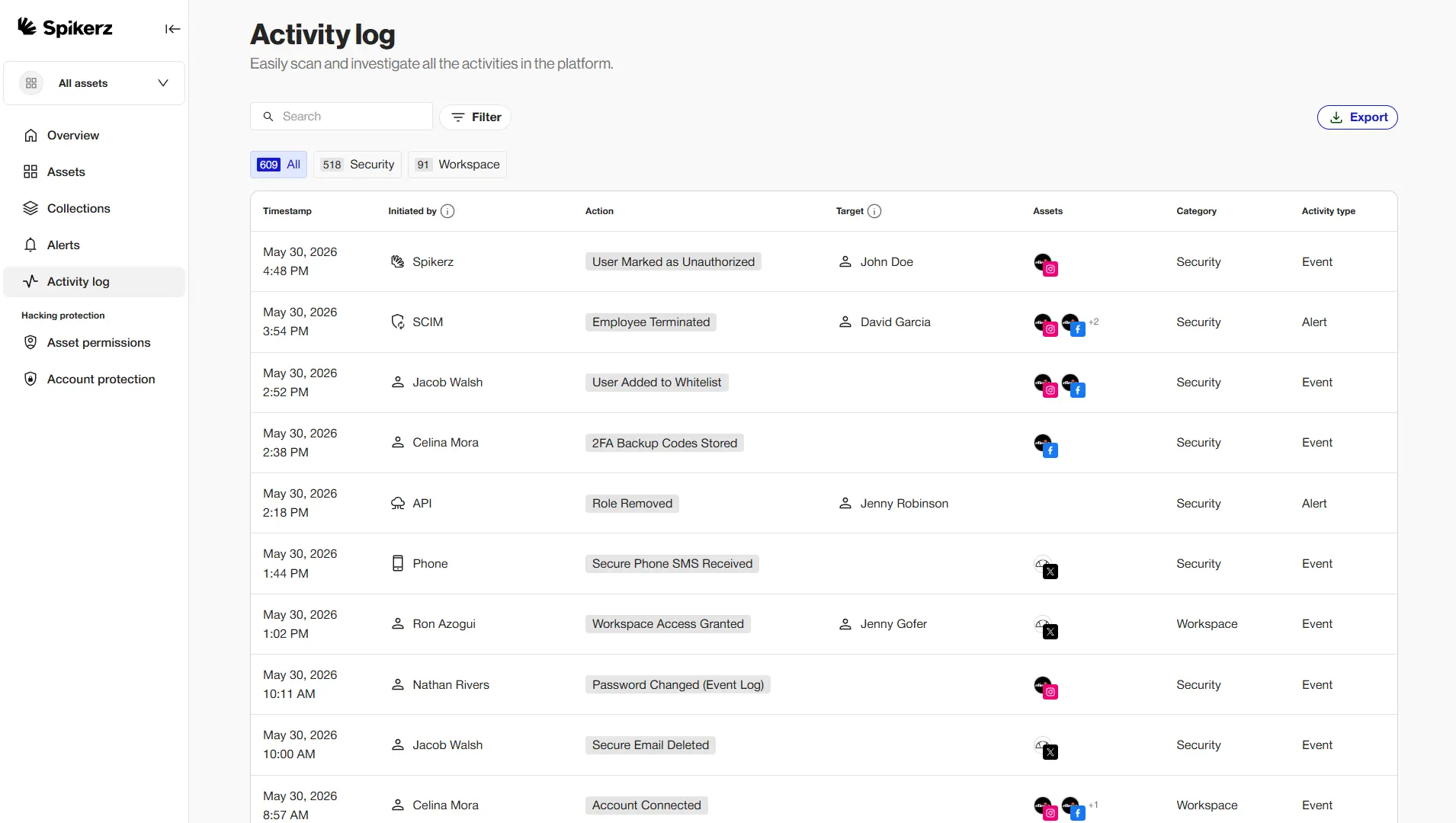
Attacks rarely happen during business hours. They happen at 2 a.m. on a Sunday, and every minute of delay gives an attacker more time to change your recovery email, post scams or lock you out. Watch for these warning signs:
- Logins from unusual places or devices
- Password reset requests you didn't start
- Changes to permissions, roles or connected apps
- Posts or messages you didn't send
The goal is to get an alert the moment something looks off, so you can act in minutes.
8. Watch for impersonators and fake accounts
Not every attack tries to steal your account. Some copy it. Social media impersonation is when someone creates a fake profile with your name, logo, photos and content, then uses it to scam your followers.
For example, a scammer copies your brand's page and messages your followers to say they've won a giveaway. To claim it, they just need to pay a small shipping fee or confirm their login. Some pay, some hand over their details, and every one of them trusts your brand a little less, even though you did nothing wrong. The faster you find and report fakes, the fewer people they reach.
9. Moderate comments and DMs to block scams
Your comment sections and DMs are part of your attack surface. Bots and impersonators fill them with phishing links, fake giveaways and hate, and a scam link in your comments can reach thousands of customers before you see it. Automated moderation filters scams and spam the moment they appear.
10. Protect devices and plan your incident response
Your accounts are only as secure as the devices your team logs in from. Keep operating systems and browsers updated, use antivirus software on company devices and avoid logging in to brand accounts on public Wi-Fi.
Then plan for the worst. Back up your posts, images and messages, learn each platform's recovery process before you need it, and name a small response team: who leads, who contacts the platform and who warns your audience. A plan agreed in advance cuts hours off your response.
Social media security checklist
Use this quick checklist to review each account:
- Every account has a unique, long password stored in a password manager
- 2FA is on, and codes aren't tied to one person's phone
- Only people who need access have it, at the lowest role that works
- Former employees and agencies have been removed
- Unused third-party apps have been disconnected
- Recovery email and phone number belong to the company
- Login and permission change alerts are on
- The team has had phishing training in the last six months
- Comments and DMs are filtered for scams
- A written incident response plan exists and names who does what
How Spikerz helps you follow every best practice
Following all ten best practices by hand, across every platform and team member, is where many brands slip. One missed step can leave an account exposed.
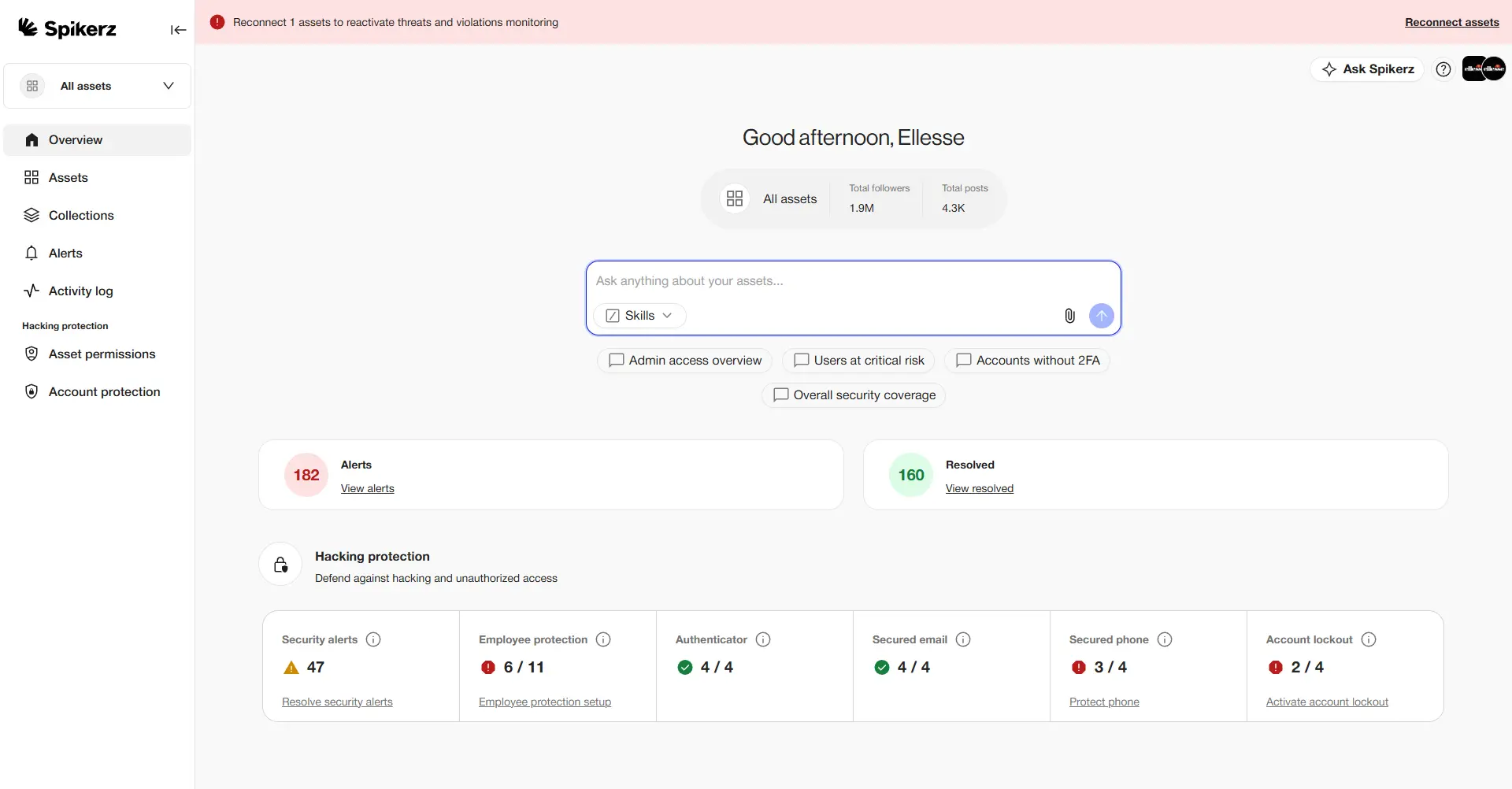
Spikerz is a social media security platform that connects to your accounts through official APIs, so you never share your passwords with us. It brings these controls together in one place:
- Account takeover protection: hosts 2FA codes securely, flags suspicious logins, and logs intruders out and rotates the password automatically.
- Impersonator takedown: scans for fake profiles copying your brand or executives, then verifies and removes them.
- Phishing protection: detects phishing in emails, comments and DMs before it reaches your team or your followers.
- Access management: shows every user across every platform in one place, so you can review and revoke access.
- Comment moderation: hides scams, spam, hate and phishing links across your channels in more than 25 languages.
Want to know your accounts are protected while you sleep? Book a consultation and we'll show you how Spikerz works.
Conclusion
Strong social media security isn't complicated, and it isn't only for companies with big security teams. It comes down to a few consistent habits: a clear policy, unique passwords, team-based 2FA, tight access, clean app connections, trained people, round-the-clock monitoring, fast impersonator takedowns, active moderation and a plan for when things go wrong.
You can do all of it by hand, one login at a time, or let a tool built for the job handle it on every account, every day.
Book a consultation to see how Spikerz secures your brand's social accounts.
Sources
- FBI Internet Crime Complaint Center, "Account takeover fraud via impersonation of financial institution support", public service announcement I-112525-PSA, November 25, 2025. ic3.gov/PSA/2025/PSA251125
- Federal Trade Commission, "Reported losses to scams on social media eight times higher than in 2020", Data Spotlight, April 2026. ftc.gov
