Reply to social media comment in your brand's voice, automatically
Spikerz drafts replies trained on your own tone of voice documents and brand knowledge, so every answer sounds like your team wrote it. Post automatically with rules you set, or approve each one in a click.

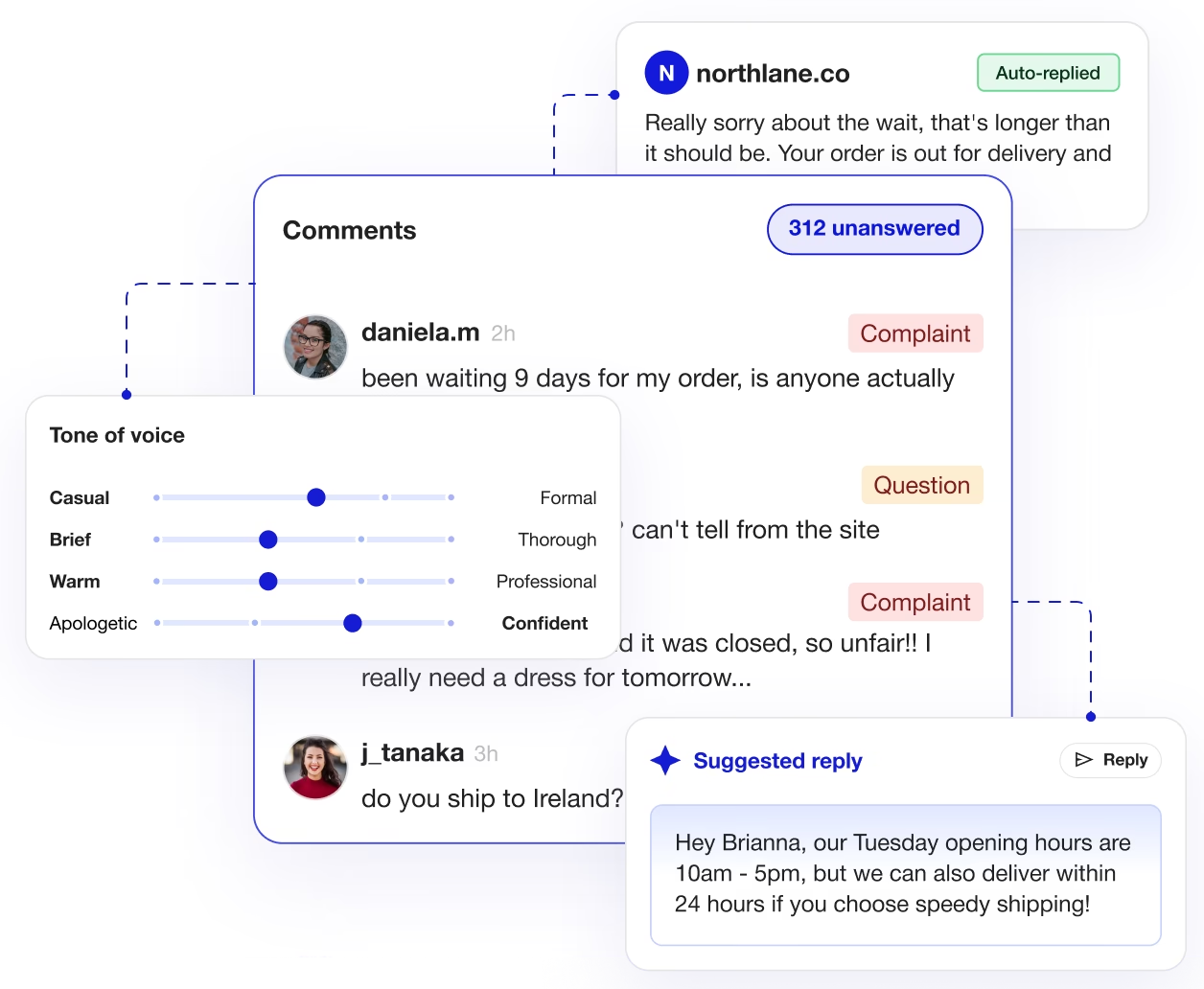






Most brand comments never get a reply. The questions with buying intent are buried in the same feed as the spam.
Replies that sound like your brand wrote them
Teach Spikerz your brand once, upload your documents, set your tone, define your rules, and it drafts or posts replies that match how your team actually writes.
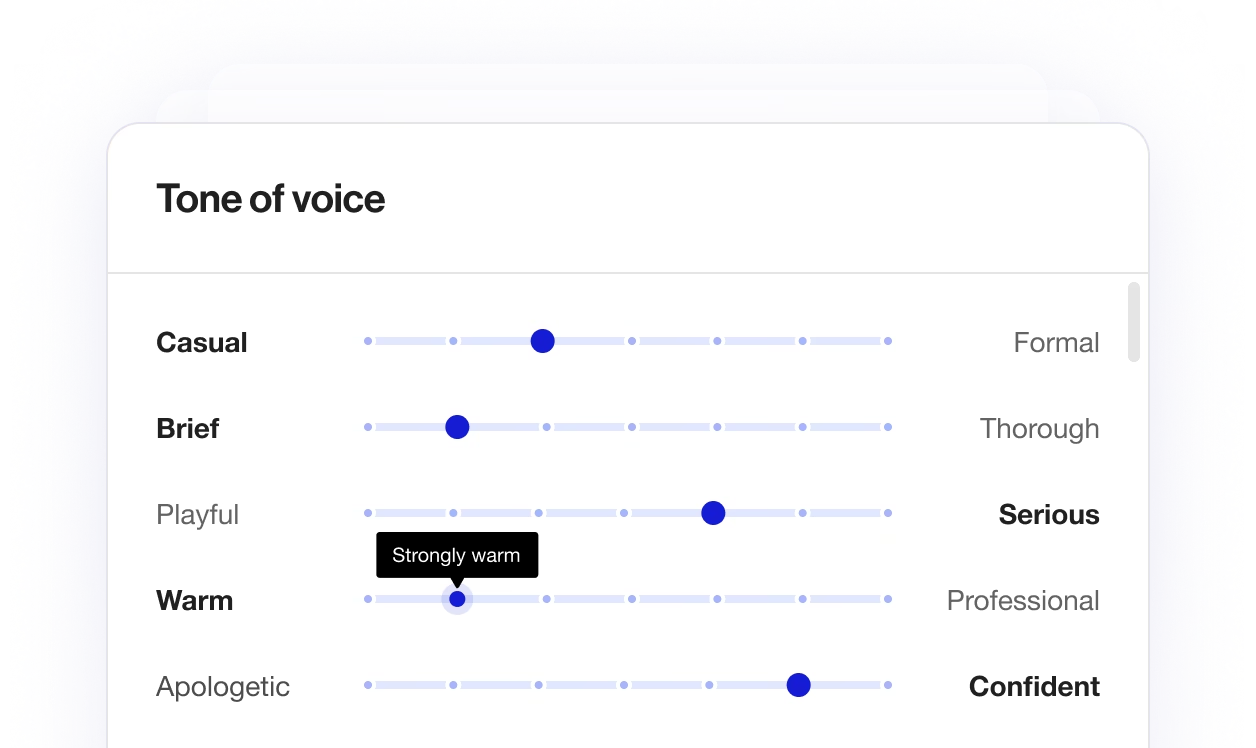
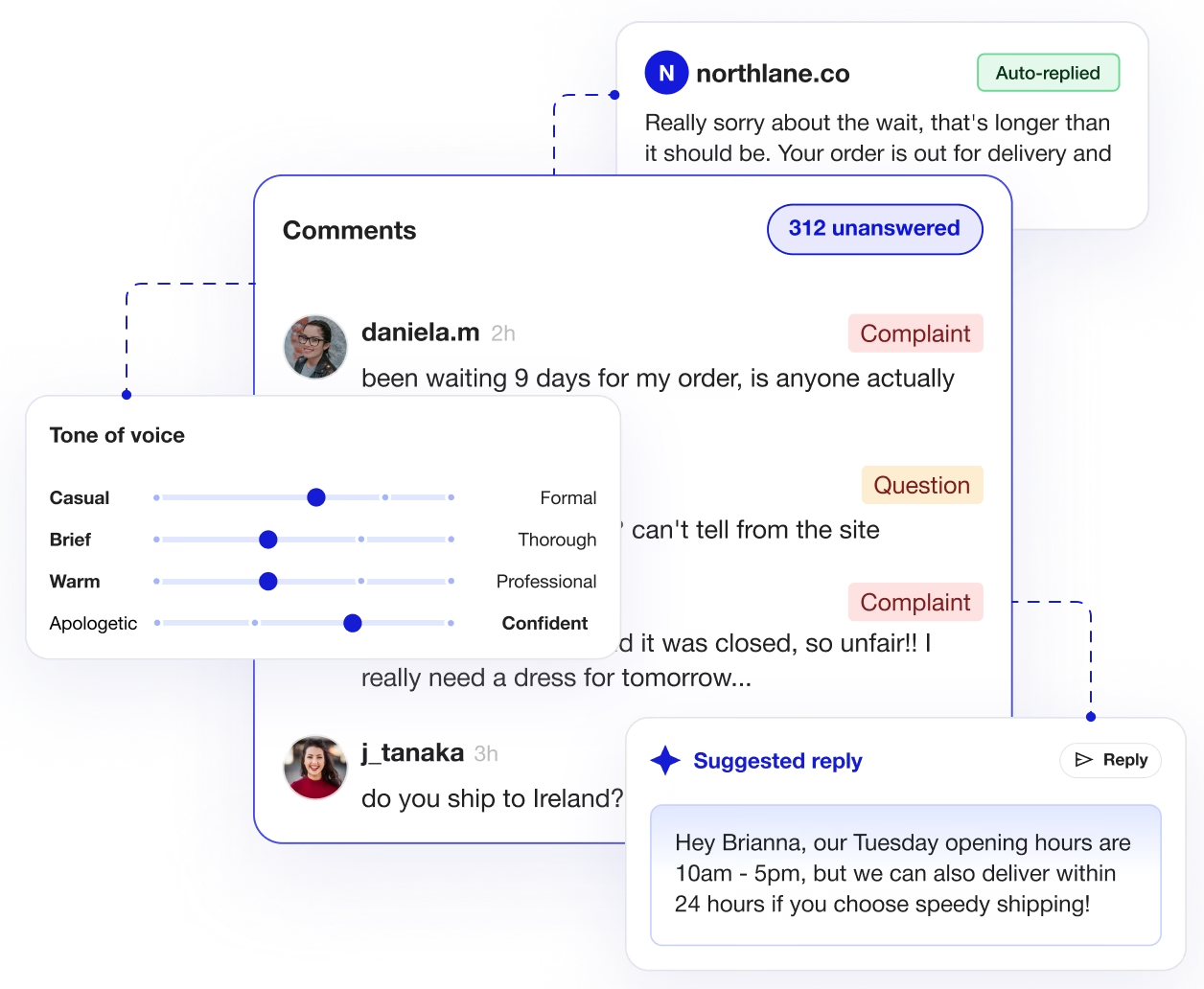
Tone sliders to perfect your brand voice
Set your tone using sliders, then read exactly how Spikerz would answer comments in your feed before a single reply goes out.
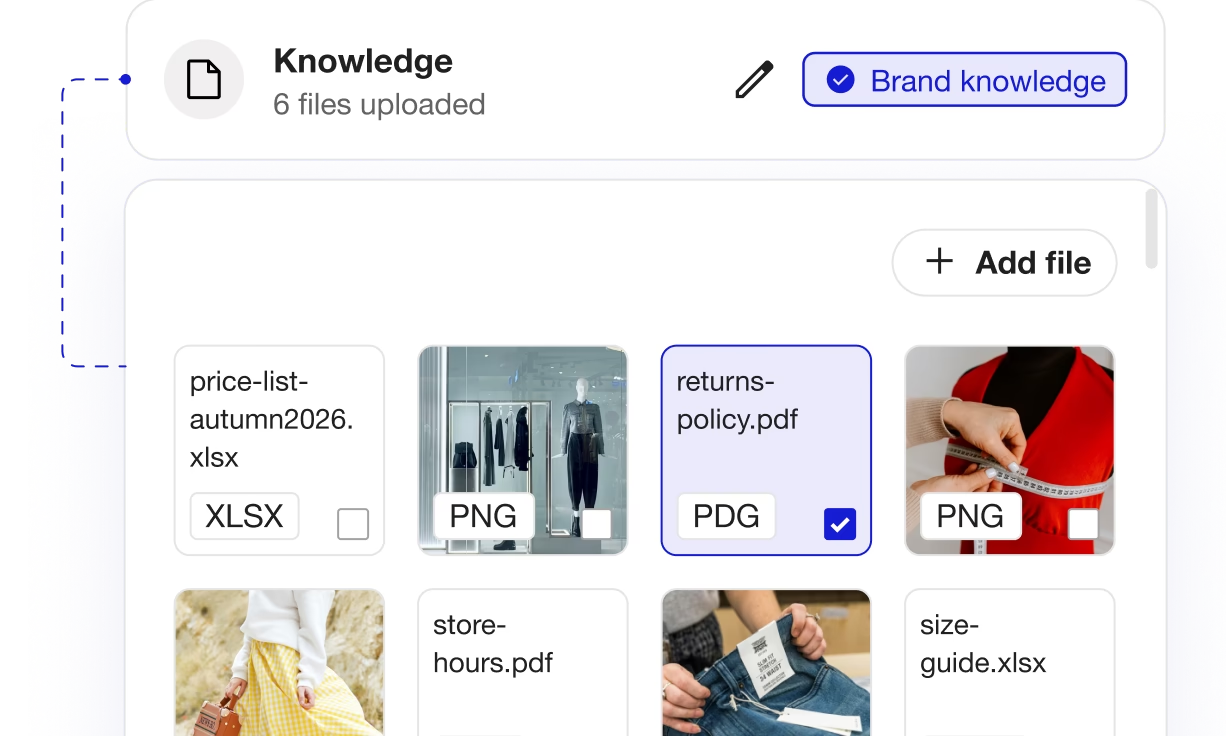
Trained on your own documents
Upload PDFs, spreadsheets and images, and replies are grounded in your real information, not guesses.
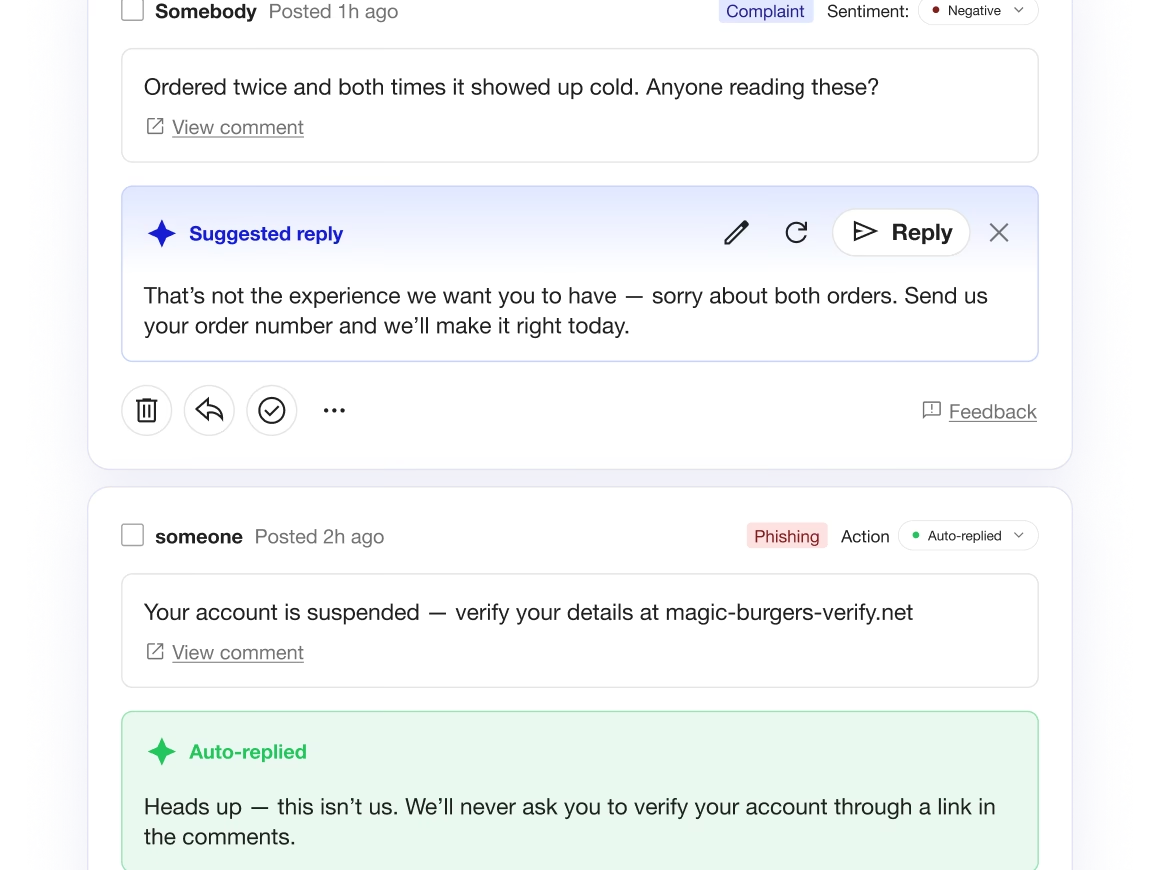
Suggest or auto-reply, your choice
Queue drafts for one-click approval, or let rules post automatically. Edit, regenerate, dismiss or send, and generate across hundreds of comments at once.
The Spikerz Impact
Answer every comment worth answering
Stay on brand at any volume
Cover the hours you don't work
One feed for every platform
Is Spikerz a good fit for you?
Brands & Social Media Managers
Paid Social & Performance Teams
What our customers say

"Since we started using Spikerz, we finally feel secure. They cover everything from account safety to protecting our comments, and it’s all in one easy platform. Honestly, it feels like a weight off our shoulders.”

"Before Spikerz, every post felt like an open door for scammers. Now our feed is clean, our team moves faster, and our real community can finally engage without distraction. Spikerz didn’t just fix the problem, they became part of our strategy."
.webp)
“Spikerz gave us peace of mind and complete visibility. Our social presence is safer, stronger, and easier to manage, without slowing down our momentum.”

“Spikerz has become an essential part of my strategy, filtering out the noise, giving me clarity on what matters, and making sure every post performs at its full potential.”

“Spikerz caught everything from the former employee almost instantly. It gave us real peace of mind.”
Spikerz vs. social platforms
Reply generation
Drafts replies in your brand's voice, trained on your tone and documents
Grounded answers
Pulls facts from your uploaded price lists, stock sheets and FAQs
Working at volume
Generate and send across hundreds of comments in one pass
Automation rules
Choose whether to queue a draft for one-click approval, or let the AI post automatically
Ad comments
Covers comments on paid and dark posts, not just your page
Reply generation
No reply generation of any kind
Grounded answers
No connection to your business information
Working at volume
One comment at a time, typed by hand
Automation rules
Manual replies only
Ad comments
Page-level settings that skip ad comments entirely
Ready to answer every comment?
Enter your work email address
FAQs
How does Spikerz know how to reply in my brand's voice?
Spikerz learns your brand voice in three ways. You upload documents (PDFs, spreadsheets, images) that contain your actual facts and information. You set tone-of-voice sliders to calibrate how friendly, formal, witty, or supportive your replies sound. And you tell us your account type and industry so the AI understands your business context. Together, these teach Spikerz how your team writes.
What kind of documents can I upload to train Spikerz?
You can upload PDFs, spreadsheets, and images. Common examples include FAQs, price lists, product spec sheets, stock availability, return policies, shipping info, brand guidelines, and customer service scripts. The more specific and relevant your documents are, the better Spikerz's answers will be.
Will Spikerz make up answers if it doesn't know something?
No. Spikerz is trained to ground its replies in the documents you upload. If your knowledge base doesn't cover something, Spikerz won't guess or hallucinate, it will either decline to answer or direct the commenter to contact your team.
Can I update my brand knowledge after I've set it up?
Yes. You can add, remove, or replace documents in your Brand section anytime. Changes take effect immediately for all new replies.
Do I need to provide my entire FAQ or knowledge base?
No. Start with your most common questions and key information — pricing, shipping, returns, product specs. You can always add more documents later as you see which topics come up in your comments.
Can I see what Spikerz will reply before it goes live?
Yes. You can set Spikerz to suggest replies (they queue as drafts for one-click approval) or auto-reply (they post automatically based on your rules). Either way, you can preview exactly how Spikerz would answer a comment using the tone-of-voice preview before any reply goes out.
What if a comment tries to trick Spikerz into saying something it shouldn't?
Spikerz includes prompt-injection protection that stops comments from hijacking your reply. Even if someone tries to manipulate the AI with special instructions hidden in their comment, Spikerz will ignore them and reply based on your real brand guidelines instead.
What kind of triggers can I set up?
You can trigger replies based on keywords, AI-detected topics (like "shipping" or "refund" even if not exact matches), links, blocked languages, and spam repetition. For example, you could auto-reply to any comment mentioning "delivery" with tracking info, or suggest a reply to purchase questions.
Can I set different rules for different platforms?
Yes. You can create separate triggers for YouTube, Instagram, TikTok, Facebook, LinkedIn, etc., or keep them unified across all platforms in a single view.
Can I auto-reply to every comment, or should I be selective?
We recommend being selective. Use auto-reply for high-volume, low-risk interactions (thanks for the follow, shipping questions, FAQ items). Use suggested replies for anything that needs human judgment — complaints, feature requests, or edge cases. This keeps your brand voice authentic and avoids unwanted replies.
Can Spikerz handle hundreds of comments at once?
Yes. You can generate and send replies across hundreds of comments in a single pass, or review suggested replies in bulk before sending them. This is especially helpful when a post goes viral or you're running a campaign.
Can I edit a reply before it posts?
Yes, if you're using suggested replies. You can read the draft, edit it, regenerate it, or dismiss it before sending. For auto-replies, you can review the history of what was posted and adjust your rules if needed.
Can I set brand guardrails to prevent certain topics or language?
Yes. You can define what topics Spikerz should and shouldn't reply to, and set guardrails for tone and content in your Brand section.
Why is Spikerz better than hiring more team members to reply?
Spikerz handles the volume that would require additional headcount while keeping your brand voice consistent. Your team can focus on strategy and complex issues instead of typing routine replies.